For Matlab users, I would like to share my Matlab function for Qspice.
It works with QSPICE’s command-line interface to load QSPICE schematic (.qsch) or output data (.qraw) into memory for plotting in Matlab.
Purpose of this project is to allow user to directly load .qraw in binary format. Qspice waveform viewer currently not support Cartesian representation, Nyquist or Smithchart (or we may have a unique way for data plot), plot data into these formats require extra step to export data from waveform viewer and load into Matlab. Therefore, this project is to eliminate the need of manual data export to work in Matlab.
I am trying to use the Matlab2Qspice package on GitHub and for the life of me, I cannot figure out how to access the raw simulation data in the Matlab workspace after running a stepped simulation. I have a simulation of a 555 timer astable circuit and what I ultimately want to do is to sweep the amplitude and frequency of a sinusoidal current source being injected into the astable timing capacitor node. I parameterize the parameters for the sinusoid (amplitude and frequency) and those parameters are stepped over a range in the Qspice simulation. The start and stop of the parameter being stepped is to be written by matlab to a .param file which is read into the simulation by Qspice. Lets say the simulation is stepped 100 times. I want to run the stepped simulation and then read the simulation data for all 100 simulations into Matlab and perform some cusom waveform analysis on all the simulation results. Can someone enlighten me how to use the Matlab2Qspice release on GitHub to do this task.
Jeff Klaus
A demo of 3 parameters .step can be found by running Matlab2Qspice_example_demo.m to open “step testcircuit(.tran 3param).qsch”. This is a simple example, but to show what operation to handle .qraw with step data.
It is a bit tricky in handling .qraw with .step data, as if you study .qraw raw data, all channel is one-dimension, and headers suggest if it is a parameter. My decision was to use a struct variable to store step related information like index range for each step data. This may not be the best way as my major is not programming. But my major concern is that I have to seek a way such that I can finally plot .meas into contour with Matlab.
In qraw_parser.m, there is help explaining variable that help in formatting for .step.
If this cannot help, please upload or send your .qsch to me for review. As when I read you message, it seems that you are loading parameter externally, and I am not sure if this require a unique handling.
Hi Kelvin,
Does Cross-tool support available in qspice, like using MATLAB code for control loops and qspice can be called by another tool like MATLAb to do the analysis and put the result back in MATLAB.??
Also can we monitor the real time data in Qspice.
Like every pulse width we want to see the data.
.MEAS command is a post process measurement value, if i want to see any data in real time is there any way to do that??
I think you can perform measurement during simulation, as long as you have a way in processing that. For example, I have a C++ DLL block to measure signal freq, duty and count, from a comparator input. I have this DLL block upload to my Github in Symbol directory.
(I think C++ DLL block should deal what you need, from control to measurement)
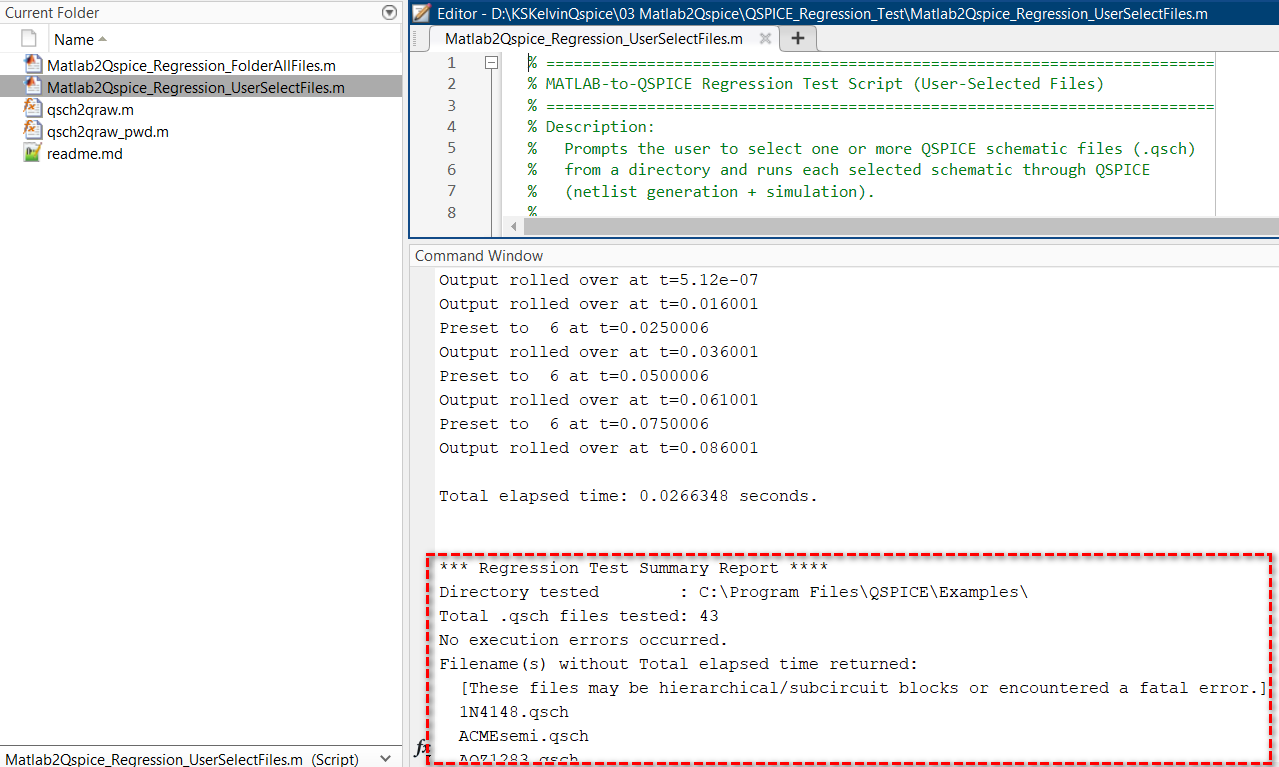
To help verify that multiple .qsch schematic files can run properly in QSPICE (for example, to check if a QSPICE update broke anything), here is MATLAB code that lets you either select multiple .qsch files or recursively search an entire folder (including subfolders) and generate a summary report for review.
It flags any .qsch file that produces no console output (possibly due to a bug preventing it from running), as well as any file that does not return "Total elapsed time:" in the console (indicating either a hierarchical block or a fatal error).
This regression test is not intended to verify whether simulation results are correct / stay unchange, but to confirm simulations can execute. My goal is to provide an automated way to check a large group of schematics whenever there is concern that a QSPICE update might have broken something, and to quickly identify which .qsch files are having trouble.