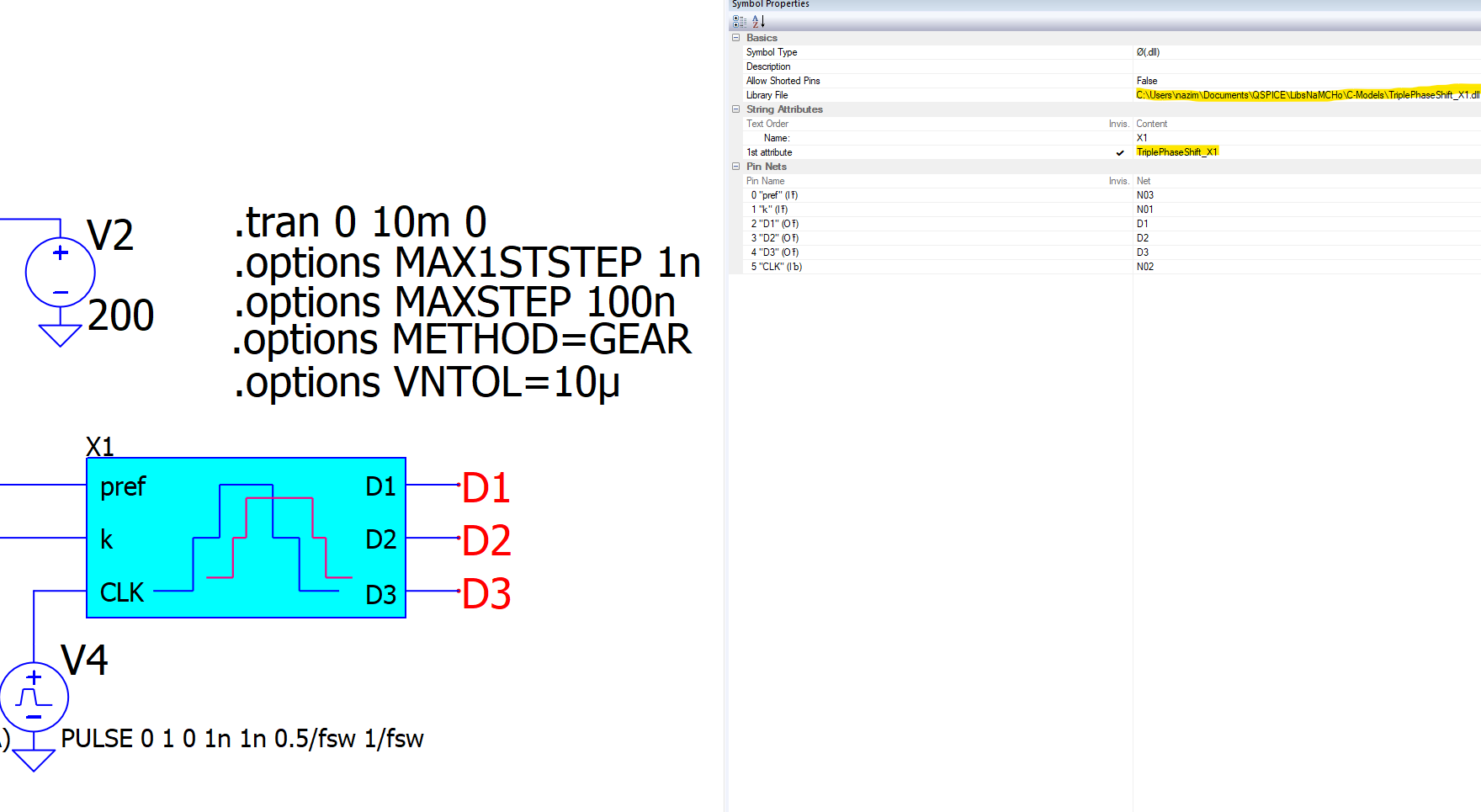
The message suggests that the DLL is found but does not contain the evaluation function. For your DLL, the eval function must be named “triplephaseshift_x1()” (all lower case).
Did you perhaps rename the DLL without changing the eval function name to match and recompiling?
I ran into the same problem as namcho. I believe I tried all combinations of the above solutions and the only one that actually worked which created a portable C Block symbol was:
Create C Block and a symbol in its own folder - likely a DLL parent or related directory holding your part library. Build a unit test case schematic and verify operation.
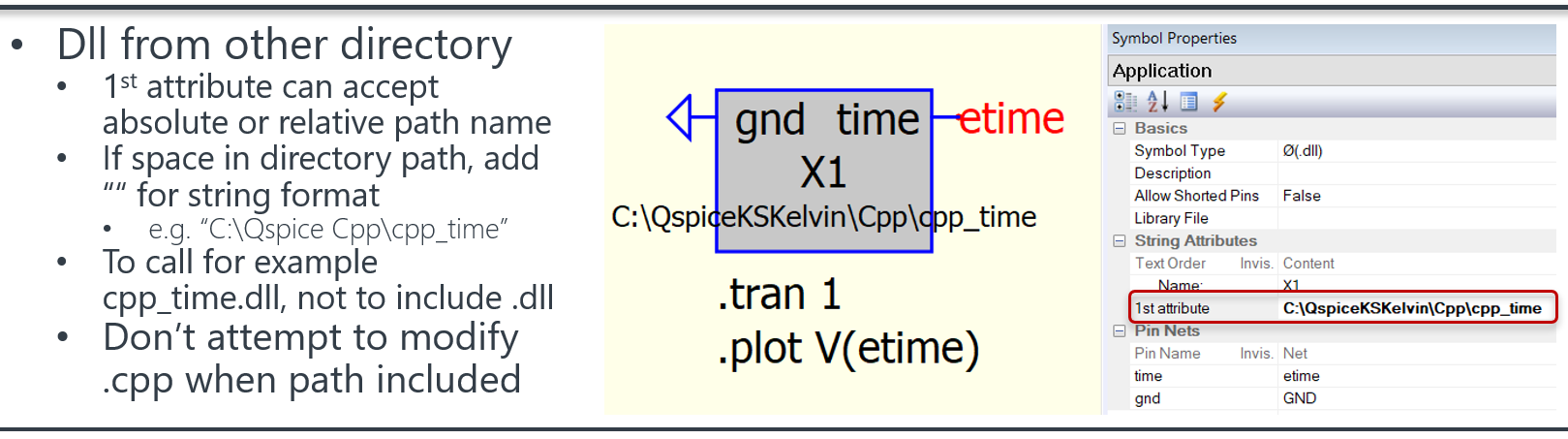
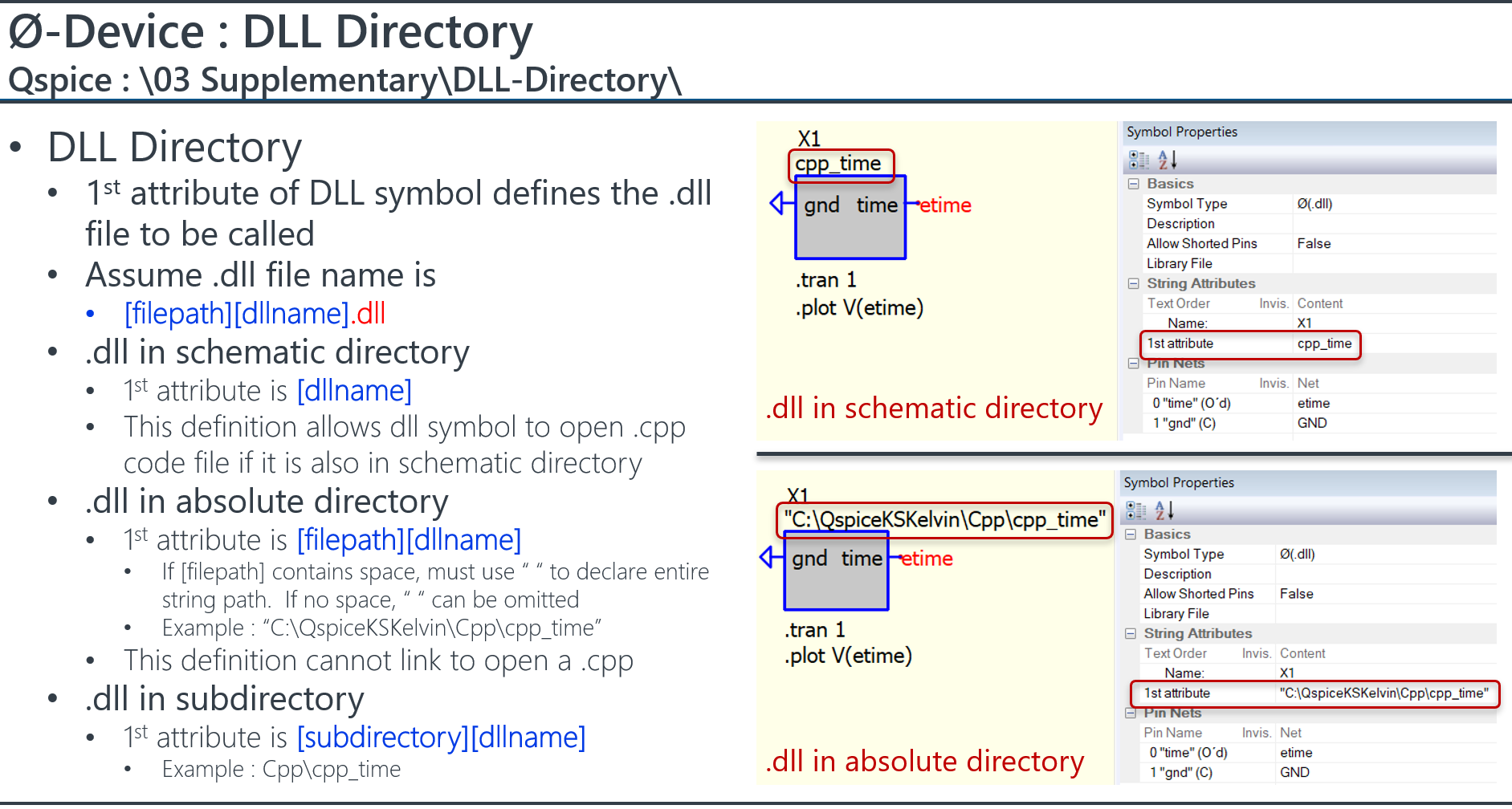
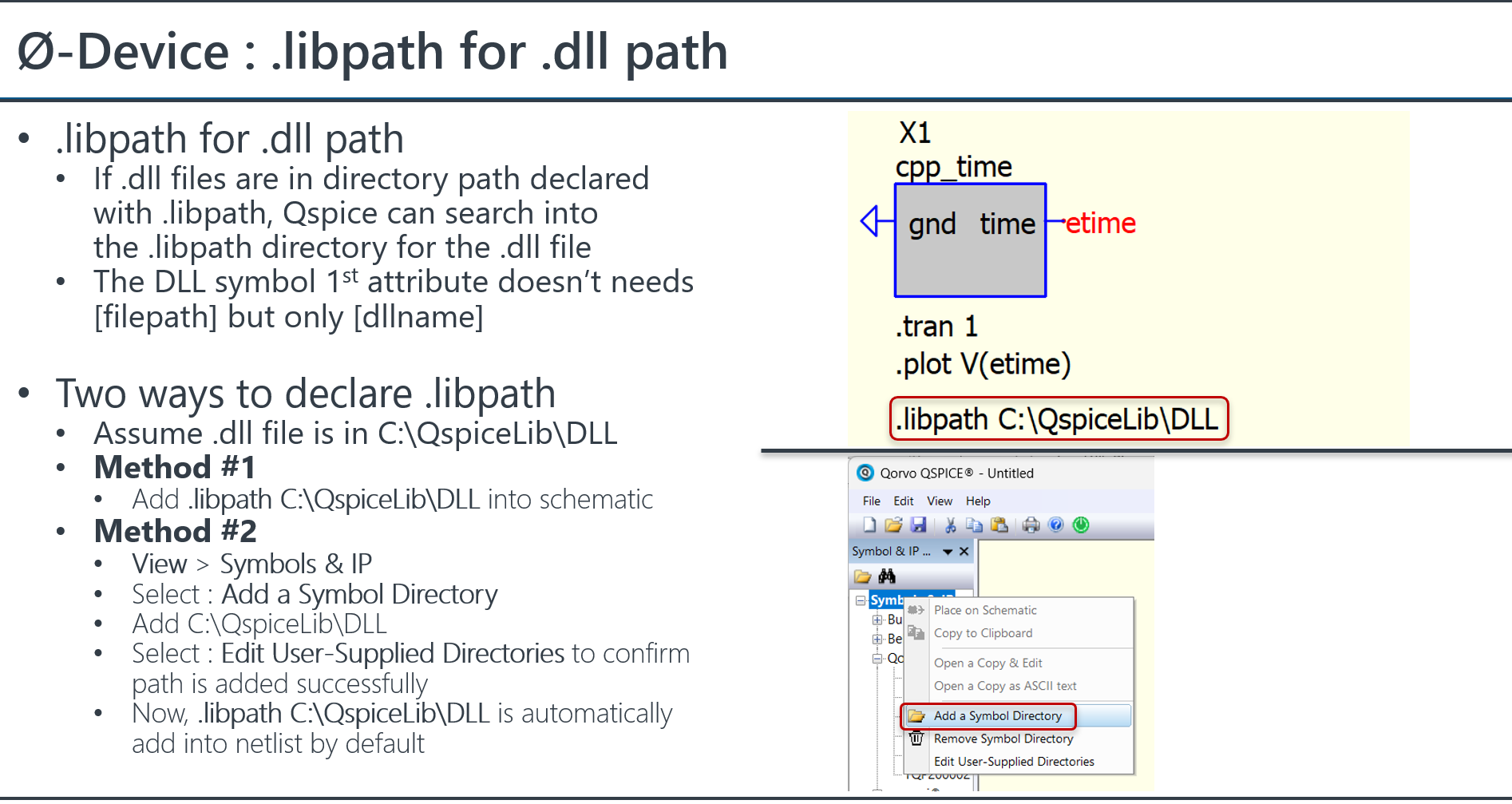
Create new symbol file and copy C Block symbol from your original and tested schematic into the symbol file. Make sure to set the property of hierarchical block. Save and set the local IP library folder as in KSKelvin’s Method #2 for declaring .libpath above to locate it for your IP. The .dll file must be located here as well. I noted that for C Blocks this is for convenience only so that you can drag and drop the symbol into a future schematic. The symbol file must exist. There is more work to be done
Create a new schematic to demonstrate portability and drag the new C Block from the Symbols & IP. DO NOT ENTER THE LIBRARY FILE ATTRIBUTE FOR THIS SYMBOL IN THIS SCHEMATIC
The parameter is entered in the symbol and handled there.
Add a .libpath entry (relative or absolute) to the schematic.
I believe there is a bug in @KSKelvin’s statement above because this is REQUIRED in the schematic.
— Method #2 on its own will not work. This would be more ideal and similar to any other (Non-C or Verilog based symbol) IP.
Build your new schematic and the simulation will work with your library C Block.