Hi everyone,
I have two questions regarding QSPICE:
 Separate / Non-Synchronized X-Axis for Multiple Waveforms**
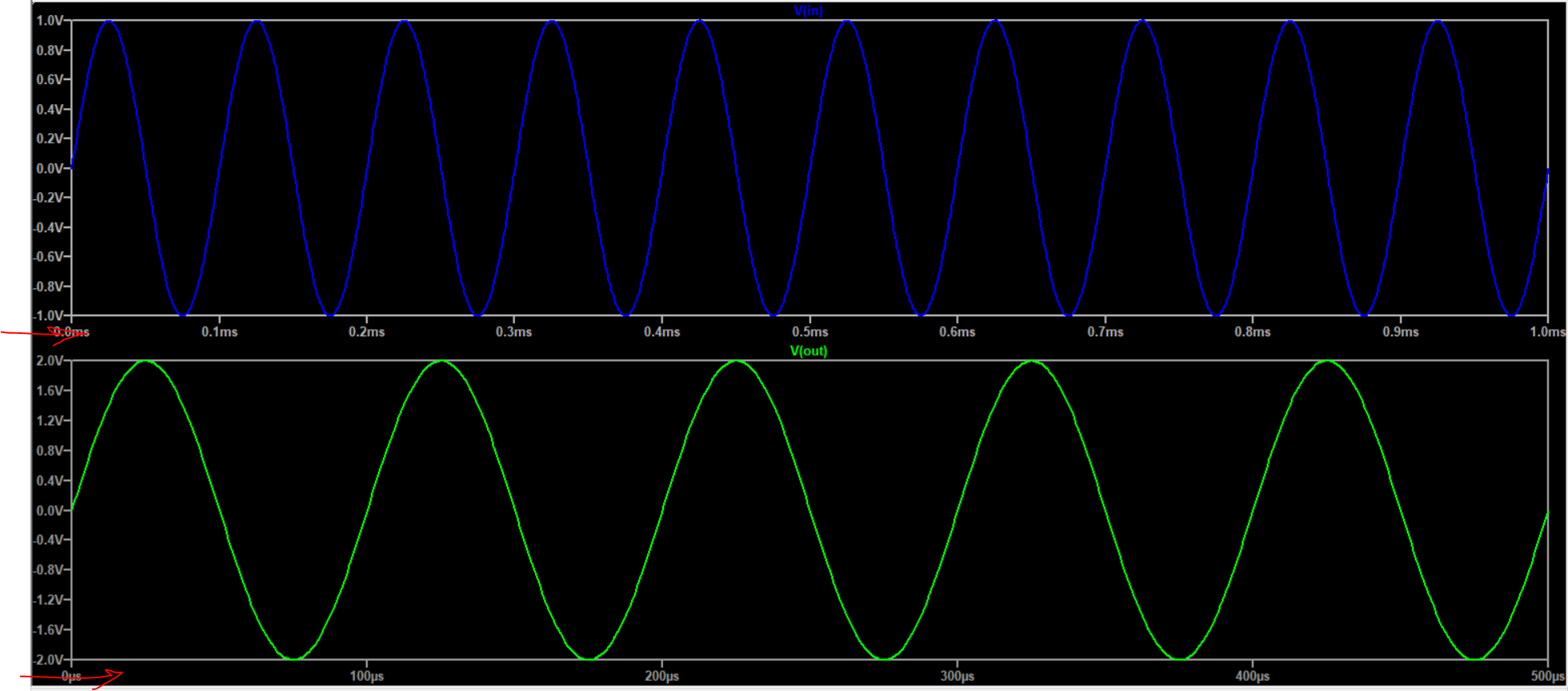
In LTspice, it is possible to display two plots with different and independent X-axis scales (for example, one in ms and another in µs), as shown in the attached image.
However, in QSPICE, I cannot find an option to make the X-axis of two waveform panes independent or unsynchronized.
Is this feature available in QSPICE?
If yes, how can it be enabled?
If not, is there any workaround?
 Custom Transient Command Symbol & Parameterized PULSE Source**
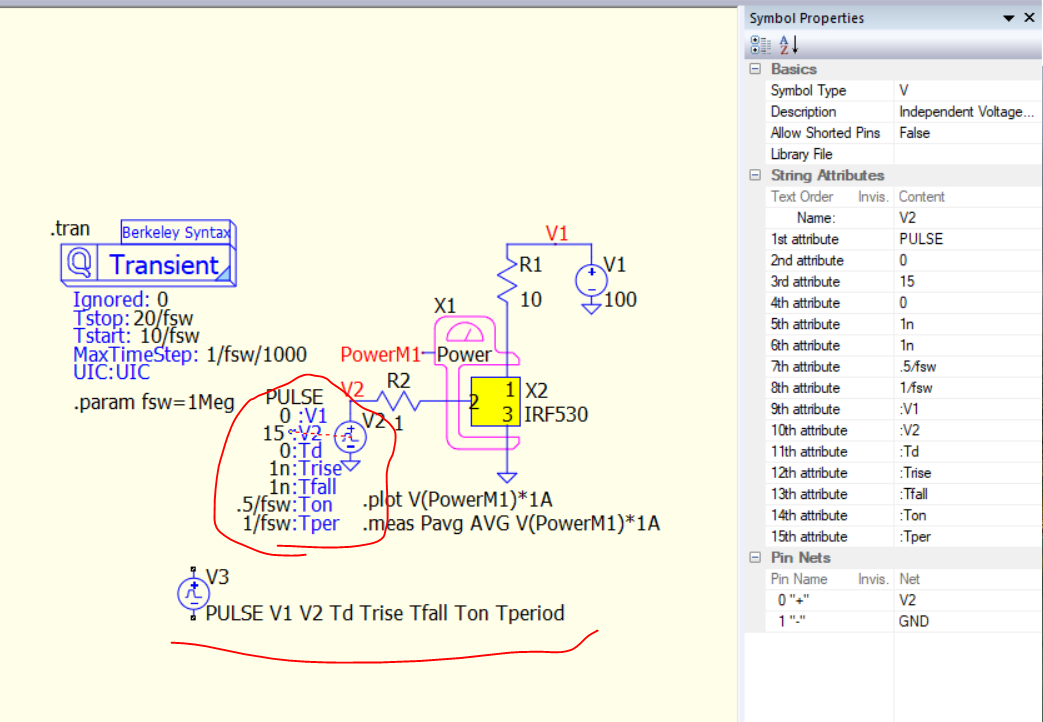
In the second image:
- The transient analysis appears as a graphical “Transient” block (Berkeley Syntax style), but I cannot find such a symbol in the QSPICE library.
- The independent voltage source is parameterized using expressions like:
PULSE 0 15 0 1n 1n .5/fsw 1/fsw
.param fsw=1Meg
In my QSPICE installation:
- The transient directive does not appear as a graphical symbol.
- The default independent PULSE voltage source symbol looks different.
- I cannot see how it was converted into that parameterized form with symbolic attributes (V1, V2, Ton, Tper, etc.).
My questions:
- How was the transient block created in that graphical format?
- Is that a custom symbol?
- How can I parameterize a PULSE voltage source like that using symbolic attributes?
- Is this done via editing symbol attributes manually?
Any clarification would be appreciated.
Thanks in advance.