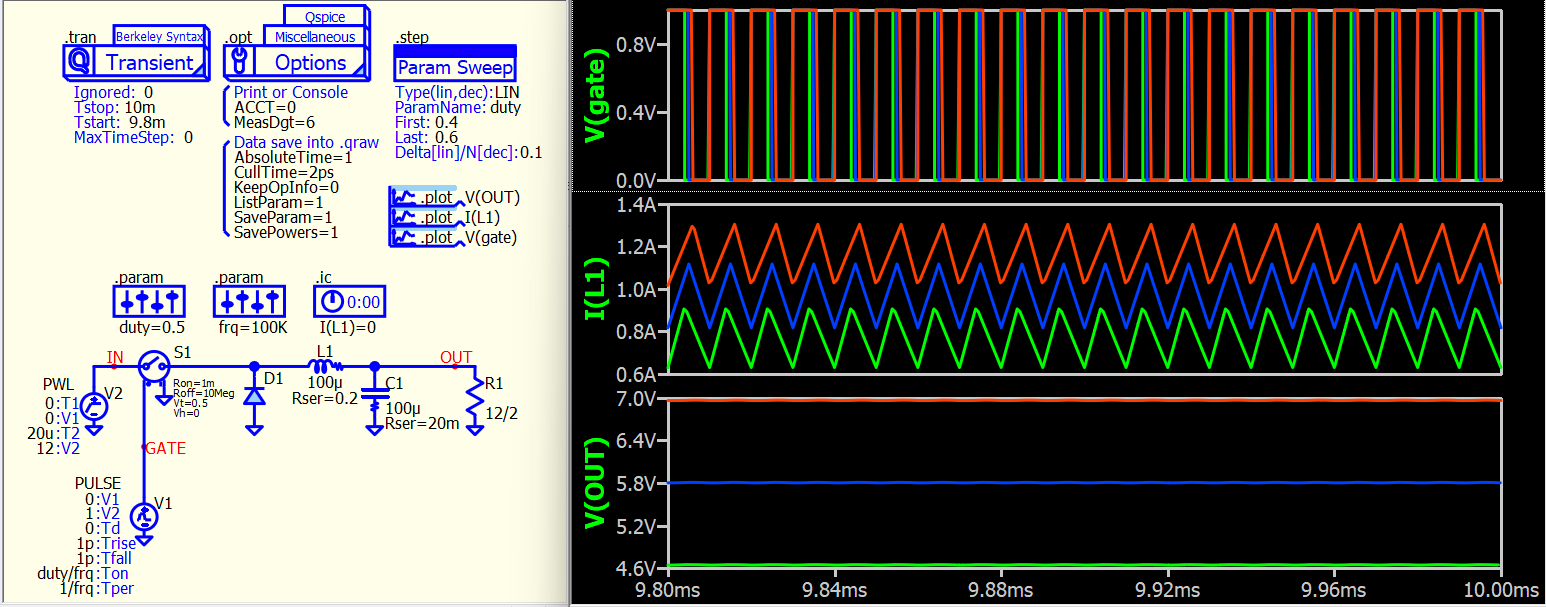
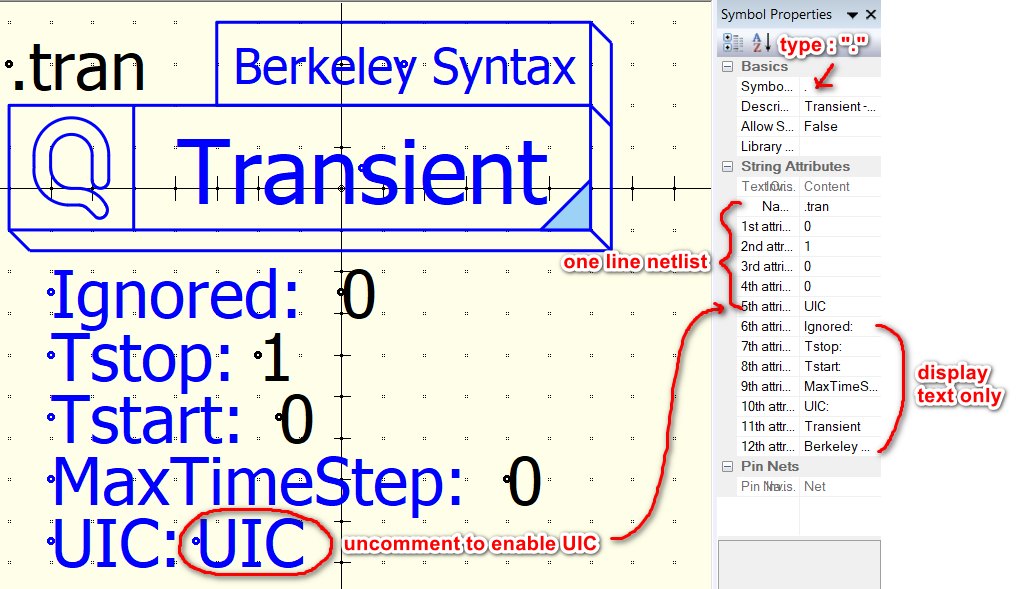
Currently, I have uploaded the command symbol I created on Github. However, it is still in the experimental phase. You can open the .qsym symbol files to see how this type of symbol can be implemented. Basically, the symbol is set up to output a single-line netlist and it begins with “.”
Qspice/Symbols-KSKelvin/.command at main · KSKelvin-Github/Qspice
For me, typing commands and using shortcut keys for component placement is definitely the fastest workflow for creating a schematic for simulation, with very minimal drag-and-drop actions. However, some users seem to dislike this approach. For frequent users like us, we are familiar with the command syntax, but many may have difficulty in understanding what that is.
It is clear that Mike will not bring right-click parameter menus to Qspice, but I have found that Qspice symbols have the potential to do more in this aspect. As discussed with Mike last week, he added a new symbol type “.”, making simulation directives supported by a symbol.
Here is another example, and I have also attached two symbols that I created. Just open them with the symbol viewer, and you will understand how they work. You can go to Github to download more symbols (but I haven’t fully tested them yet).
I would like to gather more feedback from the community to understand if this is something that can be an alternative to their requests.
example-testcircuit.qsch (18.9 KB)
.tran2 - Berkeley Syntax.qsym (2.1 KB)
.option - miscellaneous (Qspice).qsym (2.7 KB)