General workflow to import MOSFET subcircuit model
A Subcircuit (.subckt) can be imported into Qspice with auto symbol generation by copy and paste its .subckt netlist (or by pulling the subckt file into the schematic). To save time relocating its pin or symbol drawing, you can take advantage of using pre-built symbols. This animation demonstrates the workflow. In general, most MOSFET subcircuit models don’t include parameters lines like the Infineon model. Therefore, I have re-captured the workflow for a general model.
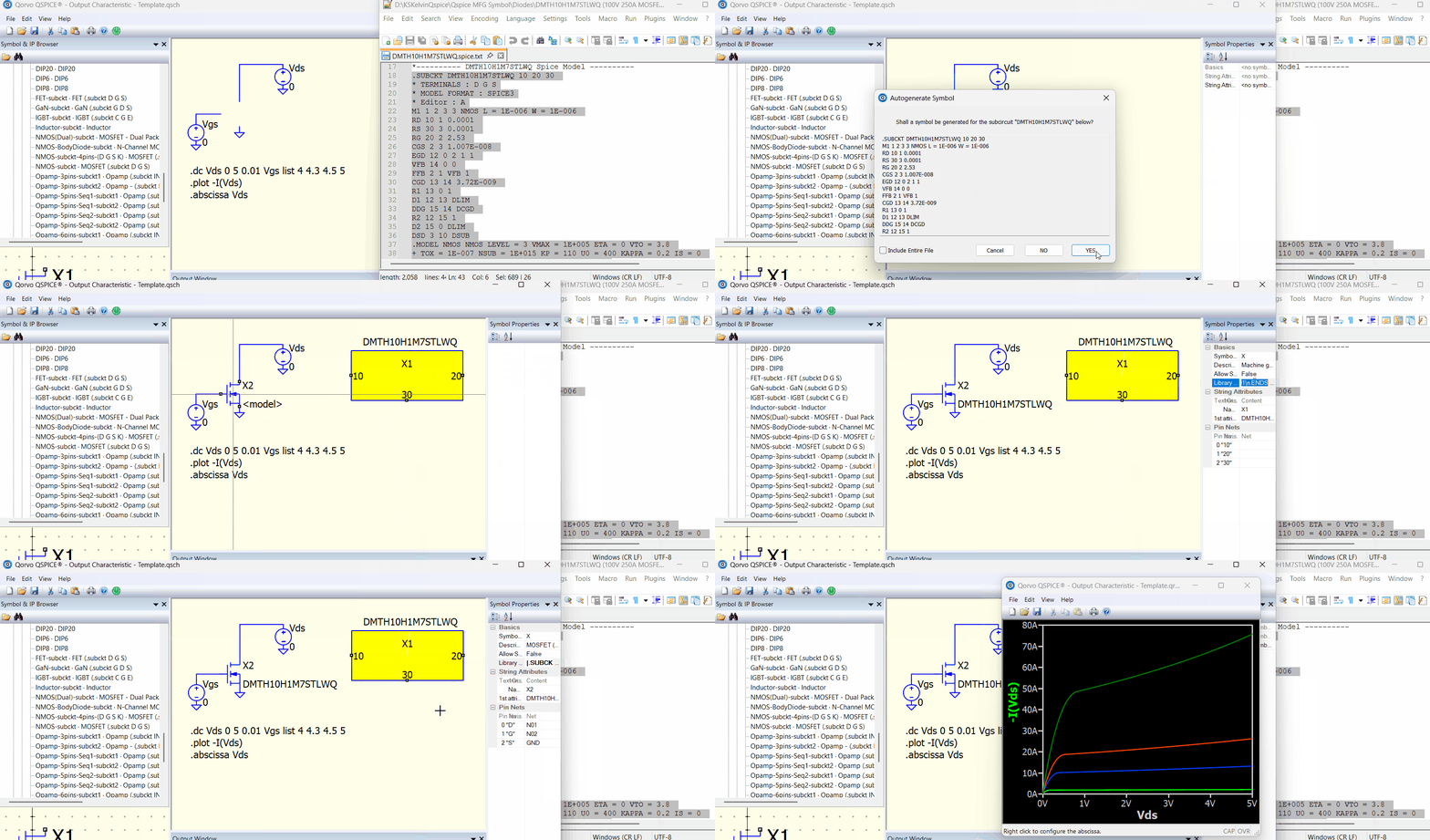
You must observe the .subckt for pin count and pin order, and select custom symbols that match that order.
You can download my custom symbol library, and in the folder “subckt symbol (third-party model)”, it consists of various custom symbols built to support 3rd-party .subckt models.
Qspice/Symbols-KSKelvin · KSKelvin-Github/Qspice
Feel free to contact me if you need any subcircuit symbol templates that are not included yet.