In general, discrete-time control can be implemented with a DLL block, whether in C++ or Verilog, to execute very complex algorithms. However, for engineers who are not familiar with programming languages or do not want to spend a significant amount of time studying how C++ works in Qspice, this can pose a great challenge.
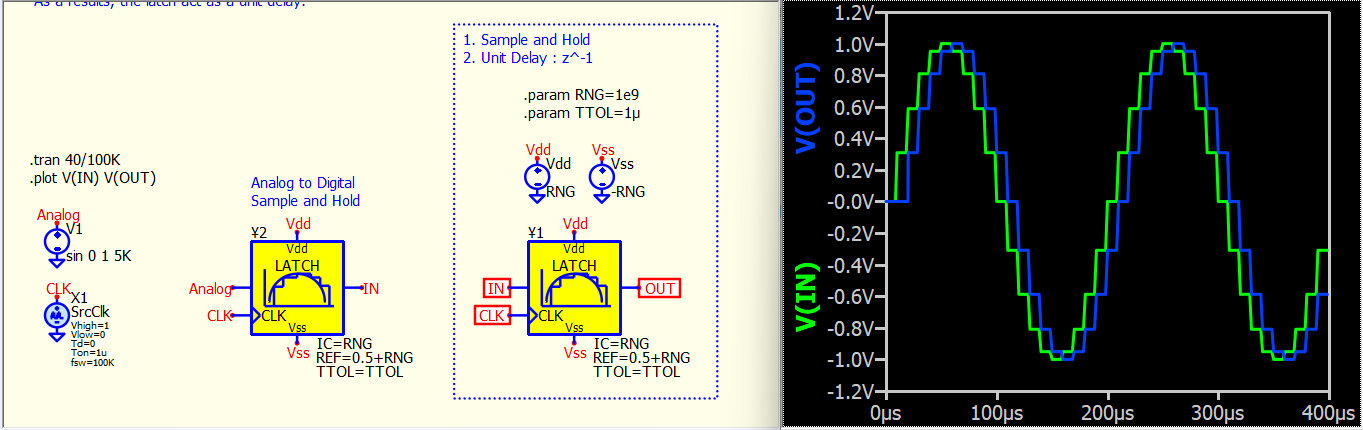
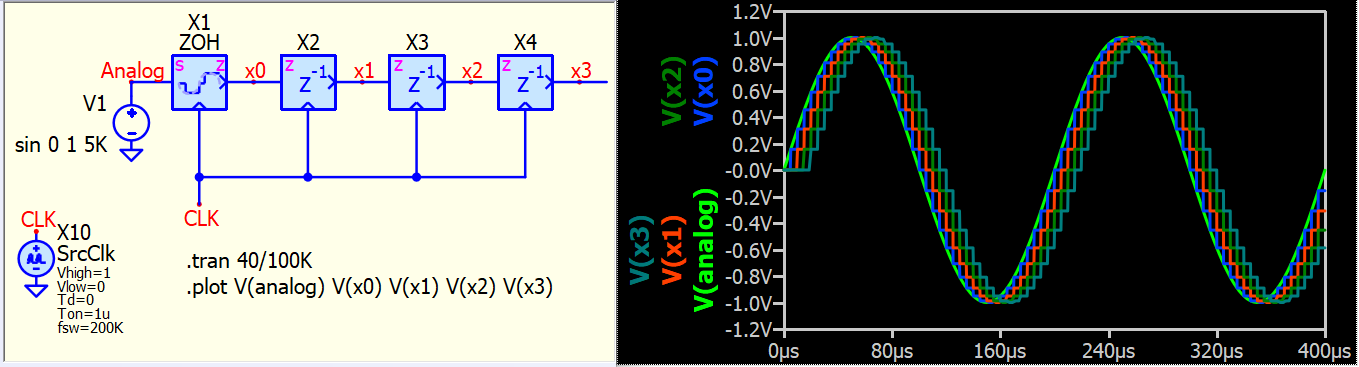
Recently, my colleague shared an article about simulating discrete-time control in LTspice (Use LTspice to simulate mixed continuous and sampled systems - EDN). The concept involves shifting the clock between two latch (sample and hold) devices to obtain a unit delay (z^-1). Upon reviewing this idea in Qspice, I discovered that by series-connecting two latches with the same clock action, one can achieve a ZOH and a unit delay. The reason behind this is that a latch is essentially a ¥-Device, which is a type of DLL device. In Qspice, all DLL devices have a one simulation timestep delay between their input and output. This characteristic perfectly allows a latch to function as a unit delay between its input and output. In short, we now have a method to implement a unit delay, which signifies that we possess the most essential elements for discrete-time control (z-domain).
Basic building block with Qspice native device for unit-delay (z^-1)
A simplified version with subcircuit symbol in demonstrates unit-delay (z^-1)
2 Likes
I have created a number of subcircuit symbols for discrete-time control (z-domain) and uploaded them to my symbol library on GitHub (Qspice/Symbols at KSKelvin-Github/Qspice). Instructions on how to download the library can be found at the above link by scrolling down to the bottom. The corresponding symbols are located in /Symbols-KSKelvin/control/.digital control/
Here are examples that use the devices in my symbol library
I hope this can help members who are not familiar with C++ in Qspice to have an easy way to work on discrete-time control related to the z-domain.
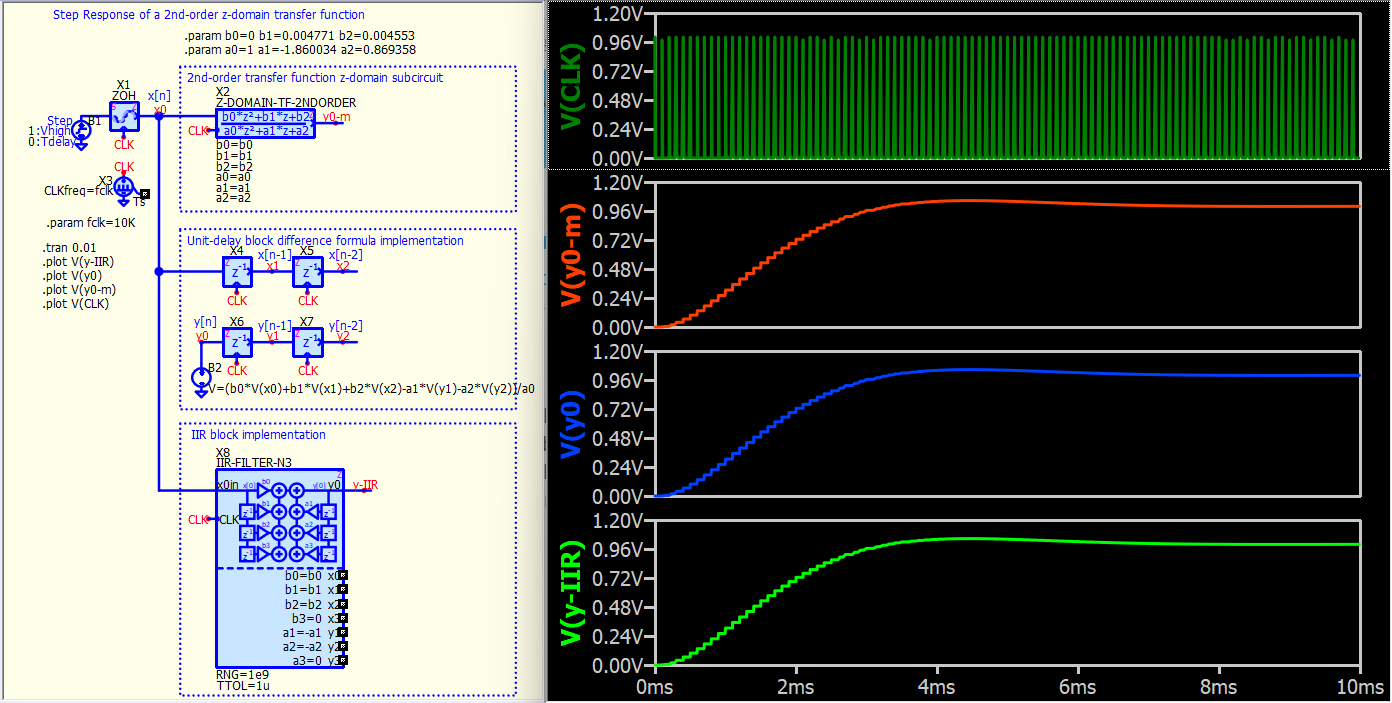
Example #1 : Various method to compute the step response of a z-domain transfer function
z-domain.TransferFunction.qsch (21.1 KB)
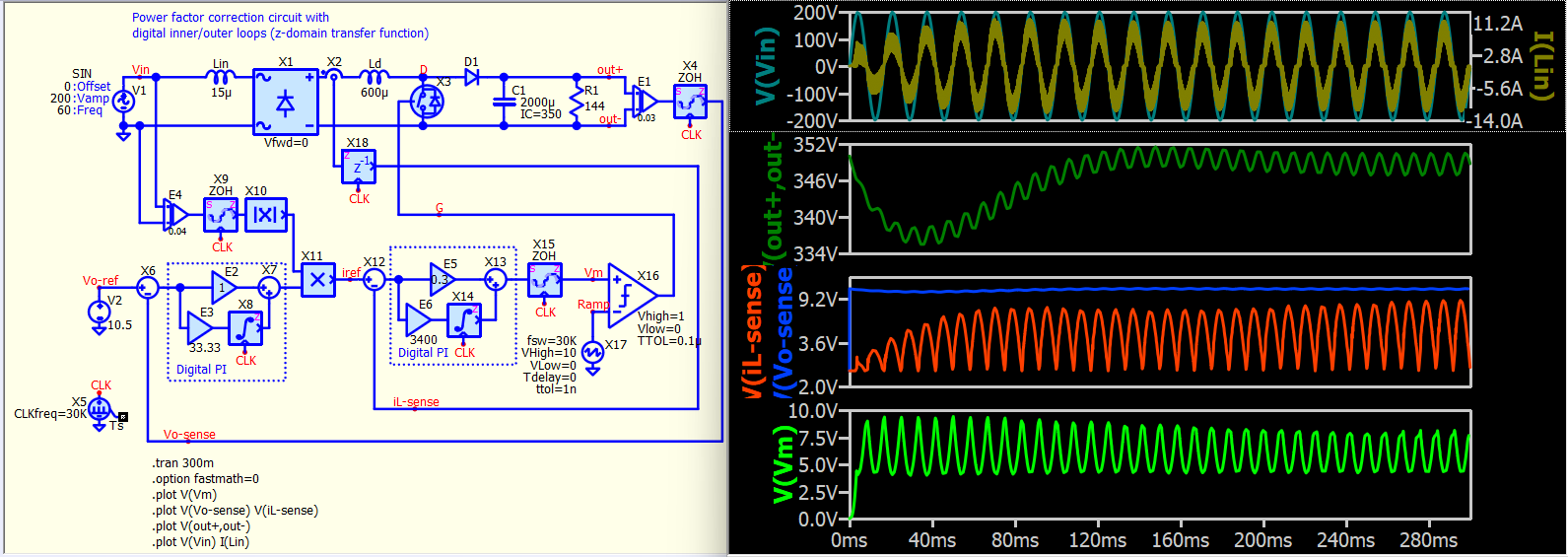
Example #2 : A PFC with digital inner/outer loops. Based on an example in PSIM.
z-domain.PFC_vi_d.qsch (36.7 KB)
Thanks - I’ve been using your libraries with great success.
1 Like
Great! If possible, make sure to learn about the Ø-Device (C++), which is the core power of Qspice. However, DLLs are normally blocked by company IT, so the z-domain library allows you to share projects without triggering that security alert. Feel free to let me know if you want any z-domain functions to be added.
I just made a virtual machine to get around the anti-virus.
But actually, any chance you could make a new PWM-PHASESHIFT-LOGICGATE that maps from (0 to +1)V to (-90 to +90) degree? Instead of 0-180 like the one in Symbols-KSKelvin / power electronics / pwm controllers. Its not z-domain but I thought I’d ask since you offered haha.
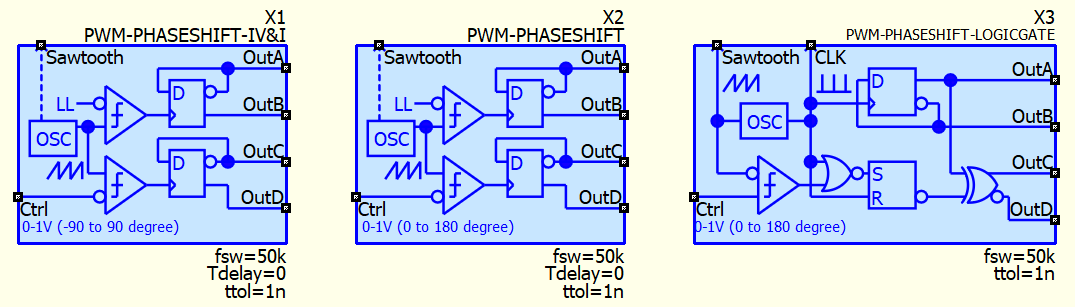
The logic gate version “PWM-PHASESHIFT-LOGICGATE” follows the UC3876 phase shift logic. There are “PWM-PHASESHIFT” and “PWM-PHASESHIFT-IV&I” versions that support 0-180 degree and -90 to 90 degree phase shift, respectively.
/Symbols-KSKelvin/power electronics/pwm controllers/
In addition, Valentin Volodin UC3875 (Phase Shifted Full Bridge Controller) LTspice model substitute with Qspice logic devices can be found in
/Symbols-KSKelvin/community/Valentin Volodin/
If you have already downloaded my library, I recommend updating it again. I have just revised these symbols with the subcircuit netlist generated automatically through my MATLAB LTspice to Qspice conversion code, rather than manually matching each device (there may have been careless mistakes in the early version).
These are all the phase-shift symbols I have built thus far for phase-shifting.
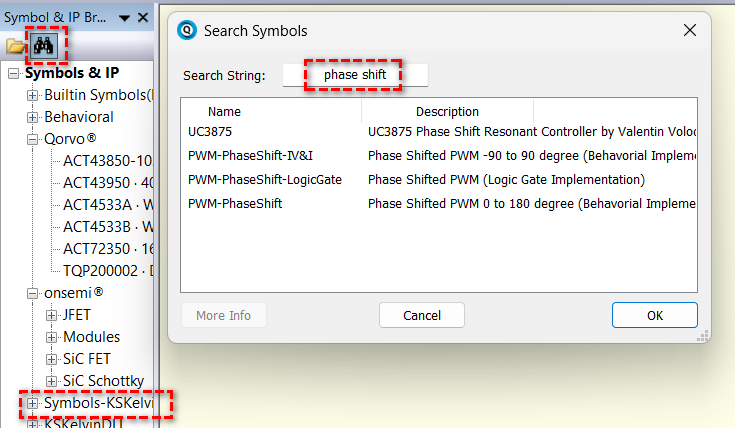
Utilize the search feature to access all the available symbols.
Are you searching for a phase-shift logic that has not been mentioned here?
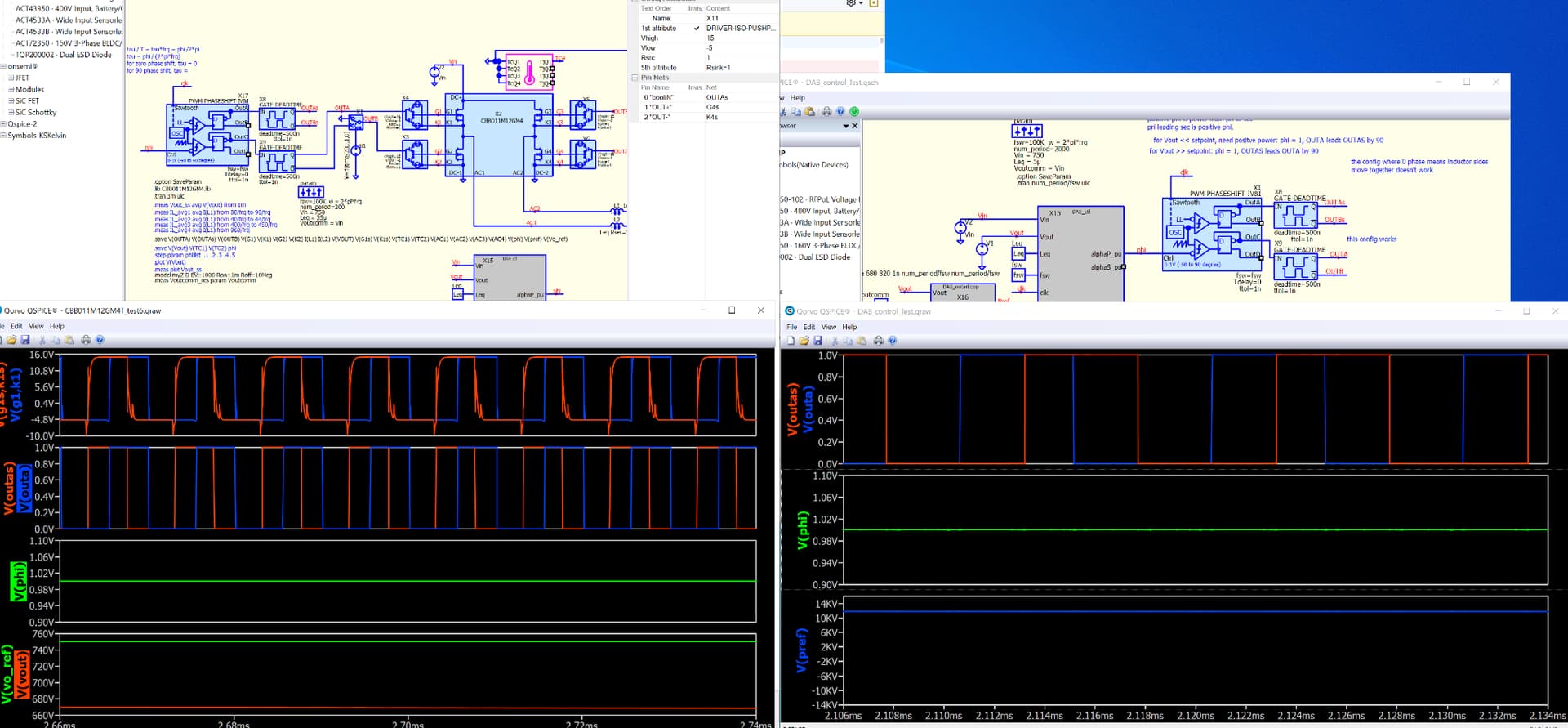
@KSKelvin I’m getting some strange and hard to reproduce behavior from the new 0->1 -90->90 block. The only proof I have right now is the attached image. On the right, blue outa rises up when red outas is low, but on the left, blue outa rises up when red outas is high. In both cases the input phi is 1. Yesterday I deleted the block, closed Qspice, reopened, and replaced the block, and the left side worked as expected. This morning it has reverted again.