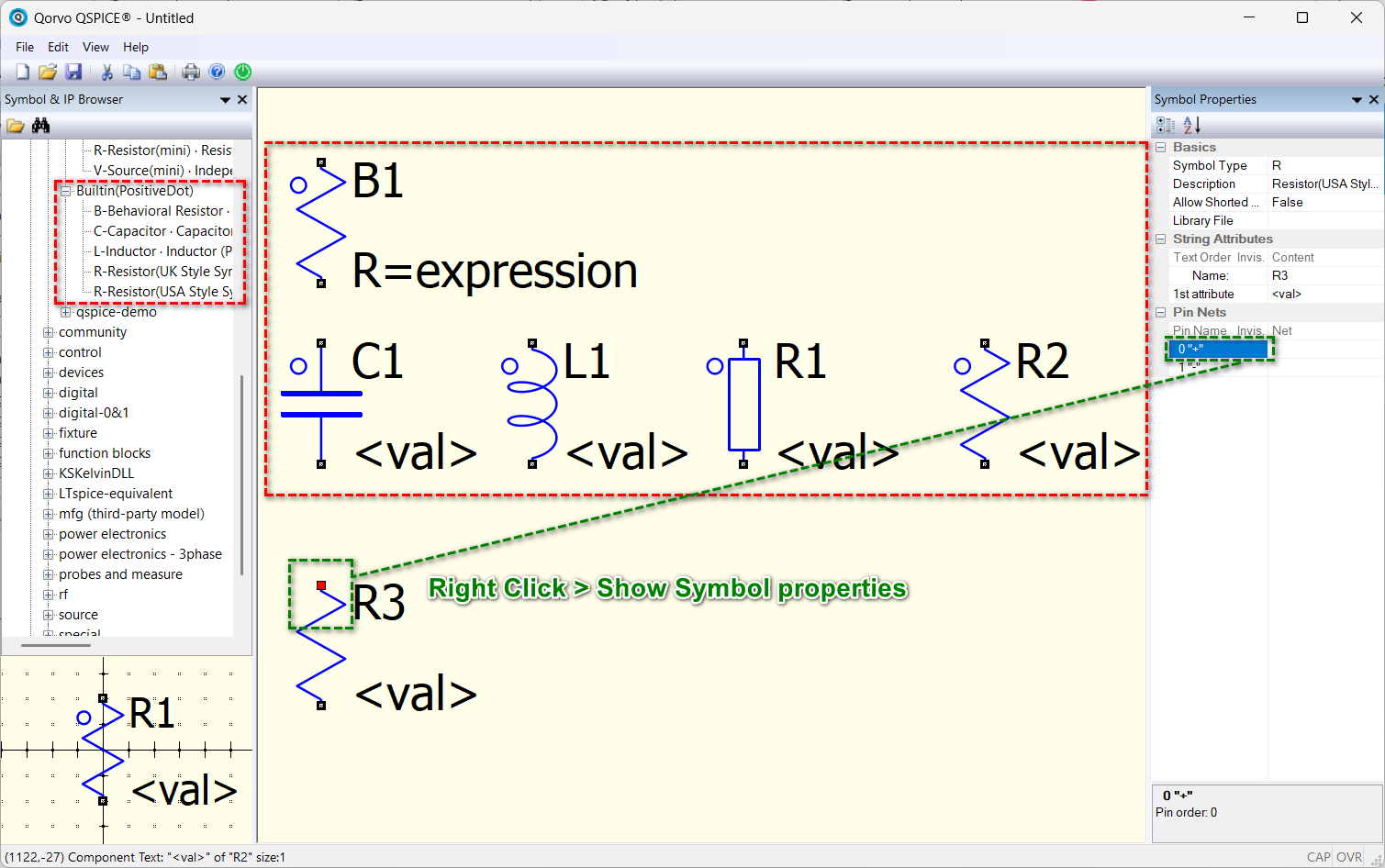
The solution is to right-click on a component to show Symbol Properties, click on the Pin Name, and it will highlight the corresponding pin in the schematic. Alternatively, you can download my custom symbol library (Symbols-KSKelvin), which consists of components marked with a dot to indicate their positive terminal : /Symbols-KSKelvin/.qspice-alternative/Builtin(PositiveDot)/
But my practice is to either directly place a resistor (vertical) or rotate it once (horizontal). This ensures that the current flows from top to bottom or left to right. I never use multiple rotations for R, C, and L (L have a right-click option to show its phase dot).