Sitting and looking at the manual for my DEV1001-DEV board. Getting a little confused.
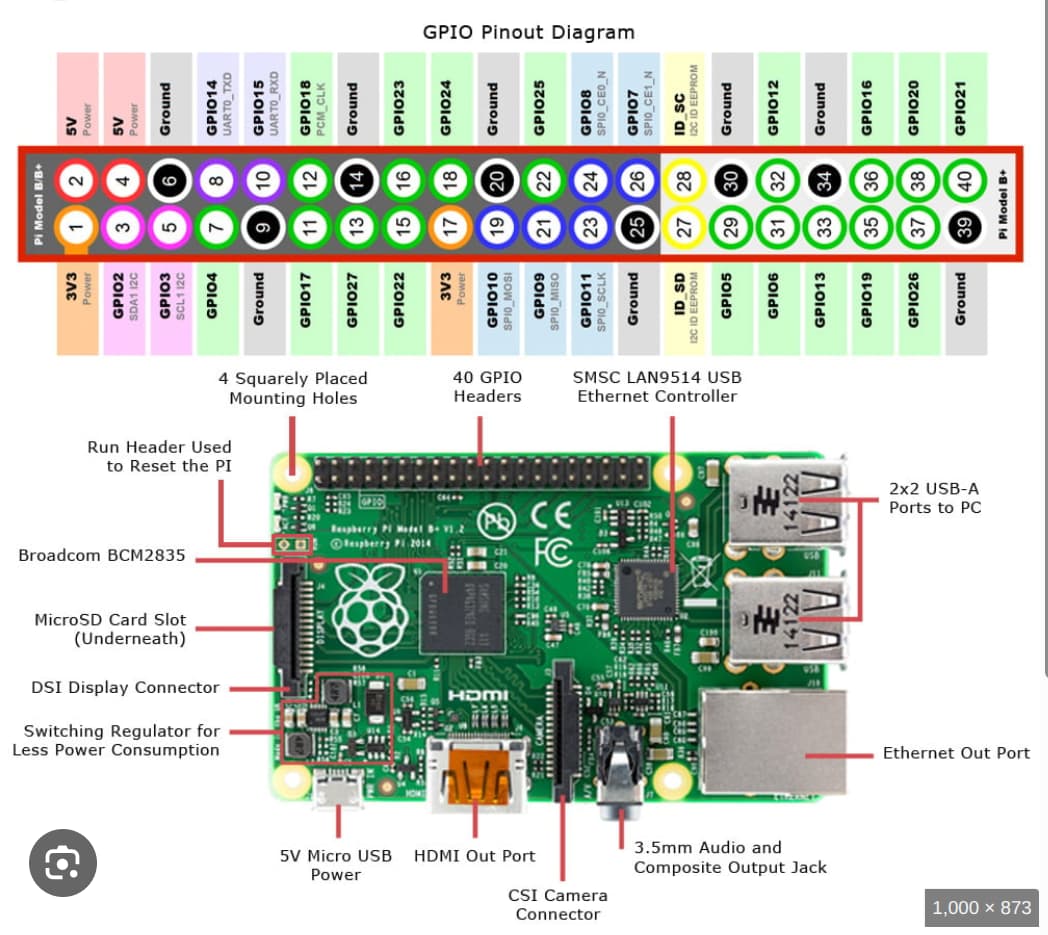
DWM1001-DEV is compatible with older 26-pin Raspberry Pi and if I understand it all. If I want to connect it to an ESP32-S3 for example to start it up and start working as a tracker to send “lep on” from ESP32… then pins 8 and 10 on the 26-pin connector are UART communication between my DWM1001-DEV and ESP32-S3.
Is there any setting I need to do in DWM1001-DEV or just connect these two pins to my ESP32 if PANS2 is installed on my DWM1001-DEV?
Because then the manual says “Module Pin Number (and Name) from
DWM1001 Module Data Sheet” other PIN numbers, but I suspect that it is the DWM1001’s pin configuration itself. Not how it looks on the DEV board.
I might want a little more from the manual for DWM1001-DEV so I don’t have to ask stupid questions.
Hi @MacTommy
just to add answer (after a longer time).
please see https://www.qorvo.com/products/d/da007950
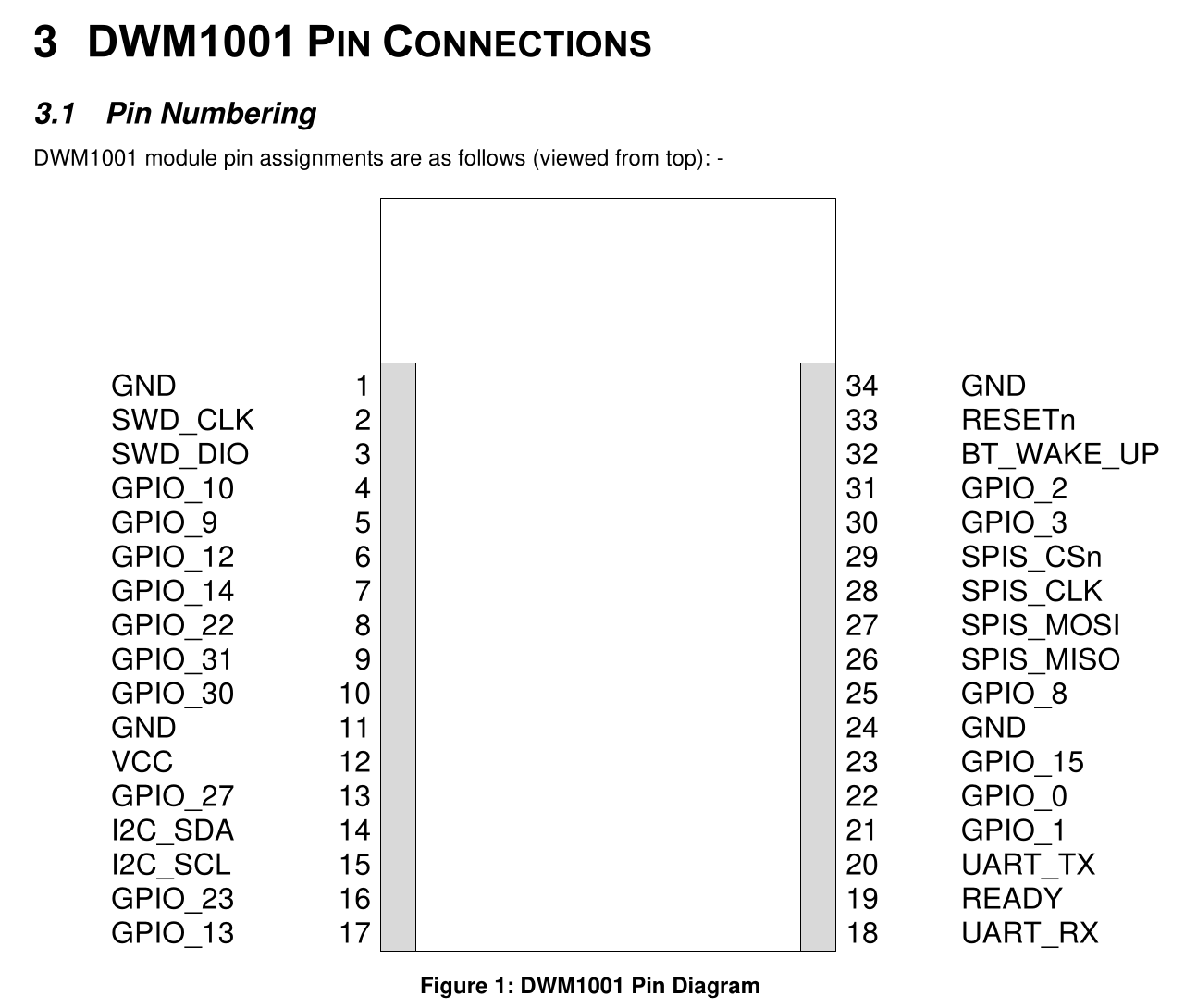
section 3 DWM1001 Pin connections pins 18 and 20 are for the UART communication. You might also also the pin 19 for receiving interrups.
Thank you TDK for your support. I have measured the continuity between pin 20 in DWM1001 to pin 10 in J10 (RPI header) they were short, same for pin 18 in DWM1001 to pin 8 in J10 was short. that’s mean I can connect directly to Pins 8,10 of RPI. Are this, ok?
I dont have it out of my head by if you solder the 20pin connector to the DWM1001-DEV (MDEK1001) board and then connect it to the Raspberry PI, then the UART of the DWM1001 should be available on /dev/ttySx of the Raspberry Pi.
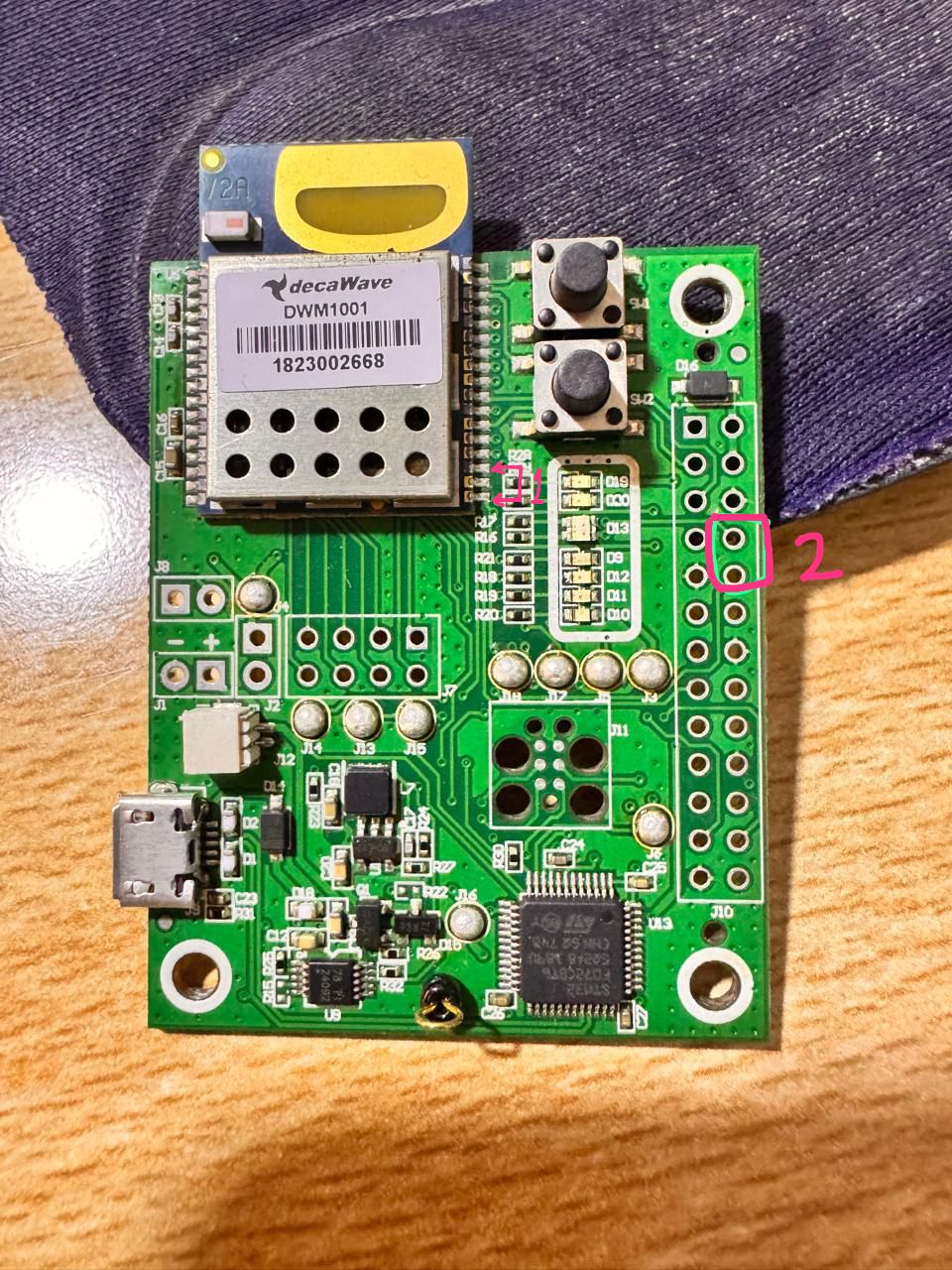
I don’t have Raspberry Pi my controller is ESP8266 as you see in attached photo connect to position 2 is much easier than position 1 and have no risk of damage for the board