I was an early user but was put off by the GUI interface.
Are there any plans to introduce standard windows GUI interface as an option in the future? Most programs use left mouse button to select and middle button/mouse wheel to pan and zoom and right button to get options.
If you are an electronic student or engineer who enjoys simulating circuits, avoiding Qspice simply because of its interface may seem like a missed opportunity. The level of simulation achievable with Qspice is superior and cannot be found in other free SPICE platforms (or even paid platforms).
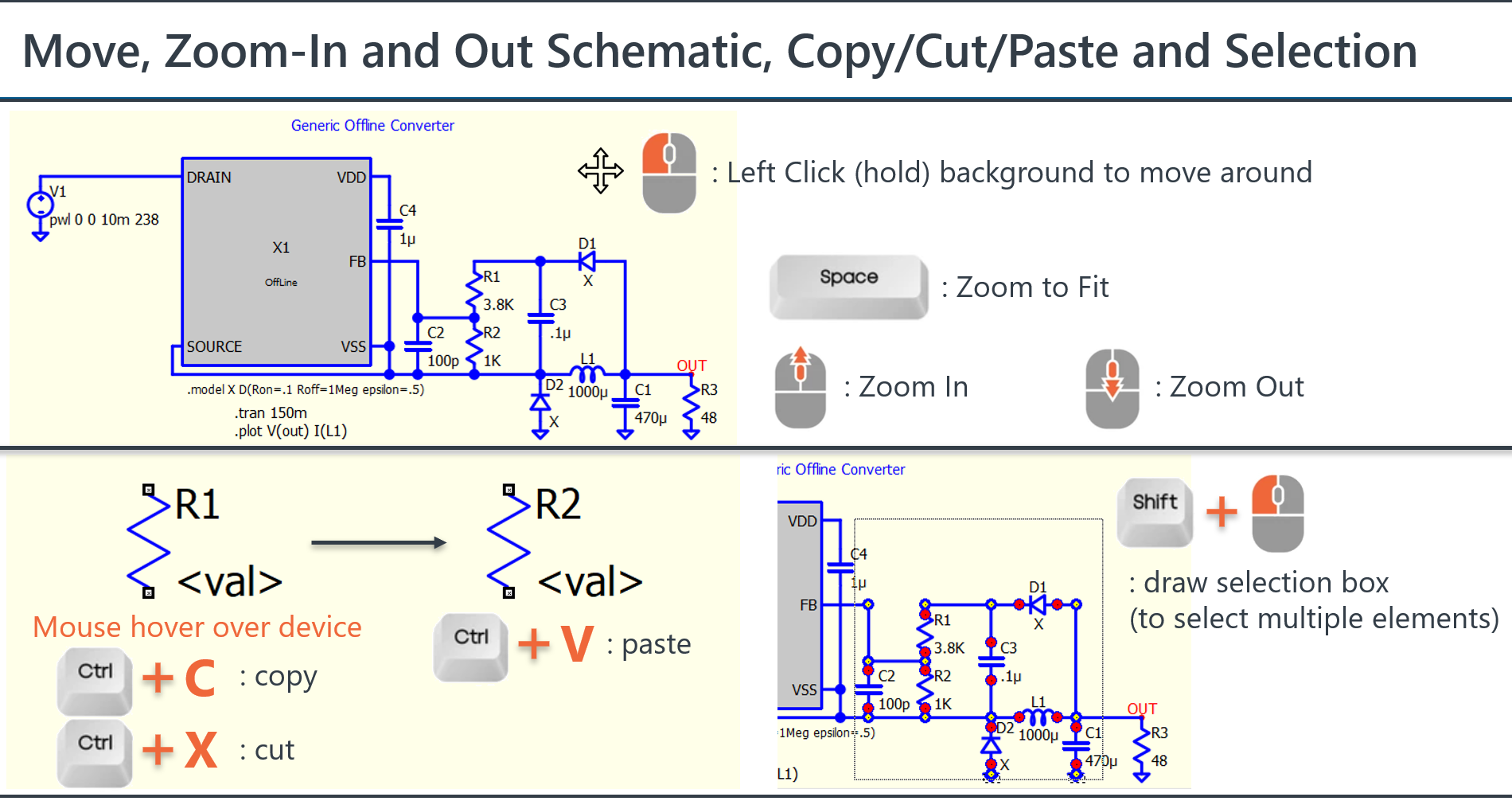
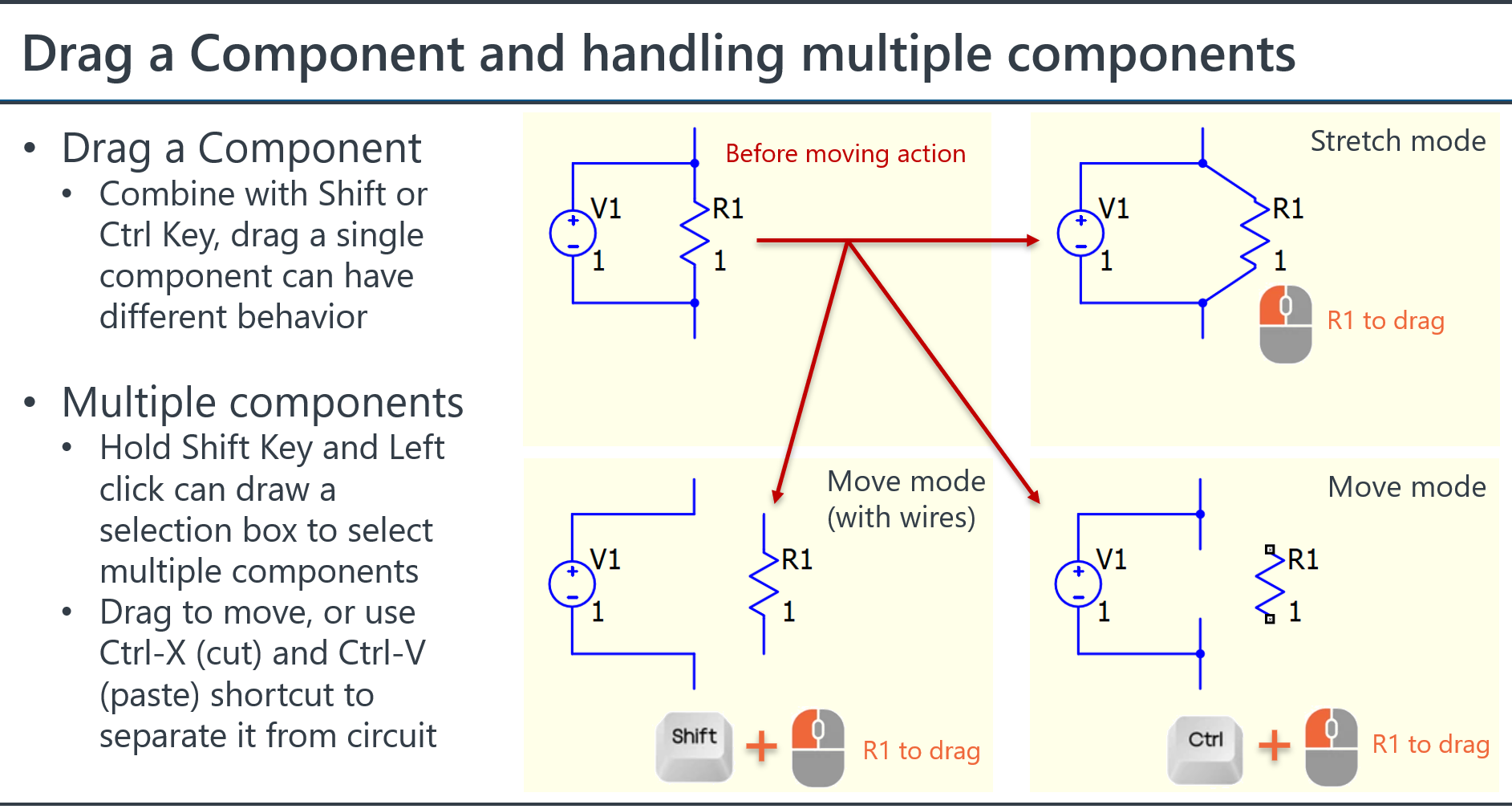
Here is a quick reference of pan and zoom and selection.
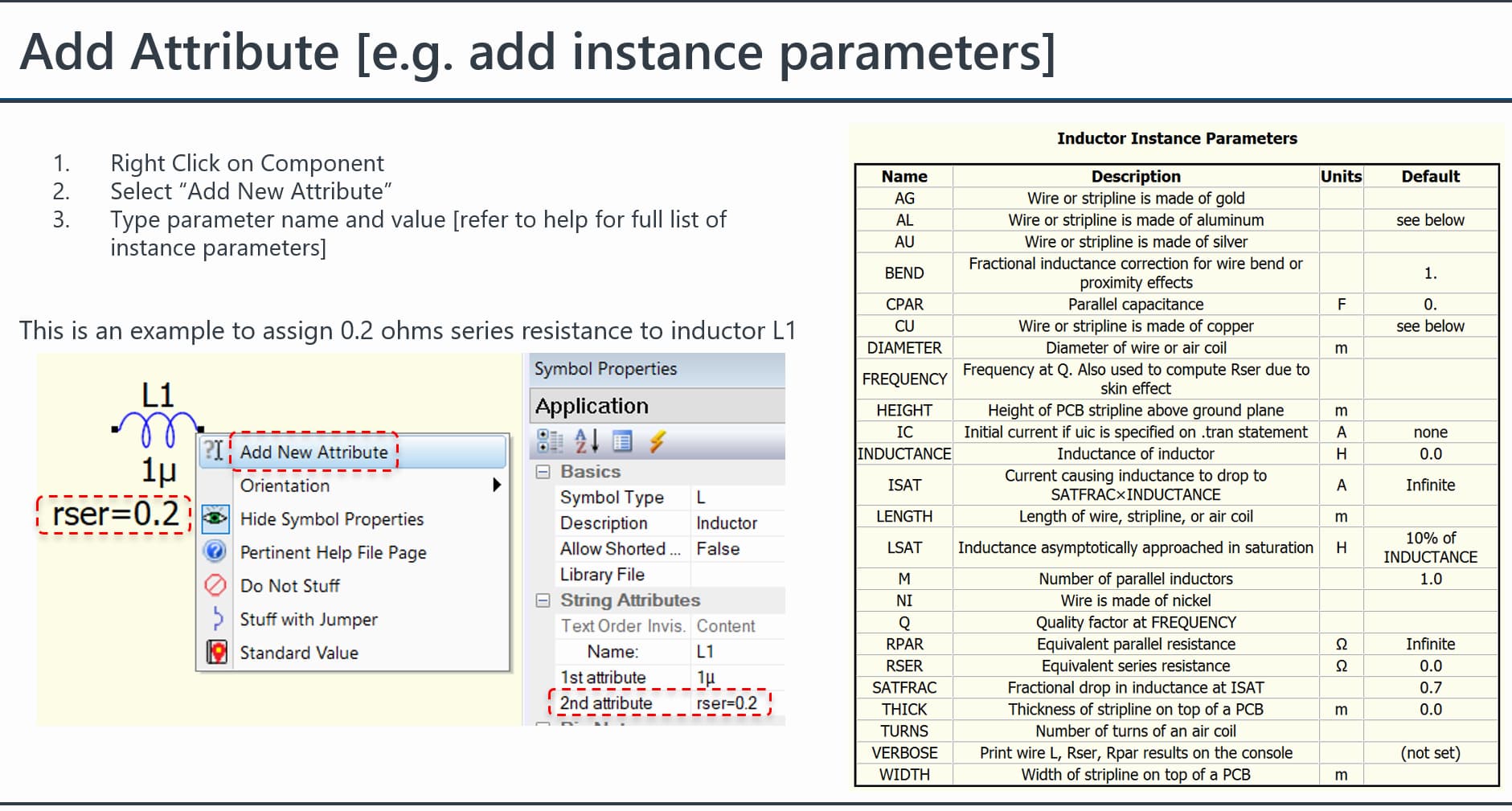
Unlike LTspice, there is no right click window in setting instance parameters of a device, instead, you add or remove (or comment) “Attribute” to decide what instance parameters to include. Here is an example to add Rser instance parameter to an inductor.
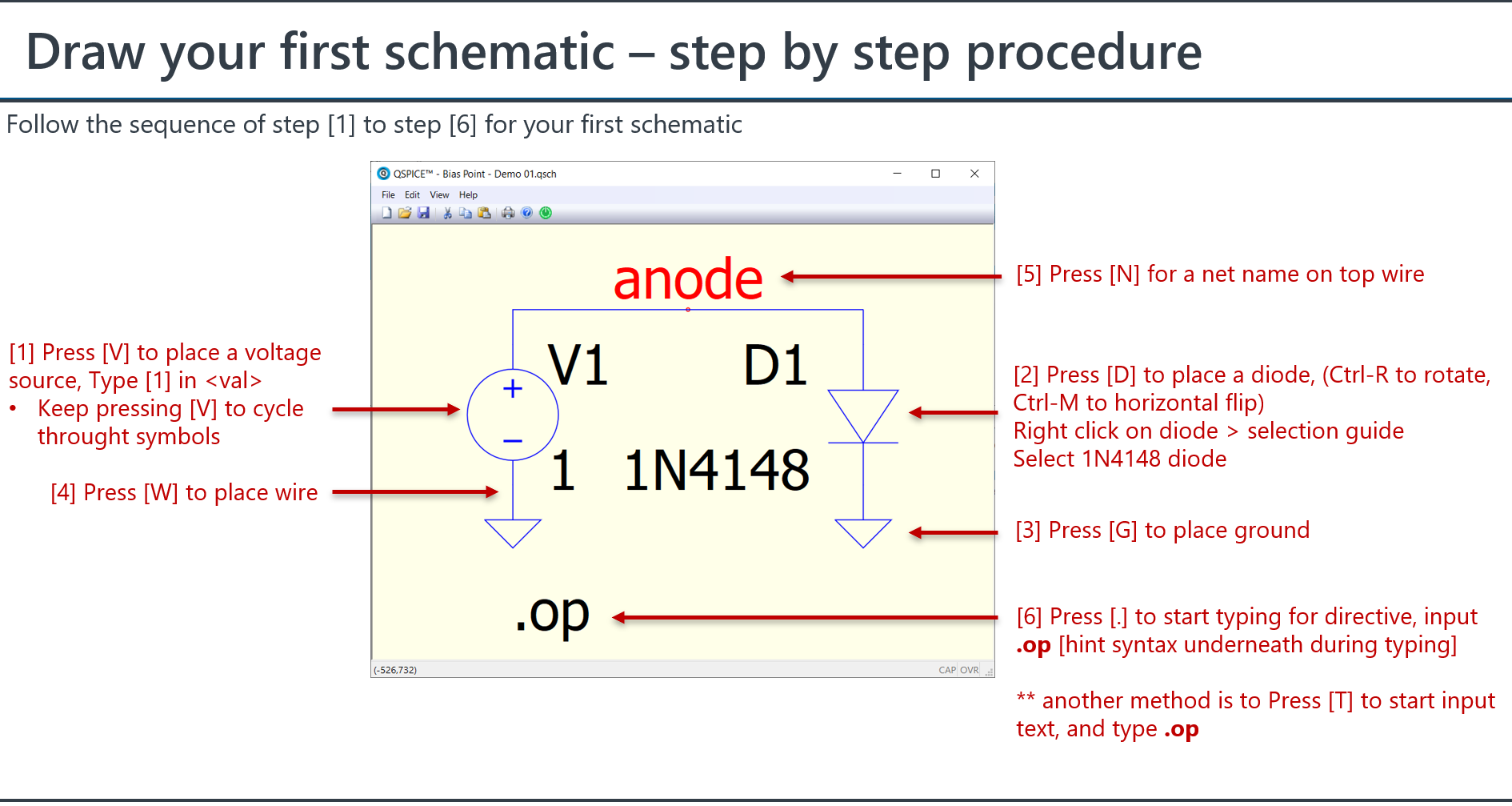
Finally, Qspice encourages users to utilize shortcuts. This prevents the mouse cursor from constantly moving between the menu and the schematic when creating a circuit. Once you become familiar with shortcuts and attribute, you will find that you can draw a circuit very effectively and quickly simulate and change parameters.
Thank you for your comprehensive reply. Appreciated.
I just reflect on that the GUI is different from pretty much all other windows program for no apparent reason which is unfortunate.
I currently use NGSpice due to the KiCad integration but every now and then I go back and try out QSpice to see if things have changed. I will keep hoping. Maybe one day
As seems NGSpice can satisfy your requirement, I guess you mainly work with analog circuits and rarely with switching mode power supplies or complex digital controls. If your focus is primarily on op-amps, filters, and linear circuits, NGSpice might be sufficient.
I don’t think the mouse pan and zoom is a huge hurdle, but I do agree that the overall scheme can be very frustrating. Ideally, we wouldn’t need KSKelvin to reverse engineer all the features and use-cases Mike has put in. It feels like Mike is the only one formally contributing to QSpice, and the result is a very nuanced and annoying interface. I wish Qorvo had a higher standard for usability. The Help Documentation is woefully inadequate. I was fairly proficient with LTSpice and am trying to pick up QSpice, but every single thing takes 45 minutes to and hour and invariable results in a forum post. The Symbol Properties pane is probably the most opaque and vague thing. There are strange lags between doing something in the main editor window and then seeing the Symbol Properties change accordingly.
I find that you sometimes need to close the Symbol Properties pane and reopen it for changes to be reflected. Or simply click on another component and back again to the original component
I use QSPICE intensively for a few hours or days every few months, so remembering the UI details is a problem for me. I have been using ChatGPT to “remember/discover” details that I’ve forgotten about QSPICE. This beats spelunking in the help file or in this Qorvo group to help me remember how do get things right. Is there any way to get a QSPICE help file that would use AI to answer questions/problems which are often caused by not knowing the specific term or detail that is needed? A limited AI training on the help file and the Qorvo forum shouldn’t waste nearly as much carbon as using a general purpose AI.
I printed the help page for the .meas statement and gave that to ChatGPT, and while it didn’t get 100% the right answer, it gave me enough to uncover my problem.