Thanks for the time you’ve put into helping me, Kelvin.
But the .bode method crashes whenever I try it with a start frequency of 10 (Hz). The first time (after some hours) the first stage stopped after some simulated 50ms, with a message saying just: “Simulation process terminated” (no explanation).
The second time, also after some hours and a simulated time of some 540ms, the message was: “Fatal error: Timestep too small(6.83869e-14) at t=0.547094”.
You mentioned @physicboy’s FRA, but it’s not clear if that will work with my non-linear circuit. Also it’s not clear from the scant documentation how I would apply it in my circuit.
But not to worry. The freq resp graph is not very important now. Intuitively, an SOC-D circuit should be ‘flat’ over the audio range, and I know the response curves for the input and output LPFs, which should determine the overall freq resp.
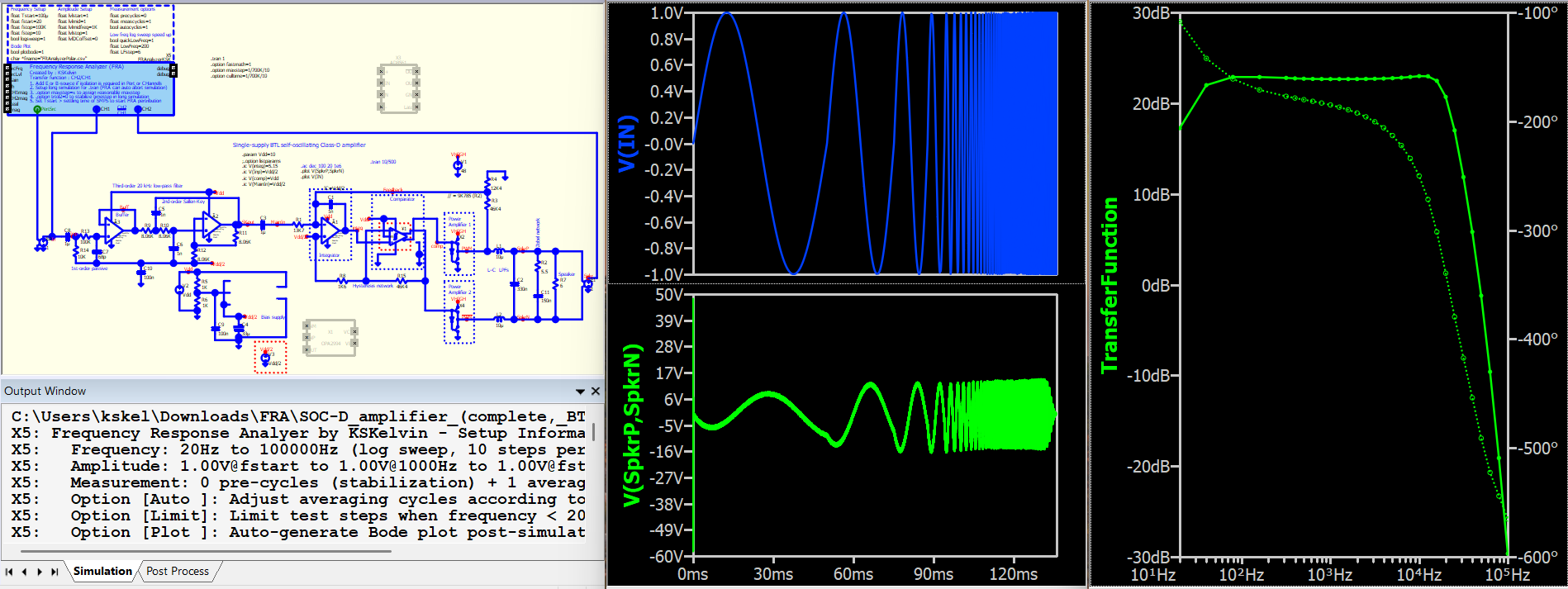
This is a demonstration using my version of FRA. The benefit of using a custom FRA is that we can set up the frequency step based on our own preferences. Following actions to speed up the simulation (finish simulation with elapsed time: 98.2957 seconds in my desktop):
Use 10 frequency steps per decade
Reduce the frequency step below 200Hz (i.e. not spending to much time at low perturbation freqeuncy)
Remove the TI model (as they mainly consume simulation resources) and replace them with Qspice native devices.
Once this simulation is completed, manually change the x-axis to a log scale for a standard bode plot display.
I downloaded your qsch with your FRA. The instructions about franalyzerksk.cpp on your download page were not totally clear. There is mention of putting the .dll file in the ‘working directory’. But is that the project working directory (where my project qsch file resides) or the program’s working directory (like C:\Program Files\QSPICE)?
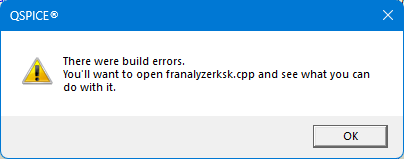
Anyway, I downloaded both the .cpp and the .dll, and placed a copy of both in both directories! Nevertheless your FRA simulation circuit did not simulate, offering instead an error messages like:
Fatal error: 0: Trouble linking to franalyzerksk.dll
and
Thanks for trying to help this raw newbie to circuit simulations, but I’m afraid I can’t make use of your suggestions.
I already had your PowerPoint presentation, but it’s way too scant for me to know how to use your FRA facility. I downloaded ‘FRA_V7.qsch’ and ‘[Loop Gain] PCMC buck.qsch’, but on double-clicking either, Qspice opens with an empty circuit pane (this is today’s update of Qspice, 28-Feb).
So as I said to Kelvin, I’ll just give up on further simulations using Qspice, as a frequency response simulation is not critical for my project.
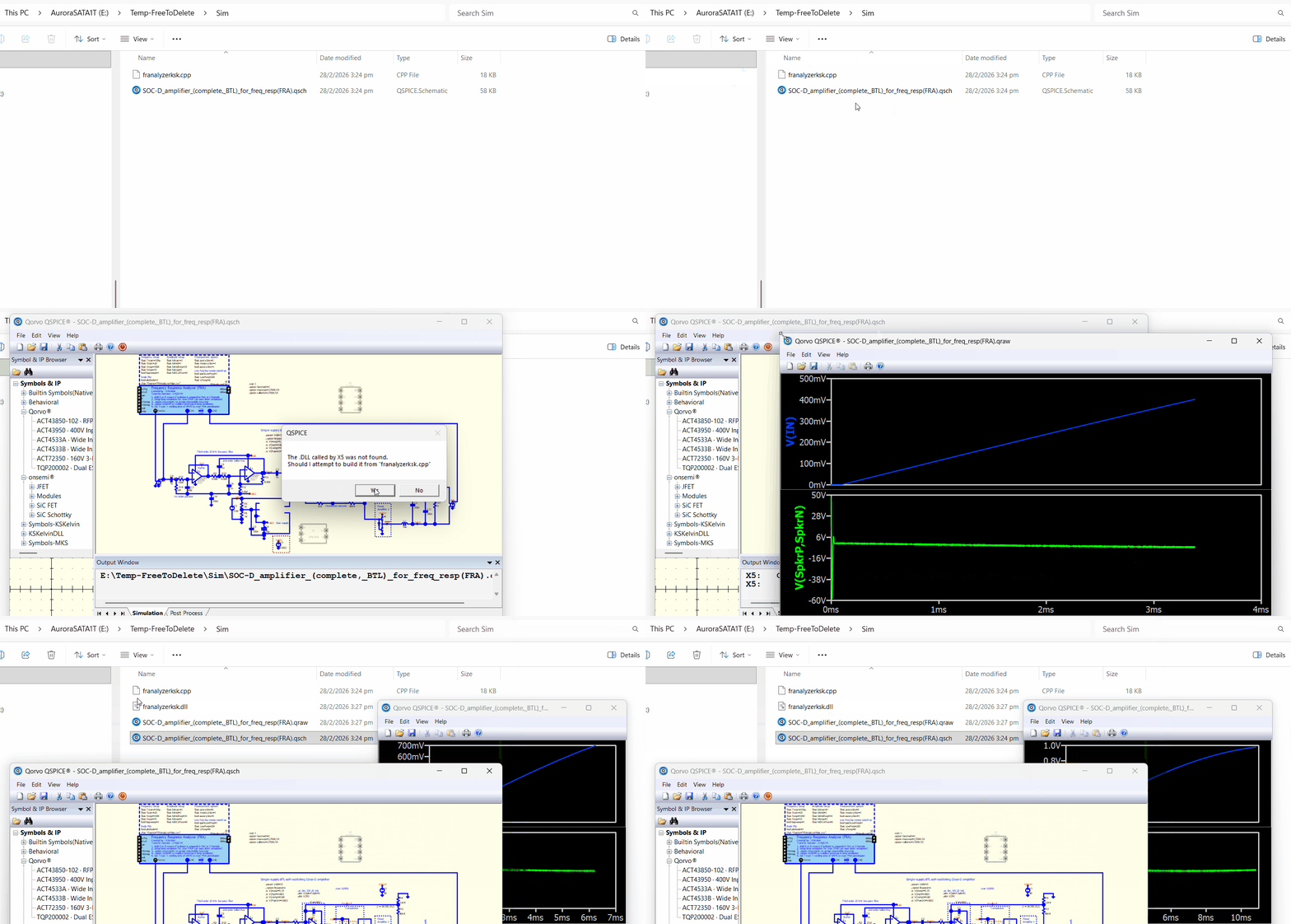
Pull the .cpp file and the schematic into the same folder. I didn’t encounter any problems throughout the process. A .dll file should have been generated, which is required for the C++ block to run.
The instructions on my Github may be a bit outdated. When I wrote this, Mike Engelhardt hadn’t implemented the pop-up message box to compile .cpp if the .dll file is missing. Compiling .cpp to .dll required a few extra steps in the past, and that’s why I recommended getting the .dll file for direct execution.
However, since Mike implemented the pop-up message box, users can now just download the .cpp file, ensuring that no one can insert unknown code into a .dll file to cause issues as you can review what inside the .cpp code. Therefore, having only the .cpp file and schematic is sufficient now.
However, some antivirus or malware protection programs may block the generation of .dll files or the running of a .dll, especially in corporate IT environments. So, it’s uncertain if your problem is related to the blocking of .dll files.
First run error:
D:\Home\Projects\Class-D_amplifier\Simulations\SOC-D_amplifier_(complete,_BTL)_for_freq_resp(FRA).qsch
Fatal error: 193: Could not load
Second run error (after dll created by first run):
D:\Home\Projects\Class-D_amplifier\Simulations\SOC-D_amplifier_(complete,_BTL)_for_freq_resp(FRA).qsch
Fatal error: 0: Trouble linking to franalyzerksk.dll
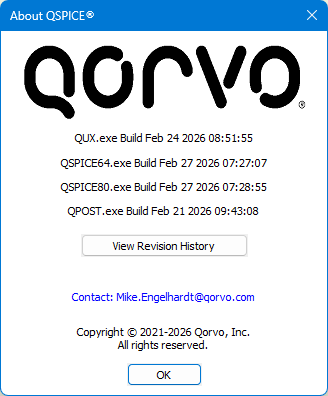
I just ran a test with another laptop, and it still works well (same version as yours). The only thing I can think of is antivirus or malware blocking the compiled .dll or the Qspice process from loading the compiled .dll.
Users have reported this “Trouble linking to …” issue, and it’s most likely due to antivirus or malware blocking its access. For example, I never run C++ blocks on my company laptop because every time I generate a .dll from C++, even with a very simple code line, it alerts IT and flags it as a threat.
C++ block is one of the most powerful feature in Qspice, which cannot be found in other free SPICE simulation platform. Unfortunately, generating a .dll is “unfriendly” to antivirus/malware and company IT.
I don’t use any third-party real-time virus checking, but I suspect Windows 11 sneakily turns on it’s in-built real-time checking after I’ve turned it off.
All I can say is thanks very much for all the time and effort you’ve spent in helping me, and I can live with the overall frequency-response plot that you made and posted an image of.