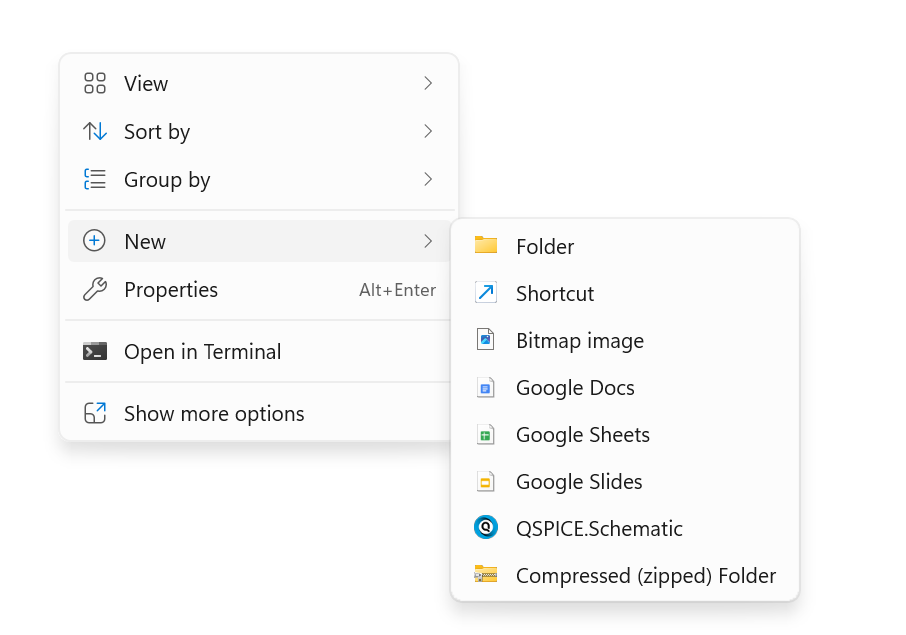
I have recently installed qspice and the program works fine but the right-click context menu on my PC now has a number of entries with new qspice this and that. How can I get rid of that?
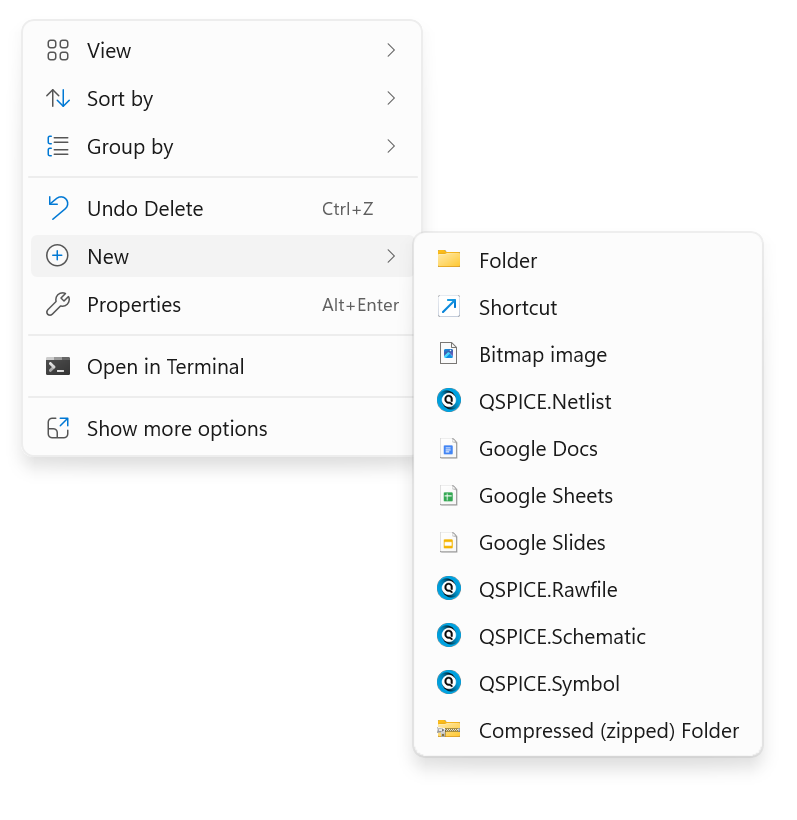
This requires using regedit. Do this at your own risk, as it involves editing the registry!
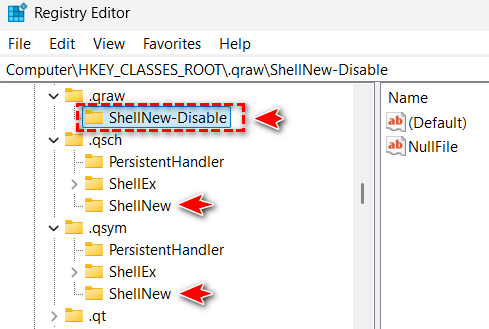
- Open Registry Editor: Press
Win + R, typeregedit, and hit Enter. - Navigate to
HKEY_CLASSES_ROOT. - Use
Ctrl + Fto find.qraw. - Rename
ShellNew(for example, toShellNew-Disable) for.qraw,.qsch, and.qsym. - Close and reopen File Explorer; they should now be removed.
However, they will return if you update QSpice! You should email Mike to discuss a long-term solution if you do not want these to be added to the ‘New’ file type menu.
2 Likes