QSpice under Wine in Linux

hi just passing by (am new to qspice, my apportation might help in a way that it fixed my ultra poor proteus simulation success rate, i wasnt able to simulate a lm317 with a variable resistor or even analog leds since it droped random spice errors… until now, now i can run it like i did run it on windows 98 and if the year were 2004.. flawless.)

from archlinux i did got snippets of my current qemu vm where i emulate a windows 10 (nope, i dont need keys, i am an old legend i guess… my legacy is gonna be: "he stop using keys bc he was too lazy to write and keep them in a safe place, and too esquizho he did chattr -i && rm -fr to this kind of files: ./DO_NOT_DELETE_FILES_HERE/win.key.dont.delete.me.plz just moments before needing them for the first time in months or even years… but lets go further:

not activated, running with penalties derived from windows protective licence environment… so its a non friendly environment, right? yeap… but it is not the problem, software must run ok here, as well as in correct windows instalations as well…

i explain: it checks if qemu with window identifiable as that win 10 w proteus is running… if so, abort… else lets run it… it uses a layer after a main setup where it derivates into its own disk and sistem version separated from others.. like in vmware u had the snapshots… well its a snapshot Win10.64.sh.4.qcow2 the rest of the line: try and fix or change and see… well with this line properly setup (i7 + 16gb ram sata hdd if u had that i guess u practically have what i do have on my system)

if u run it and the os behaves as a pretty cute windows 10 without no lag/slow/errors/ugliness, nor qemu tells u it droped or failed doing something… well… i am 99% sure u will run proteus complex stuff without any trouble… and since i was able to run the spice from n.i. even when proteus was unbeareable.. i think qspice would run like a pretty charmin toilet paper in the comfortable wide space of ur display screen *(u know like a bear in the boshes, but this is a charmin bear, it doesnt drop gifts for u =) )

##This:
ps aux|grep -v grep|grep “Windows 10 With Proteus” && (echo “Running!!!” && exit 0) || (echo “Not Running!!!” && /usr/bin/qemu-system-x86_64 -machine type=q35,accel=kvm,kernel-irqchip=split -device intel-iommu -smp 4 -m 8192 -action shutdown=poweroff -action panic=shutdown -action watchdog=shutdown -drive id=disk0,file=/home/usrnameforgottorm/VMs/Win10.64.sh.4.qcow2,if=none -device ahci,id=ahci0 -device ide-hd,drive=disk0,bus=ahci0.0 -cdrom /dev/null -boot once=c,menu=on -display gtk,gl=es,show-menubar=on,window-close=off -device virtio-gpu -vga virtio -nic none -usbdevice tablet -name “Windows 10 With Proteus” ) &
##isthewaytodo.

PS: i was supposed to run gpu server to provide gpu emulation slices into qemu, but i am kinda adhd or well u know… so i never did that part, i thnk my asus efi with mostly all default setings dont add any level of complexity/incompatibility… so… simply run the " -display gtk,gl=es,show-menubar=on,window-close=off -device virtio-gpu -vga virtio " in a linux where u did the steps to have a vga virtio, a virtio-gpu and gtk gui which can handle gl=es and that is… the computer has intel-nonfree drivers for the gpu (intel’s gpus inside the processor device unit) and… yea.. well hope that craft cmd line help somebody who uses qemu to achieve good old display experiences like the ones that vmware workstation used to give… long long time ago.

cheers.

PS: am kinda bussy right now but… dont forget to use this in ur kernel’s boot arguments:
i915.modeset=1 i915.enable_psr=0 kvm.ignore_msrs=1 i915.enable_fbc=0 i915.fastboot=1 i915.enable_guc=0 i915.enable_gvt=1 intel_iommu=on iommu=soft

in my computr, guc=2 (or was 3?) did provided weird good speed accelerations but not really the ones that one would love, also most of the time guc!=0 makes kernel taint or panik at boot so.. well, guc=0 is safe, simpler and makes this qemu thing behave pretty great.

if u have questions or if i forgot something dont worry, just ask or tell, also note i am kinda sleeping and my keyboard is in its last terminal state… so, sorry for the misspelings.

Cheers.

Adolf - Engineer
1 Like

Thanks for sharing! I tried many times to get this one working in Linux, and I had to give up. Maybe now I will start using it.
I was able to install and use QSPICE in CachyOS without any issues, and without Lutris (just he default gaming package and wine-staging). You have to look in the start menu for the automatically created shortcut. Not sure if one “must” install it as administrator. And I am not sure if you “must” first update the package wit the “Update.exe”, I was able to start the program only after update.

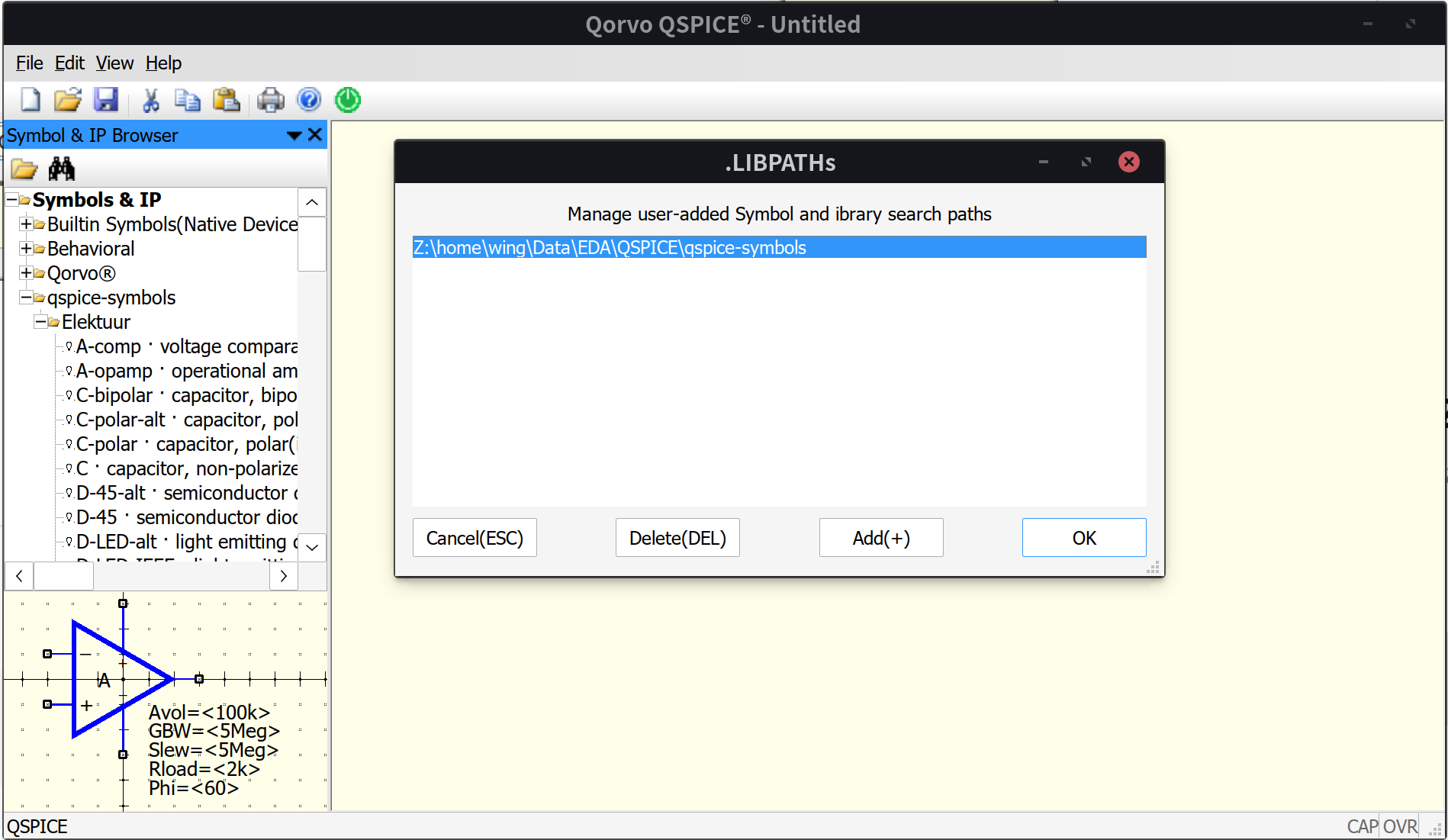
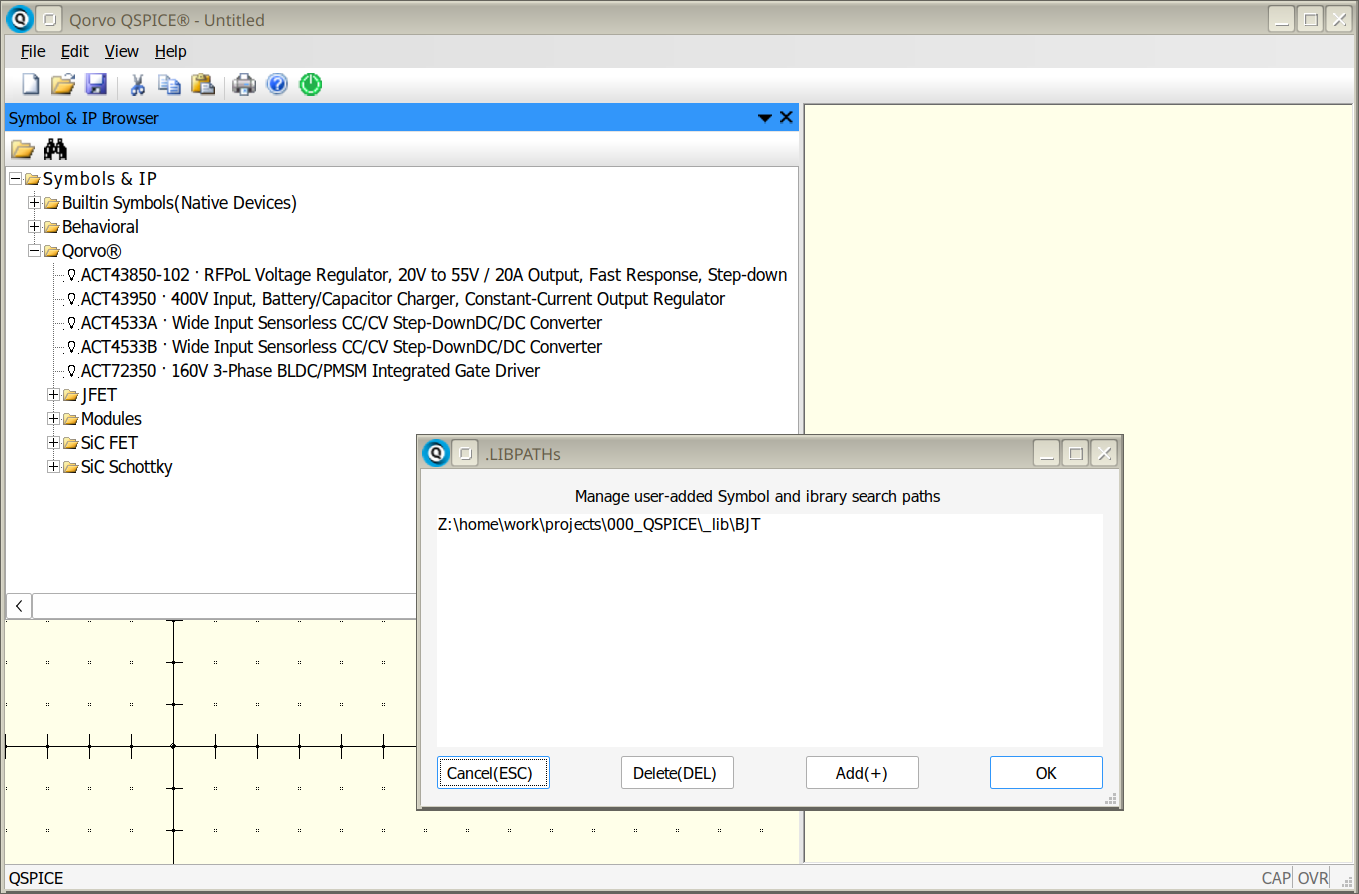
There is a nagging issue with the user-added symbol path. Regardless what I tried to do, the folder I wanted to add with my library symbols never appeared in the list, but it is shown as “added”. Seems to be a bug in QSPICE because all other folders are recognized, except in the user-added list.

EDIT: I can confirm, this is a bug. If the folder is empty, is removed altogether from the list. Only after adding some stuff there will also appear in the list.

How did you get this far?

  1. apply patches in wine-staging source code to wine source code. please refer to wine-staging docs for how.
  2. patch the file dc_rendering.c in wine source code (under dlls/1d2d subdirectory or something). please refer to
    https://bugs.winehq.org/show_bug.cgi?id=55353#c7
  3. compile and install wine.
  4. install QSPICE under wine as usual.

Per your discussions maybe some game apps do 1) and 2) for you I am not sure but I don’t use Fedora or other Linux distributions. I am using Ubuntu 24.04 LTS and everything above went straightforward.

1 Like

EDIT: I can confirm, this is a bug.

I can’t duplicate this. It sounds silly but did you press “OK” button after you adding it?

By the way the library shown in th picture is from here Additional Symbols - #9 by mgyger

Thanks for responding! I installed Qspice via Bottles, which helpfully abstracts wine prefix and needing different versions of Wine for different applications. For the Qspice bottle, I think kron4ek-wine-10.8-staging-amd64 is the best choice as of the time of this writing. Staging version provides the ability to hide wine version from the application, needed during the install of qspice. Currently I’m using the non-staging version kron4ek-wine-10.8-amd64 With as many of the GPU and 3D acceleration features enabled. At some point once I’m comfortable it works well I’ll see if I can get the application added to Bottles so other users can simply search for it in Bottles and hit install.

Hi, those who are running Qspice using WINE in linux, can anybody confirm if the C++/Verilog modules still work? i.e. if you create a symbol and add verilog code to it, are you able to compile it into a .dll using verilator? Last time I tried it on arch linux it didn’t work…

I don’t know much about OS-es but afaik since verilator/qspice’s integration with verilator which compiles the verilog modules to C++ code requires specific libraries that only windows has, it won’t work with WINE (at least I couldn’t get it working)

But in theory if anyone here has figured out which libraries to add to the WINEPREFIX to make the verilog/C++ blocks work, please let me know, it would be really appreciated.

I need verilog and SPICE co-sim for a mixed signal circuit and I am using Qspice in a docker container in linux atm.

Hi. justaphysicsexpert,

I’ve been able to create a new Verilog symbol, write the code, and run it through Verilator successfully.

I’m using Wine Staging on Ubuntu, following the advice from the post QSpice under Wine in Linux - #56 by charliemb
so my setup might not be directly helpful for your case.

QSpice runs fine for me, but I’ve noticed a few quirks — for example, some lines in the graphics seem misaligned, and some shortcut keys don’t work in the schematic editor.
So I use QSpice on Win11!!

2 Likes

Yess!, i installed it on Mint 21.3 Virginia with Winehq-staging 10.20 tried simple sim .op , .tran , so far so good.

Hi,

Toni

2 Likes

So it appears after a recent update, Qspice is broken again. The sidebar menu does not render and attempting to do anything would crash the program. A discord user was able to give me a bottles backup of an older version and configuration which works, A build dating back to August.

I’ve not been too personally bothered by the lack of anti-aliasing on qspice, but apparently Charlie on DIYaudio got it working with anti-aliasing! I don’t know which exact versions of the libraries were used to make that work.

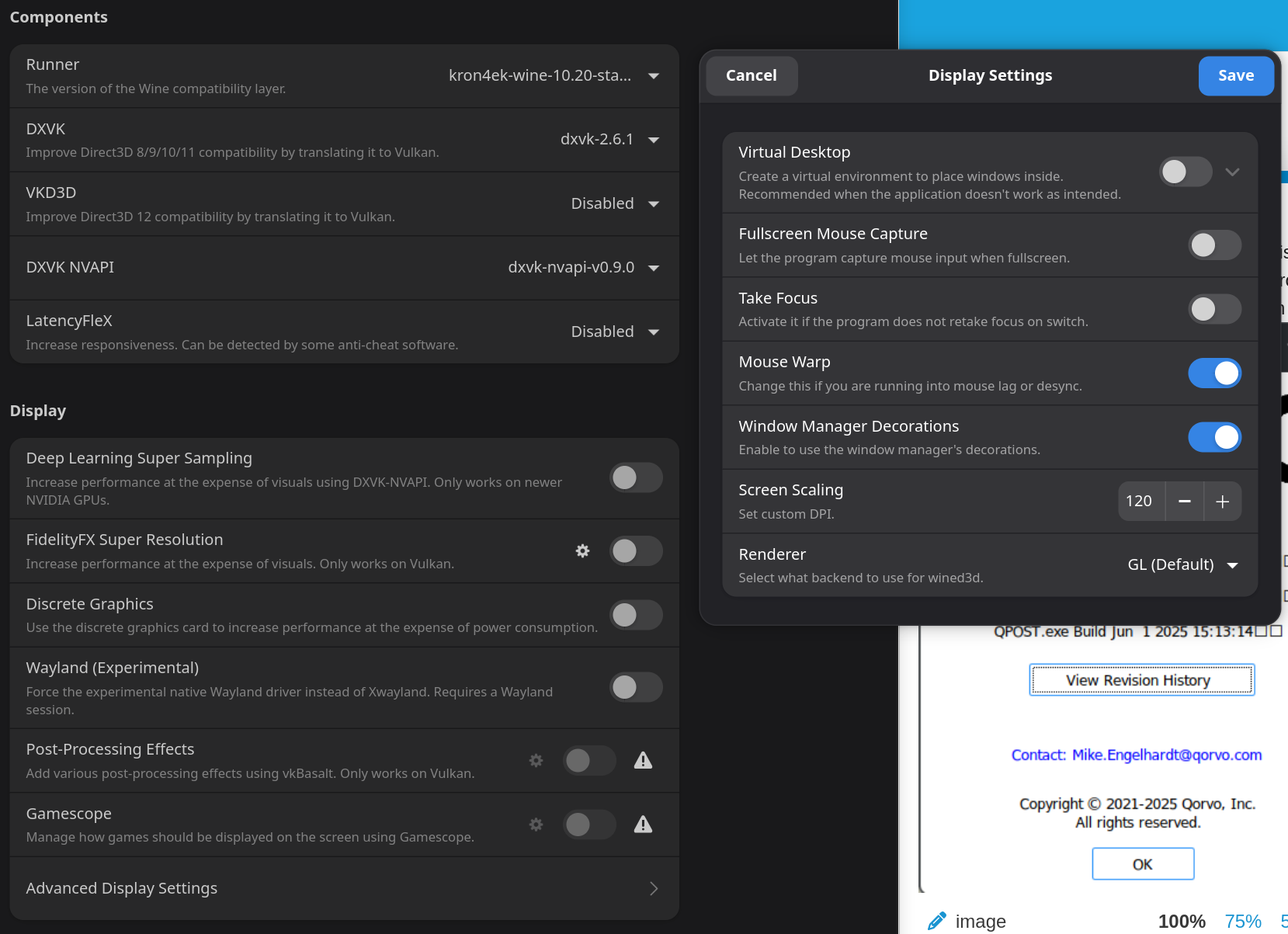
At present, I’m using the following settings:

There are still some “overshoot” artifacts that can occur with fast edges, the artifacts disappear when zoomed in sufficiently.

Hey @charliemb which exact versions of DXVK and rendering stuff did you use to get antialiasing working?

I thought I answered everything here:
https://www.diyaudio.com/community/threads/qspice-is-working-in-linux.427263/
in my original post, with pics. I’d rather point you to the pics than do it all over again. If this doesn’t help you, let me know.

Looking at the screenshots it appears in Lutris the DXVK is disabled outright! Though I can’t get away with that in Bottles for some reason. It appears I have to select a DXVK version. Enabling VKD3D and choosing different options doesn’t appear to make a difference. Bottles will disallow me from selecting VKD3D without enabling DXVK first. Attempting to select a version will cause the UI to automatically enable DXVK, annoyingly.

Anyways through lots of trial and error it appears that versions 2.2 through 2.6.1 work, but any version older or newer will cause immediate crash when attempting to interact with qspice in any way.

Anyways, do a backup of your current install. I suspect an update will break it. If you update to the latest version of qspice with your lutris configuration, does yours continue to work?

That is correct. And that’s how I have it set up. This is because I understood that only VKD3D was needed. I was also under the impression that DXVK was for older versions, as I recall through version 9 (?) of DirectX, and those older versions can only interfere with QSpice. At least I came to that conclusion.

From memory, I believe I tried having both DXVK and DKD3D enabled and it did work back then, at least with all of the versions I was running.

But I still disable DXVK to discourage or disallow software from using it. I also understood it was no longer maintained, or not well maintained. Anyway, I saw DXVK as a dead end and as a roadblock to getting the graphics right on QSpice.

I won’t be upgrading until I need to do my next QSpice simulation at the earliest, or until I need to, or until there is a feature I want that my version doesn’t have. The latter will probably be LTSpice-schematic-import, or model-related upgrades.