For this week’s QSPICE schematic capture, we have a demonstration of Mike’s new QSPICE® Python feature. “You can implement a device’s digital logic in Python just as you can implement it in C++ in a .DLL. But since Python can’t create a .DLL, the technique is to write the Python as a socket server. There is an example in the QSPICE release under File=>Open Demo…=>PythonAPI.qsch. The example shares the same client-side code as in SocketAPI.qsch. The client-side is written in C++, but that can be automatically generated. The autogenerated code should not require editing. But if you edit the devices pins, you will need to regenerate the client code. The server-side Python code can also be autogenerated after all the pins are defined. Then all you have to do is implement how the outputs depend on the inputs. Python is free but not distributed with QSPICE. You can install it from Microsoft Store if you don’t already have it.” (Schematic Capture Post #045) Please send any submissions to me at tim.mccune@qorvo.com.
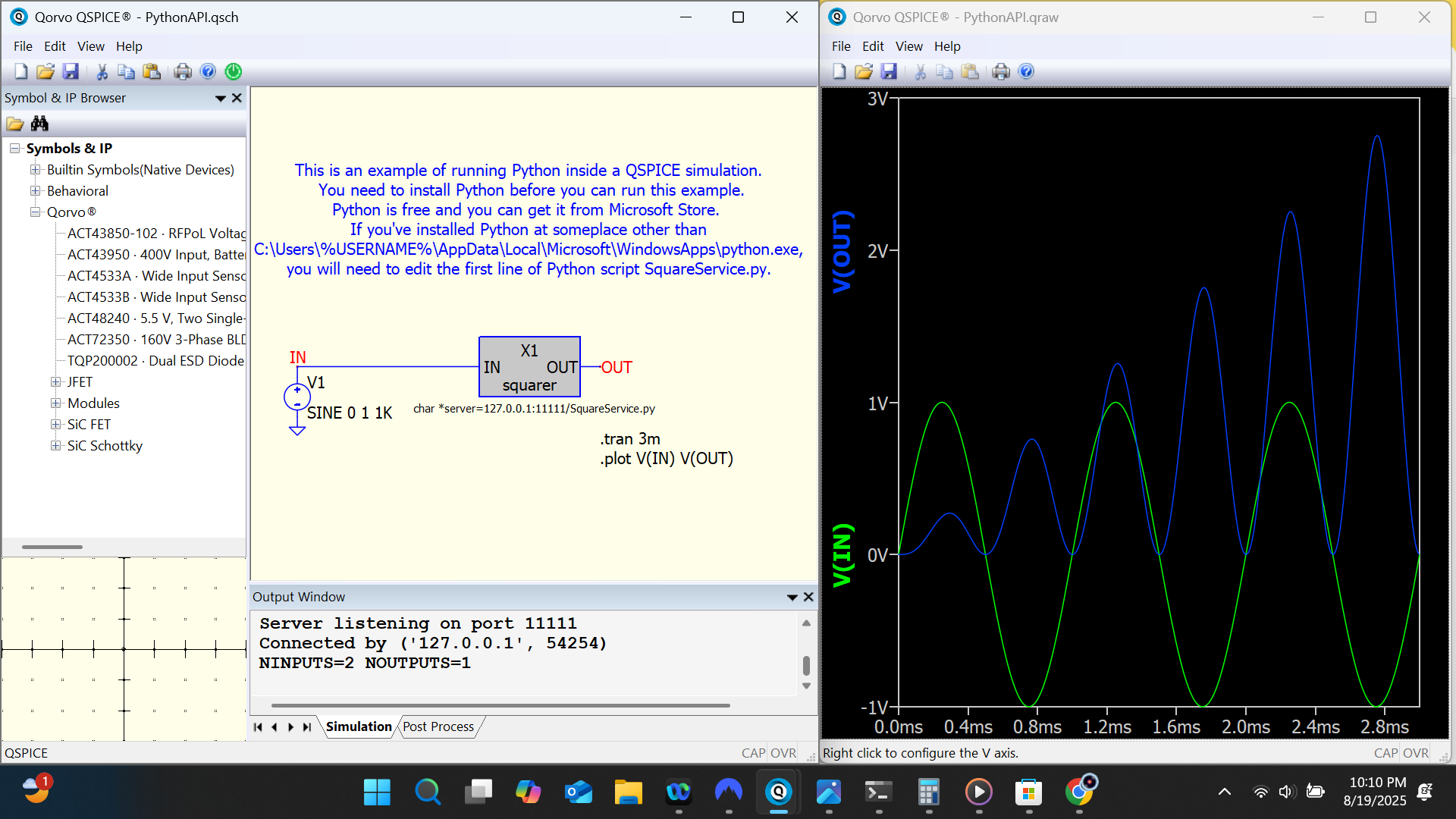
Thanks Tim,
I did notice this socket server stuff, but can’t wrap my head around it’s use case as windows programming is something totally foreign for me.
Thanks for pointing out this example
Hello Tim,
I trid to run the example but I got the following error:
C:\Program Files\QSPICE\Examples\PythonCounter.qsch
X1: Host:Port/Service: 127.0.0.1:1024/counter.py
Trouble executing “C:\Users.…\AppData\Local\Microsoft\WindowsApps\python.exe”: Mode argument is invalid.
Fatal Error in X1: : Failed to launch “counter.py”
what can I try?
Thank you
Paolo
Hi Paolo, I’ll check on this and get back to you. Best, Tim
Hi Paolo, what version of Python do you have installed? Best, Tim
Hi Tim,
If I type “where python” in cmd line I get the following path:
C:\Users\xxxxx\AppData\Local\Microsoft\WindowsApps>
here however I see two .exe:
python.exe
python3.exe
but they ARE both 0 KB (empty files)
The PYTHON folder (version 3.9) is actually in a virtual environment folder generated by my PYTHON IDE.
How can I input the alternative PYTHON path to QSPICE ?
Thank you
Paolo
Hi Paolo, please email me at tim.mccune@qorvo.com, we’ll sort this out. Best, Tim