How do I place measurement points in QSPICE?
I’m coming from LTspice and I am new to QSPICE, so please forgive me if this is a trivial question.
For some reason, I can no longer manage to place measurement points on the QSPICE schematic. I had managed to do it recently (possibly via the “Add Plot” option in the waveform viewer window). Is it not possible—as it is in LTspice—to simply click on a point in the schematic to measure the voltage and add it to the waveform viewer window, or on a component terminal to measure current?
I came across the “Suspend Cross Probing” setting and tried it out, but I couldn’t notice any difference between having it suspended or not.
I feel like I’m missing something obvious and am stuck.
Are you saying you cannot do this operation?
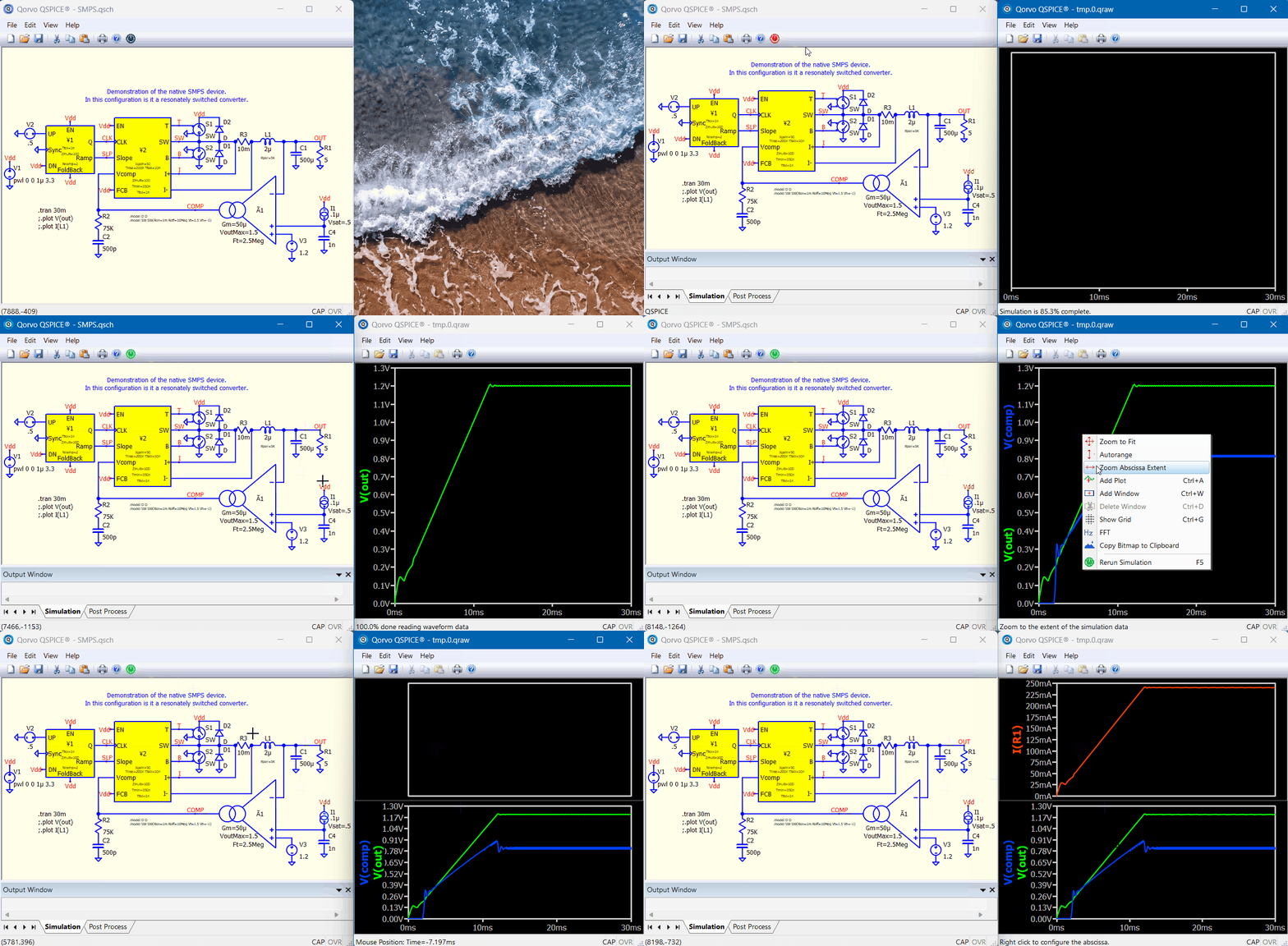
1 Like
Exactly.
(My post must have 20 characters, so I added any bullshit)
Reboot and try again? I never experience probing disable unintentionally except Suspend Cross Probing is enabled. Not sure if other members has this experience can help. But reboot computer may resolve weird issue sometime.
1 Like
Restarting my laptop solved the problem. Thanks!
I don’t restart this old laptop very often because the startup process takes a long time - instead, I use standby mode. Perhaps I should restart it more often.
2 Likes
Good to hear that… Windows has always done a poor job, and a reboot solves 99% of problems. 