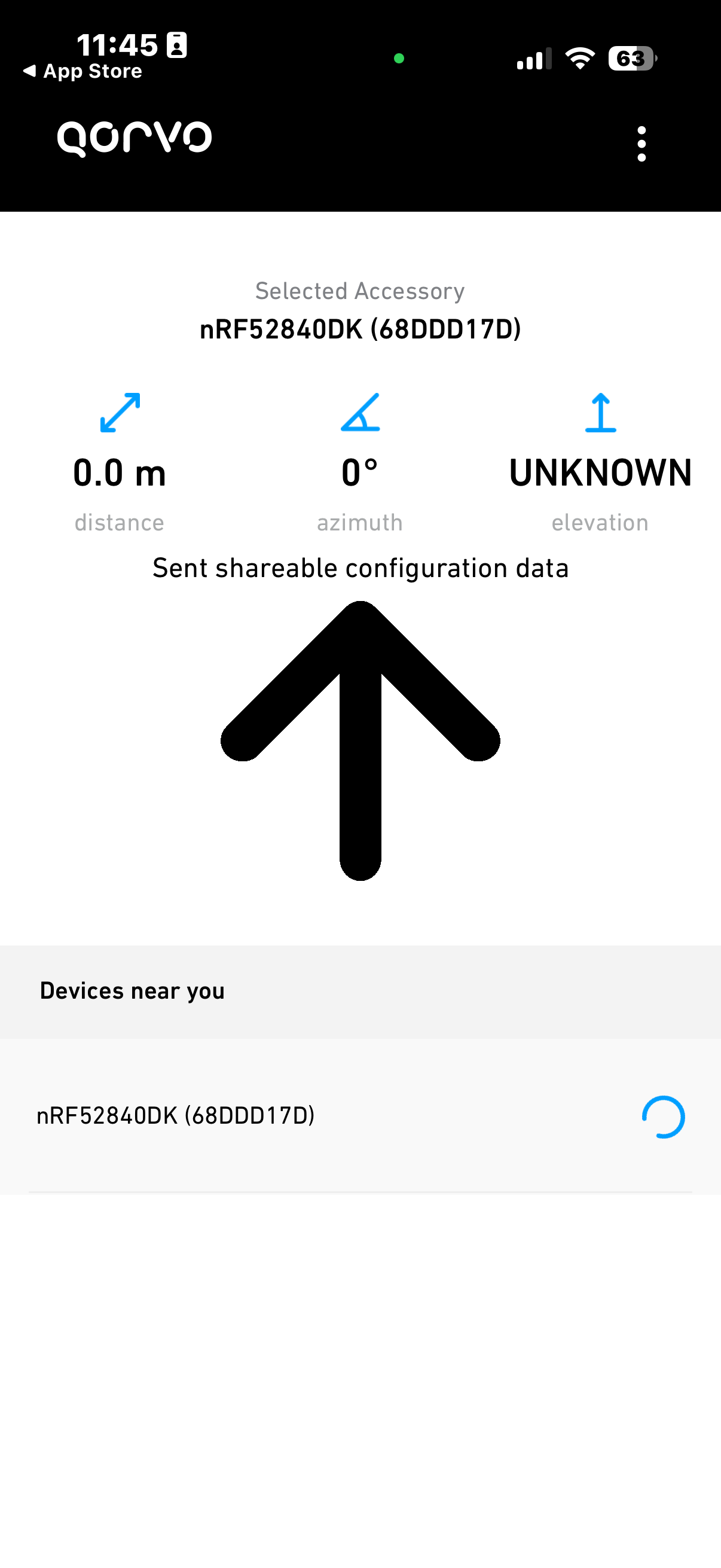
The app reaches “Sent shareable configuration data”
Then it stays stuck/loading and never shows distance, azimuth, or elevation
The Qorvo NI Background app also connects but remains stuck/loading and never reports distance
I have tried:
Erase all + re-flash QANI firmware
Power-cycle board
Forget Bluetooth device / clear known devices
Reinstall Qorvo app
Only one QANI board powered
Phone held close to the DWM3000EVB antenna
Questions:
Is “nRF52840DK-QANI-FreeRTOS.hex” the correct firmware for nRF52840-DK + DWM3000EVB?
Are there any required calibration/configuration steps for DWM3000EVB before QANI will range with an iPhone?
Are there required switch/jumper/power settings on the nRF52840-DK or DWM3000EVB for QANI?
Is this firmware known to work with the current App Store Qorvo Nearby Interaction app?
Are there UART/RTT logs available from this prebuilt firmware to debug why UWB ranging does not start?
The BLE/config phase appears to get at least as far as sending the shareable configuration data, but I never receive distance, azimuth, or elevation updates afterward. Any guidance would be appreciated. Also the Qorvo NI Background app has the same behavior (stuck/loading)
Yes, please share the RTT log. To access RTT, connect the USB cable to the short side of the nRF52840 DK.
Please also share which iPhone you are using along with the iOS version. Try to also toggle your Bluetooth on and off, not from the control center but rather the settings app. If the device is paired, then please remove it.
Starting with iPhone 14, running iOS 16 or above, the UWB ranging session requires an augmented reality(AR) camera session for additional detection angle support.
To do this requires getting the middle of the back of the phone pointing toward the accessory device. And moving it some. Generally in a circle 2-3 ft in diameter
Apple calls this convergence, blending the two signals together.
Until convergence, no ranging information is available.
I don’t know about the evb, but other board antennas are not 360degree. So the board position relative to the phone is important. On the DWM3001CDK, the antenna is on the non-component side of the board, and should face the space where the phone will be.
I toggled Bluetooth off/on from the iPhone Settings app, removed/forgot the device if present, reset the board, reopened the Qorvo Nearby Interaction app, and retried.
then “connect”, followed by “JLinkRTTClient” in another terminal. RTTClient connected successfully to the J-Link RTT server, but no firmware logs printed when I reset the board or when the app connected/stuck at “Sent shareable configuration data.”
I also tried pointing the middle and back of the iPhone toward the DWM3000EVB and moving it around for convergence, but the app still stayed stuck at “Sent shareable configuration data” and did not report distance, azimuth, elevation.
Is there a specific RTT channel/index or build variant needed for logs from “nRF52840DK-QANI-FreeRTOS.hex”? Also, is iOS 26.5 and the iPhone 17 Pro known to work with the current App Store Qorvo Nearby Interaction app?
@gupsingh, please ignore my last response. I hadn’t tested this specific combination with our latest software. We need to look into this further as it is not working for me. It is not an issue on the phone side, it is something on the DWM3000EVB side. Other Qorvo EVBs such as DWM3001CDK and QM33120WDK1 are working fine.
Hi @gupsingh, looks like you have found a bug regarding the compatibility of this SDK (1.1.1) and the DWM3000EVB.
I tested briefly and the DWM3000EVB appears to be working fine with SDK 1.0.2. This SDK does not have QANI as part of it so you can find it separately. Please find both of these options available in the last sentence of the Evaluation Tools section of the DWM3000EVB page: DWM3000EVB - Qorvo