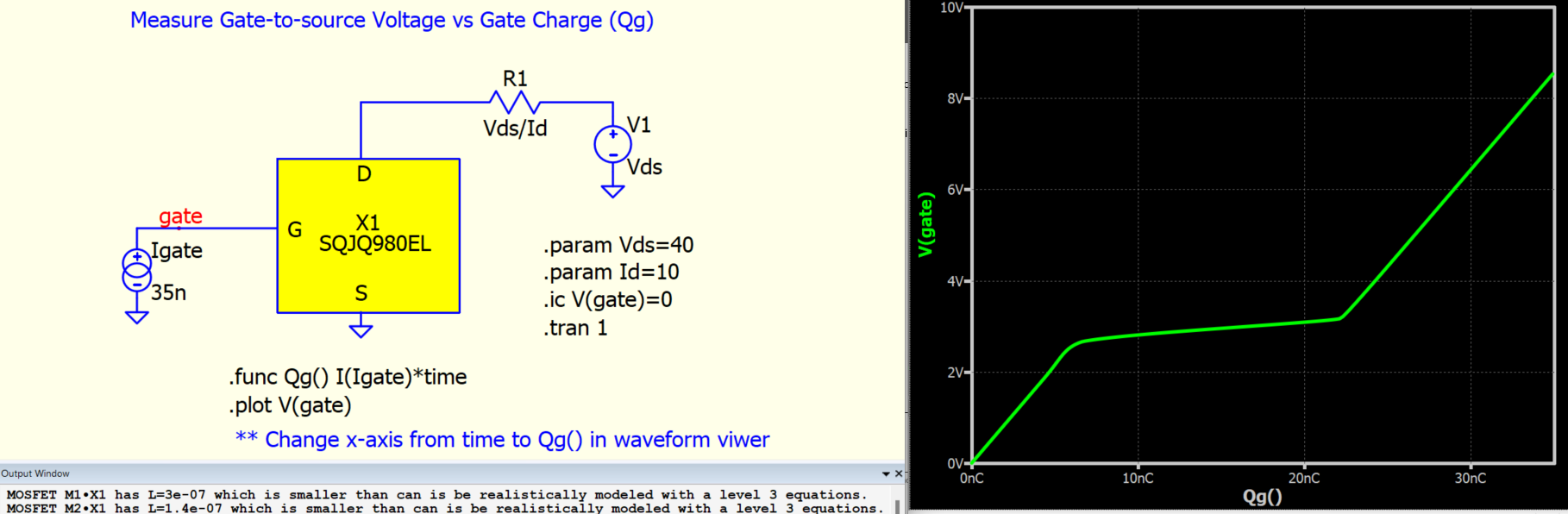
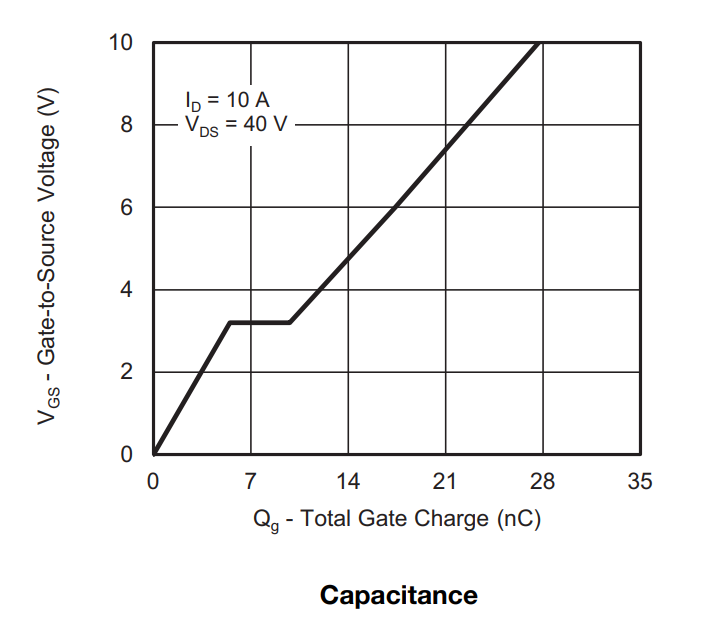
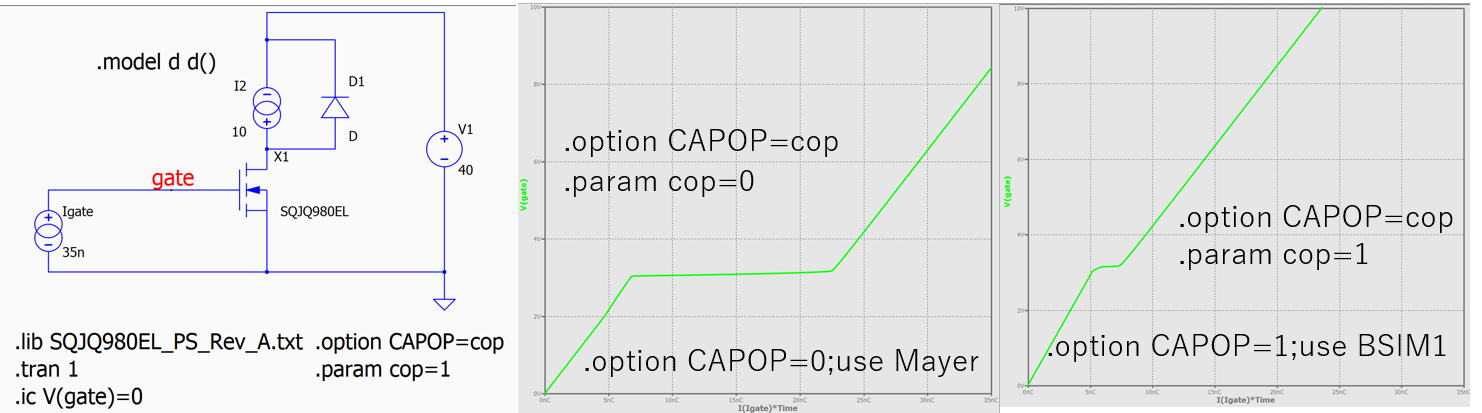
I am not sure why simulation results of this mosfets: SQJQ980EL_PS_Rev_A.txt does not match with datasheet results of this mosfets [sqjq980el.pdf]
See below
(https://www.vishay.com/docs/76465/sqjq980el.pdf) is showing:
According to the “Simulator Reference Manual” of SIMetrix:
“In most cases, the choice of gate charge model is unimportant. However, for a few models, the results vary significantly with the choice of model used. Most models are designed for PSpice and so the safest choice is the Yang-Chatterjee charge model.”
I think the model of SQJQ980EL is for PSpice, so you should use the “Yang-Chatterjee charge model.”
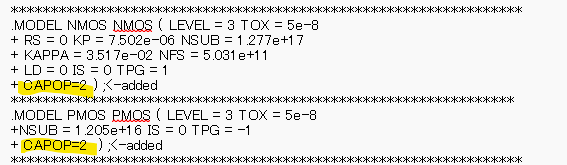
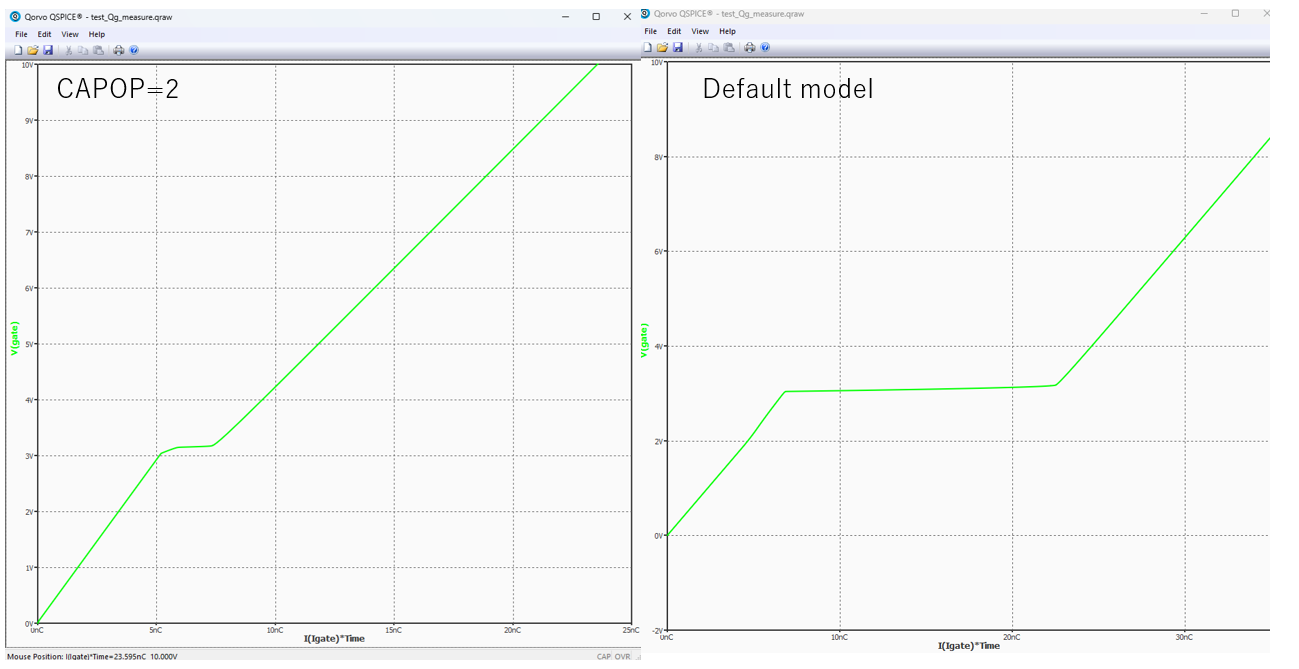
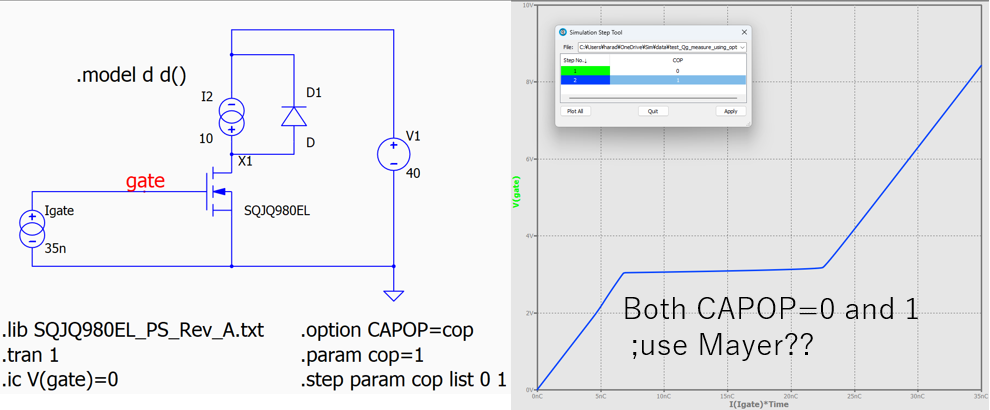
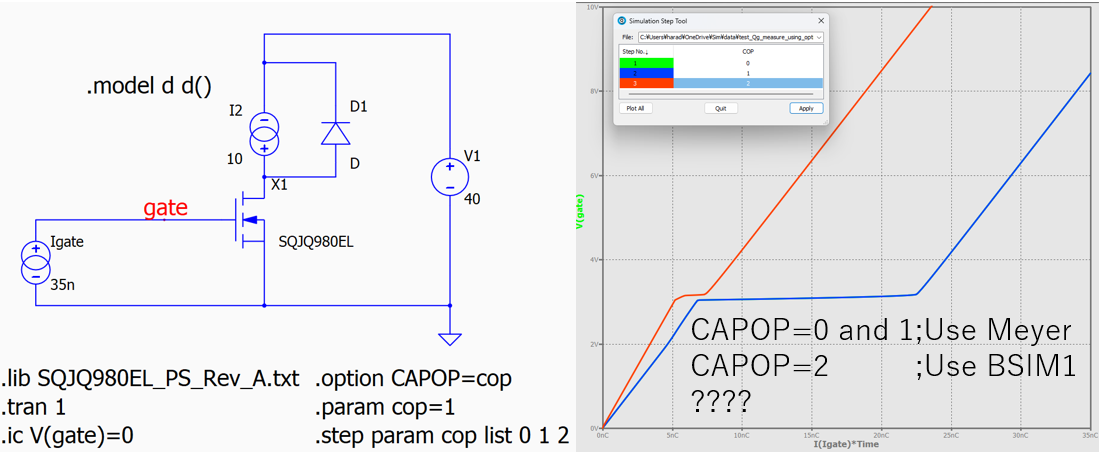
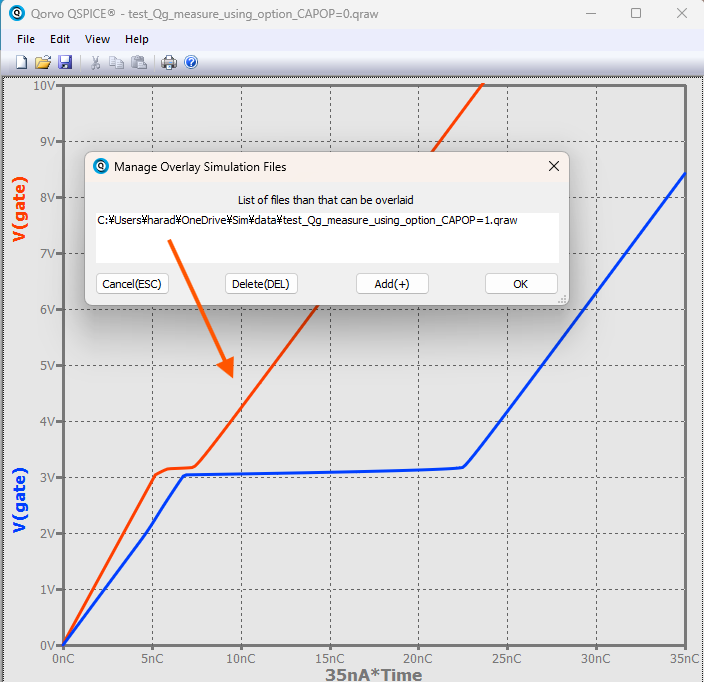
However, I’m a bit confused when I compare the results for CAPOP=0 and CAPOP=1 on the same waveform viewer.
I ran parametric simulations using the “.step” command as shown below.
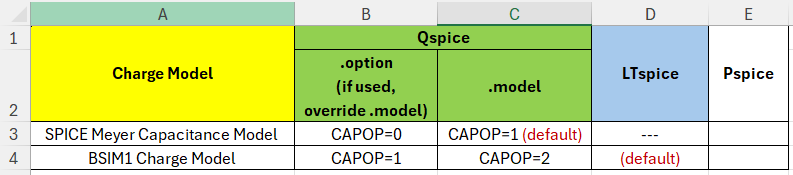
@EL34 Currently, it is a bit confusing. First, please update to the latest version of Qspice. I just clarified with Mike last night about .option CAPOP, and he updated the HELP.
And I submitted another question to him and am awaiting his reply this morning. The table now appears like this, and it can be quite confusing. I believe it would be better to align all number representations, but let’s see if there is a specific reason Mike set it up this way.
Currently, this is how it actually behaves. The help in .option is updated, but not in .model yet. However, this table should accurately describe what Qspice is doing. You may want to ignore the HELP description until it’s fixed.
Oh, by the way, I noticed that using .step for a parameter in .option may not have the intended effect, and it might not be the proper way to go about it. My understanding is that .option controls the entire simulation behavior and may not be expected to change during a simulation run.
For example, in SIMetrix the gate charge model settings are as below:
.options SPICEMOSCHARGEMODEL=0 ; Meyer capacitance model
.options SPICEMOSCHARGEMODEL=1 ; Chatterjee charge model (BSIM1)
A parameterized setting is not allowed:
.options SPICEMOSCHARGEMODEL={cop} ; Error
In QSPICE, the “CAPOP” can be parameterized, but I think it is not necessary.
Gate charge characteristics are not a design parameter.
What we need to do is simply select the correct gate charge model.
So, it is enough to use either “.option CAPOP=0” or “.option CAPOP=1”.
I should have used the “Overlay Simulations” feature in the waveform viewer.