I’ve been working with the QM33120WDK1 development kit for several months without any issues. The kit consists of the Qorvo UWB board (QM33120) connected to a Nordic nRF52840 DK that comes with the two nodes, the Anchor ( 2 antennas) and the tag (1 antenna).
Recently, the J3 connector on the Nordic DK broke of the Tag node. To fix this, I replaced it with a brand new nRF52840 DK. I carefully connected it to the Qorvo UWB as in the user guide. I’ve checked the switch settings:
nRF Power Source → VDD
nRF Only → DEFAULT
Power switch → ON
When powering the board via the J2 USB port, the LED1 slowly pulses (fades in and out). This did not happen with the previous DK, which had been working fine, nor in the Anchor node.
The PC (Windows 11) detects the board (USB device shows up and connection sound is played), but when I try to flash the Qorvo CLI tools (as show in the user guide and as I’ve always done), the J-Flash Lite tool reports that no device is connected.
To confirm, I tried the same setup with the other DK (the Anchor) and everything works perfectly — same USB port, same power setup, same cable.
My questions are:
Does the Nordic nRF52840 DK come with any firmware preloaded that puts it into DFU or some other mode that prevents J-Link from working?
Is there something I need to do to make the new board recognizable by J-Link?
How can I flash the firmware to this new board if J-Link doesn’t detect it?
Any help or suggestions would be greatly appreciated!
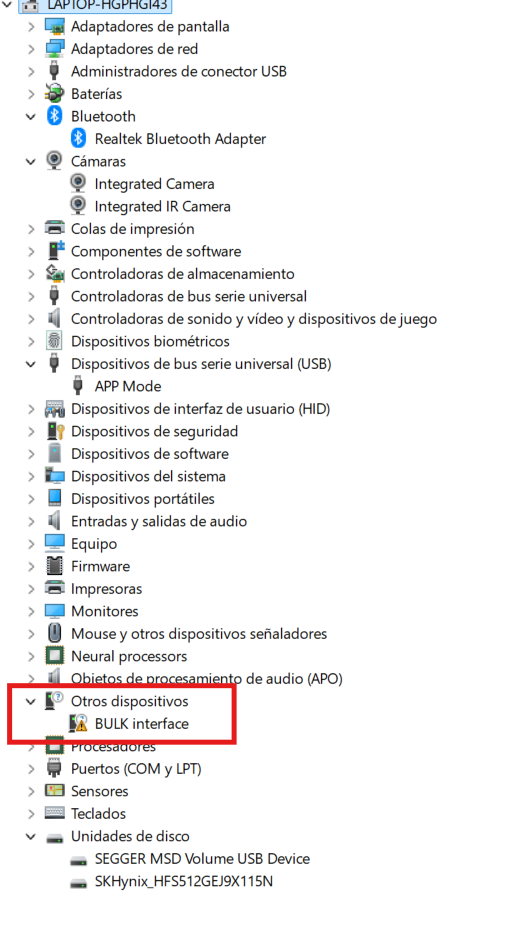
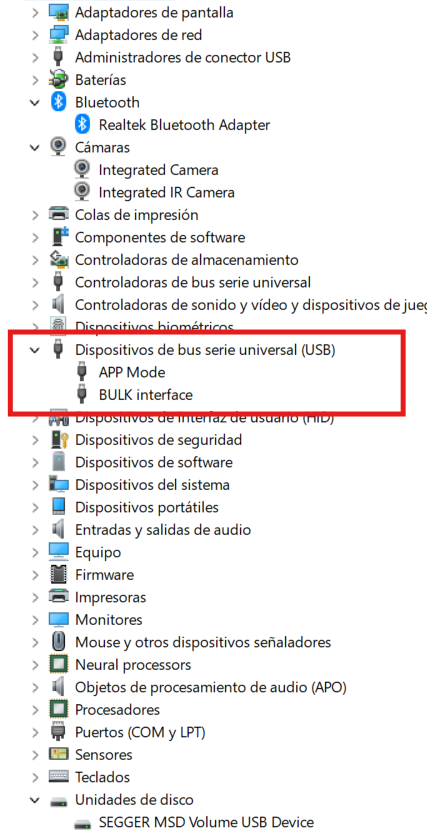
The only diference when connecting the ANCHOR to the TAG is that the BULK Interface is shown in the other devices tag and not in the usb devices as shown below:
the TAG( the one that doesnt connect) Below
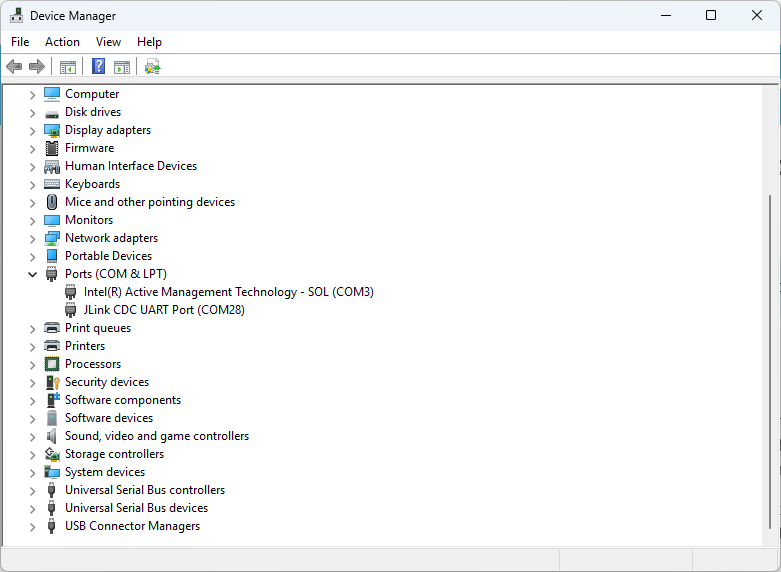
Hi @DavidFelix , it is odd that is showing in “other ports”. Normally when you connect the nRF52840 DK to a PC, it should show as JLink CDC UART Port in Device Manager. Please check in the Ports (COM & LPT) section.
I would recommend to remove the QM33 red shield and make sure this is working first. If this is not working, then I would recommend to contact Nordic through their forums for more troubleshooting.
Removing the red shield didn’t work, so we bought a new kit (we needed one anyway), but the same issue happened when flashing the CLI firmware with JFlash Lite. The pre-flashed UCI version worked fine though.
After checking with Nordic and reading forum posts, I found the fix:
I had to run instDriver.exe from the JFlash folder after connecting the kit. Strangely, I didn’t need to do this with the first kit on any PC, so I assumed the drivers were already installed.
I didn’t see this step in the quick start guide or manuals — maybe I missed it, but it might help others if it’s added.
Thanks again for your support — hope this helps someone!