Do library files need to be contained within the program directory for the Selection Guide to work?
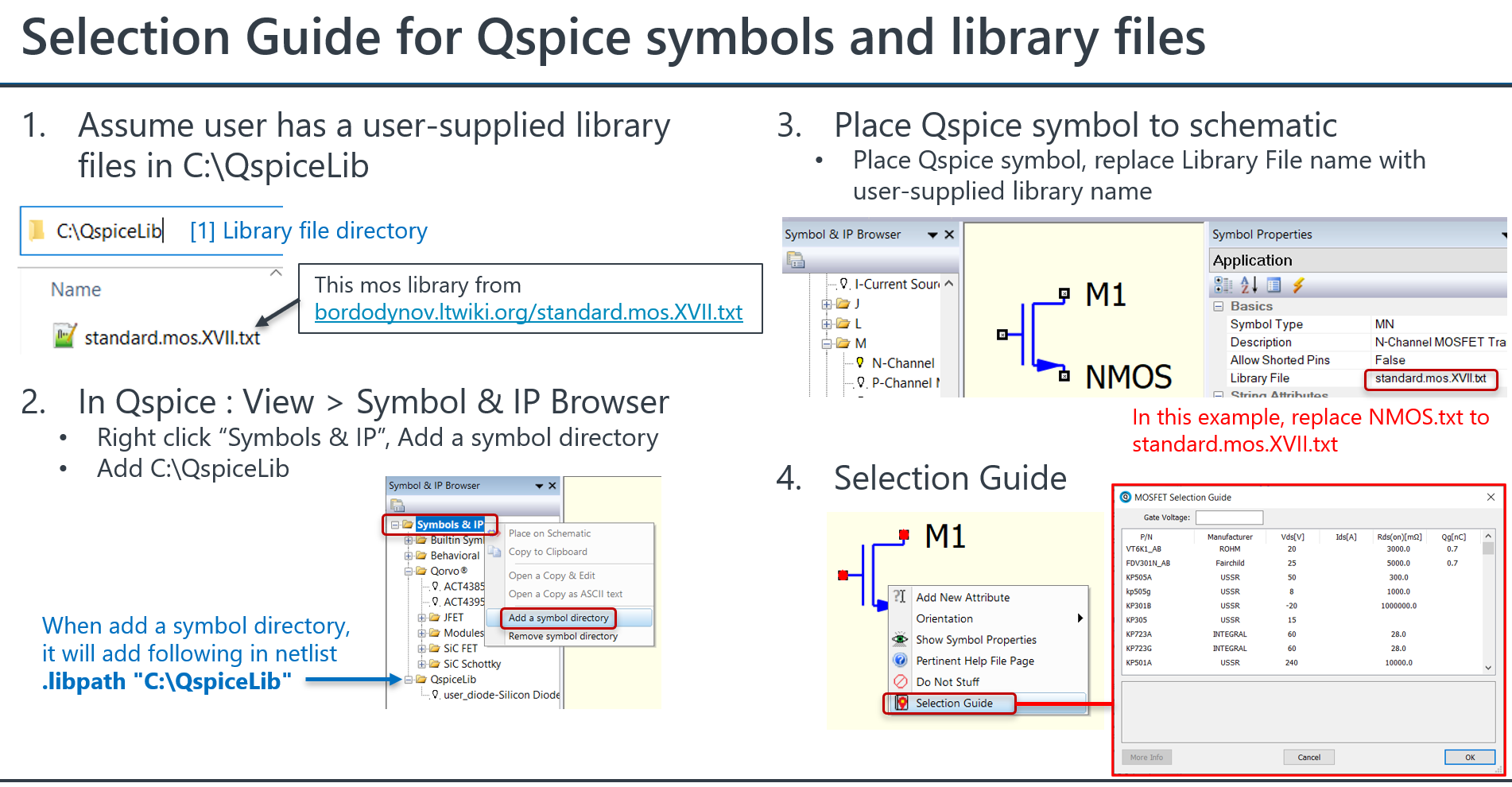
For example, I can place the standard Silicon Diode symbol, right click and use the selection guide. However, if I copy the “Diode.txt” file from the QSpice program directory and paste it in “C:\Users\Public\Documents” ,for example, I cannot use the selection guide after changing the Library File path of symbol to C:\Users\Public\Documents\Diode.txt.
My use case for this is wanting to use a git repo placed in %Public%/Documents to house symbols, models, subckts, etc. I used the example of copying Diode.txt just to show that it’s not related to the file content itself.
I ran a test that allowed me to use the selection guide outside of the Qspice program directory. However, I have not tested using a library name that is the same as the Qspice library in the program directory.
What version of QSpice are you on? I’m on a June 18 build on Win 11.
I also did some more testing and found that if I defined the Library File path relative to C:\Program Files\QSPICE that I could use selection guide just fine “…\…\Users\Public\Documents\Diode.txt”. So I suspect this is a bug.
I hope your issue gets resolved soon. Just for your reference, I retested above approach, and it worked in my test in latest version. However, if a folder lacks a .qsym file, it still be added, but it won’t appear in the Symbol & IP Browser. Currently, Symbol & IP Browser will only show an added directory which .qsym file.
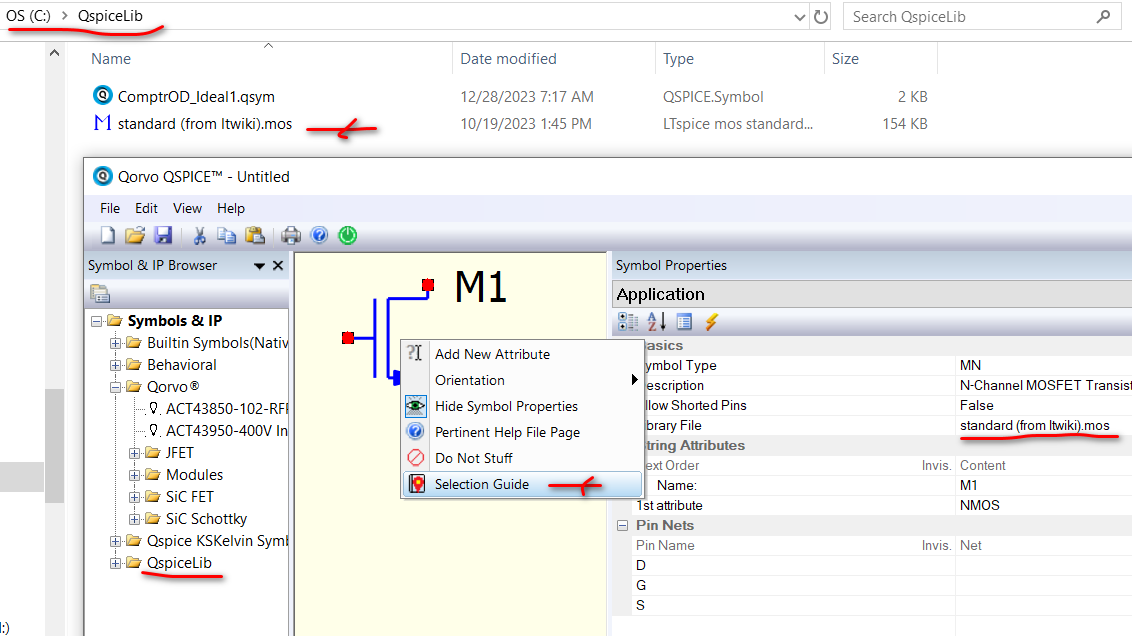
I’ve got it solved. I suppose it was user error on my part. I was still calling the full absolute path in the symbol. After adding the library file path to .LIBPATHs, I shouldn’t have used the absolute path in the symbol. I must simply use the library filename.
As a user, it seems intuitive that an absolute path should work, but I am ok with this scheme.