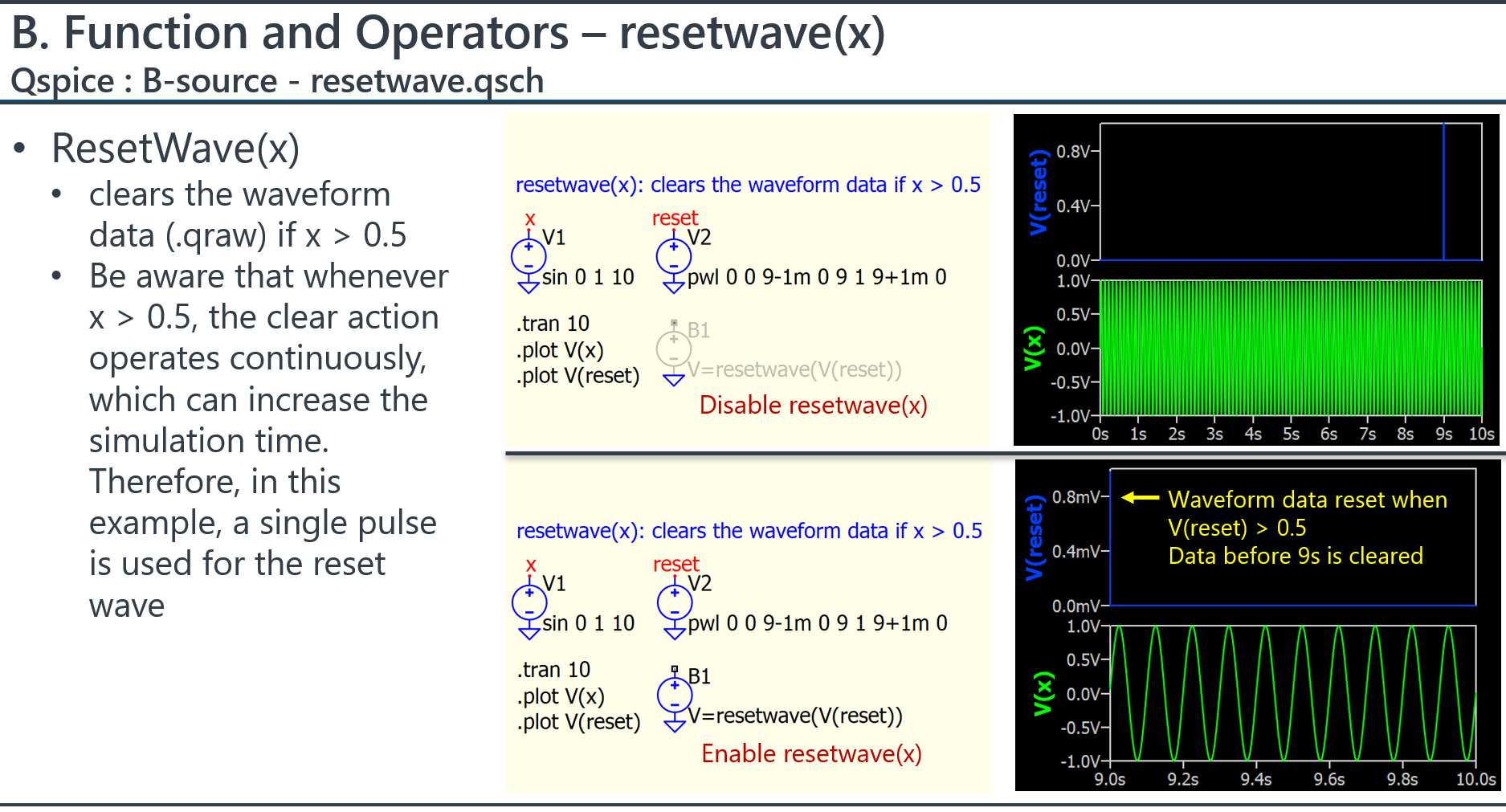
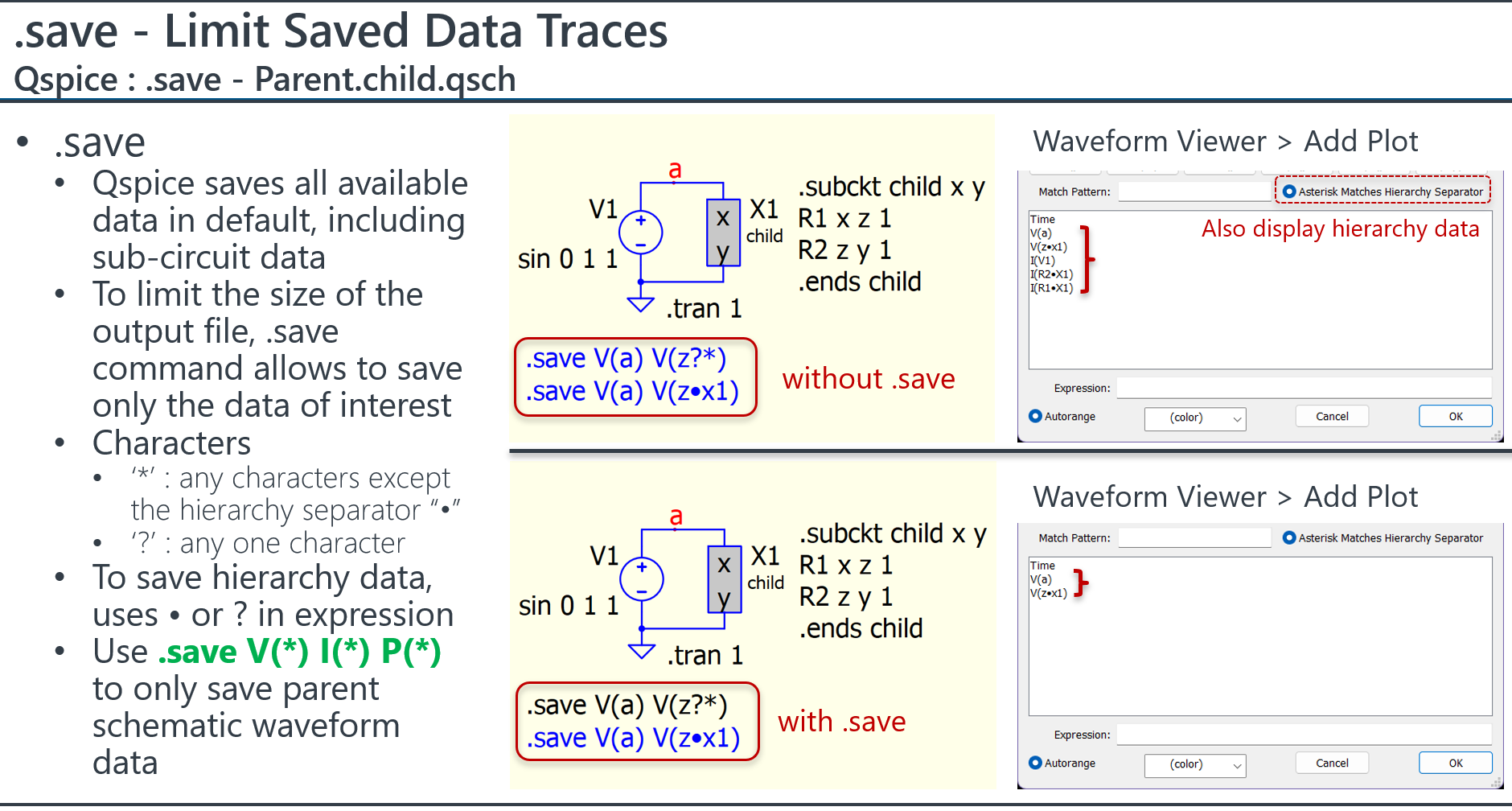
I’m running multi-stepped sims. My goal: If the specific step I’m executing meets a specific criteria, I want to clear the .qraw data for that step. I’d be willing to settle for clearing the entire .qraw data set.
If the criteria is NOT met, I want the data captured for that step in the .qraw file to be intact for post-analysis.
You’re probably asking “Why delete the step data?” Each step can generate 100GBs of data points. I can run 1M steps. Therefore => 1M*100GBs = hard drive overrun. This is one of the reasons I created the “log” component.
resetwave(x)
Well, the B-source function resetwave(x) can clear the .qraw file, however, I have never tested it in a .step and am unsure how it behaves in that scenario.
Based on your description of 1,000,000 steps, each step with 100GB of data, you may consider running the simulation in batch mode. For instance, people often use Python to modify the netlist or .inc file to input different .param values into the netlist for simulation. This approach provides an external routine to control how the simulation steps are taken and how the data files are managed. My concern is that 1 million steps is a huge number! If anything interrupts Qspice during the run, you would have to restart the entire sweep. However, with an external program calling Qspice to execute each step, you can resume your simulation process at any time.
My Command guide has a section that documents how to use batch mode commands.
I do run in batch mode with the qraw file not generated.
FYI. I just ran a 1M step sim. It took 10 hours to complete. It’s a lot of timestep points most of which I don’t need. I only need the “final” signal result upon completion. That’s why I created the “log” component to store the final results of the signals of interest into a csv file for later statistical analysis.
Note: I ran a more complex 1M step sim. It took 8 days to complete!!!
I ran a quick and simple sim with multi-stepping => resetwave() resets the entire .qraw losing data captured on steps not meeting the criteria. Not as optimal for me but understandable.
For resetwave() to only reset THAT steps data, it would have to parse the collected data in the step and delete ONLY it. Too much effort and processing time.
Correction: I mistyped in earlier posts, each step may acquire 10M to 100M of timestep points even with .save signal reductions. 100G per step would be excessive.
In my latest project, I’m simulating Tx and Rx devices. Each device has their own clocks and they are asynchronous to each other.
The goal of the sim is to determine when the Tx signal will be seen fully by the Rx device. Once it is seen (connected), the devices will sync up. The sim determines the connection latency.
Lower connection latencies are better.
This can easily be achieved by forcing the Rx to be always ON. The downside is the current draw in Rx ON mode.
Another solution is to constantly send the Tx signal. The downside is the current draw in Tx ON mode.
Therefore, the ultimate goal is to find the longest Tx period, longest Rx period and shortest Rx ON time that provides for acceptable connection latencies. Each of these factors need to be in balance to also provide the lowest current draw for both the Tx and Rx devices.
The remember that both the Tx and Rx timings are asynchronous. Therefore each iteration step starts both the devices with a random startup. As a result, the connection latencies calculated are statistical study. 1M iterations are used to get 1 ppm resolution.
My “log” component is used to gather the needed statistical data.
The goal of this inquiry about resetting the waveform data is that I sometimes need to study why some of the longer connections are occurring. In this case, I need to capture only full timestep data of a single longer step for closer investigation. As I stated earlier in the thread, capturing ALL the timestep data for all steps is impractical if not impossible.