How to string concatenate in QSpice

I’m trying to pass a string to a C-Block. This is not a problem.

However, I’m trying to programmatically pass a concatenated string that includes subparts which include the file extension and at least one simulation parameter as a part of the filename.

I’ve tried a number of different ways that I’ve used under “C”, “C++” and other programming languages. No luck.

Len

Hi, Len.

Are you trying to concatenate the substrings in the schematic before passing them into the C-Block as a parameter? Or just passing in the substrings and want C++ code to build the string?

Seems like you’re asking for the former. Pretty sure that Mike hasn’t implemented string manipulation of text in QSpice yet. (I think that he has plans but know no more than that.)

–robert

Robert,

I need the string concatenation before passing it to the C-Block.

I couldn’t find any QSpice help info about QSpice compiler/interpreter string concatenation parsing.

Len

Len,

As far as I know, Mike hasn’t implemented anything that will do this in QSpice. You’ll have to pass the substrings into the C-Block and concatenate them there. Or maybe ask Mike to add the feature.

–robert

Does this fulfill your requirement to pass substrings into the C-Block to build up the filename? If this meets your requirement, you should wait for @RDunn to review this code as handling strings in C is not something I am good at.

parent.FileWrite.qsch (1.4 KB)
filewrite.cpp (5.1 KB)

@KSKelvin, I made a few necessary changes. See comments in code. Hopefully, I didn’t break anything. :wink:

–robert

filewrite.cpp (5.8 KB)

1 Like

Len, if you’ll share the reason that you need this, maybe we can come up with something that “works well enough.”

–robert

@KSKelvin ,

Thank you for the effort. I want the string concatenation BEFORE passing it into the C-Block. I can pass substrings into the C-block and concatenate them in C++ until the “cows come home”.

I was hoping there was QSpice compiler/interpreter function that would allow me to do that.

Len

Robert,

I’m running very complex sims that take multiple parameters that change for each run set.

Right now, I have to manually change the filename passes to the logger C-block. The filename encode many, but not all, the running parameters.

If I forget to change the logger filename, the next run set erases the previously run logged data.

Len

Have you consider to add system clock (date and time) into your filename? Every simulation run should generate a new name without overlapping previous one.

Well, you can use .params to to set (numeric) component values and also pass them into the DLL to build the filename. See attached partial example.

Of course, you could also verify that the file doesn’t already exist before overwriting it.

Does that help?

mydll.cpp (3.1 KB)
FileNameFromParms.qsch (3.2 KB)

@KSKelvin ,

Thank you for your suggestion.

However, the log file is already timestamped when it is created and updated. There’s no value in adding the timestamp in the name.

Additionally, it doesn’t tell me the sim/step parameters used when I look at the log file 1 year later. This is the reason for creating a complex log file name.

Len

Robert,

Effectively, you are assembling the string for the log file inside the C-Block.

I’m resisting doing that since the number of parameters to be used in naming the log file can be 2 to 10. A C-block that can assemble this variable number is possible but unwieldy. I’m avoiding that.

I’ve tried once again using different methods of string concatenation within QSpice compiling using substrings and .param values. No good results.

Maybe a request to Mike E. makes sense. Maybe using the ‘&’ as concatenation character makes consistent sense since that character is also used for that purpose in other languages.

Len

Hello all,

I have found a simple solution to this question.

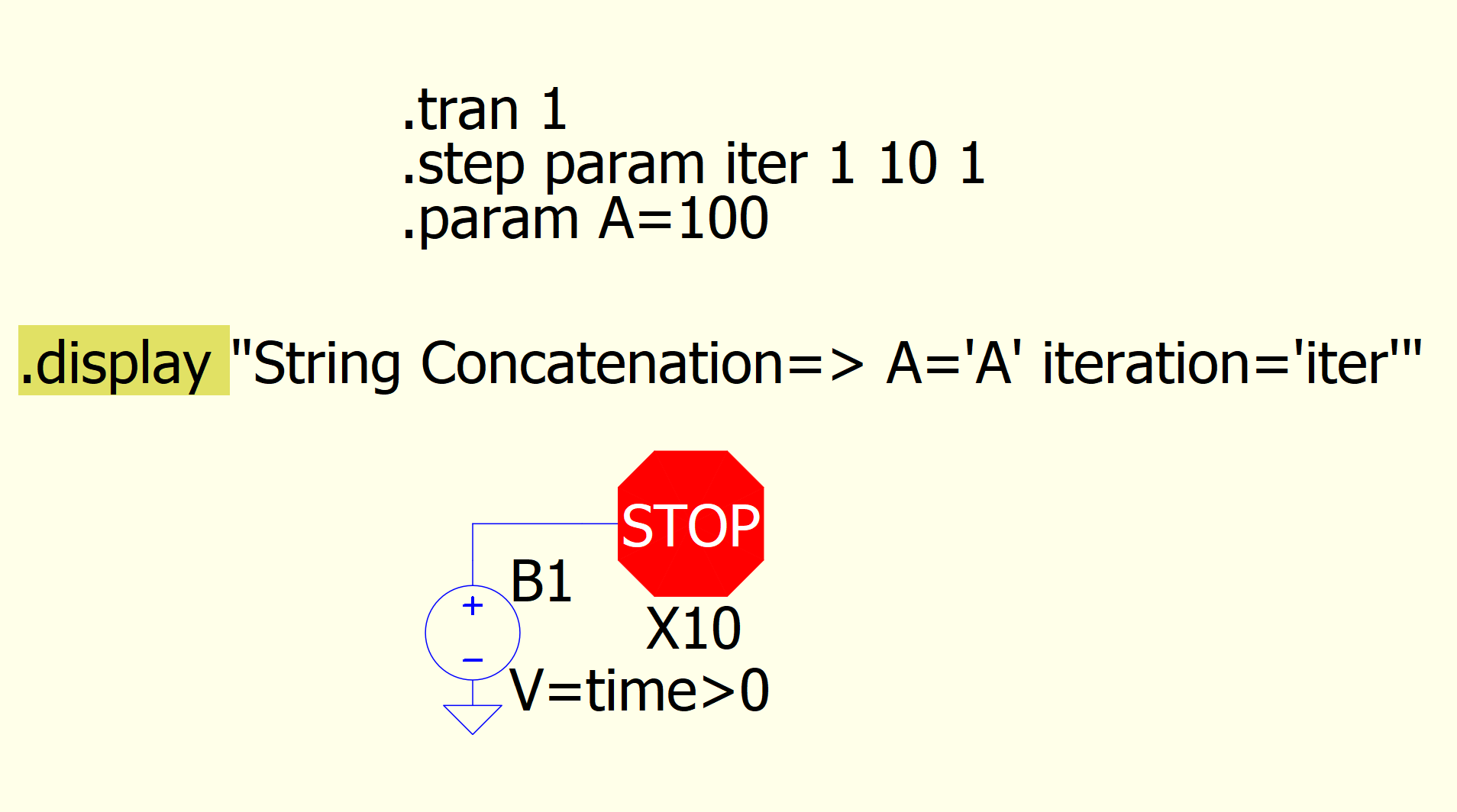
Here is a schematic of a example of string concatenation using parameters supported by QSpice.

Here is the output of the sim:
1 of 10 steps: .step iter=1
.DISPLAY "STRING CONCATENATION=> A= 100 ITERATION= 1 "
2 of 10 steps: .step iter=2
.DISPLAY "STRING CONCATENATION=> A= 100 ITERATION= 2 "
3 of 10 steps: .step iter=3
.DISPLAY "STRING CONCATENATION=> A= 100 ITERATION= 3 "
4 of 10 steps: .step iter=4
.DISPLAY "STRING CONCATENATION=> A= 100 ITERATION= 4 "
5 of 10 steps: .step iter=5
.DISPLAY "STRING CONCATENATION=> A= 100 ITERATION= 5 "
6 of 10 steps: .step iter=6
.DISPLAY "STRING CONCATENATION=> A= 100 ITERATION= 6 "
7 of 10 steps: .step iter=7
.DISPLAY "STRING CONCATENATION=> A= 100 ITERATION= 7 "
8 of 10 steps: .step iter=8
.DISPLAY "STRING CONCATENATION=> A= 100 ITERATION= 8 "
9 of 10 steps: .step iter=9
.DISPLAY "STRING CONCATENATION=> A= 100 ITERATION= 9 "
10 of 10 steps: .step iter=10
.DISPLAY "STRING CONCATENATION=> A= 100 ITERATION= 10 "

Total elapsed time: 0.181569 seconds.

Rules to provide string concatenation:

  • The " character must exist at the beginning and the end to encapsulate the entire string.
  • The parameter(s) to be used to insert into the string must start and end with a ’ character to encapsulate the param name.

It works. It even works when pushing a string with parameters into a C-Block.

It’s not ‘perfect’. As you can see when a parameter is inserted into the string, a space character is inserted. But definitely usable.

Len

Interesting. Not sure that it’s solving the problem that I thought we were trying to solve but still potentially useful.

Could you provide a minimal example of passing the string into a DLL?

–robert

robert,

Here’s a simple example of passing a parameterized string into a C-Block.
arg_test.cpp (4.0 KB)
Arg_test.qsch (2.4 KB)
For testing purposes, look at the Output window dumps.
the resultant parameterized string could be used to create/open files.

Len

Interesting. Spaces before/after the single quotes don’t matter, i.e., it always puts a single space between items…

@KSKelvin here’s a netlist. Is this parameter substitution with single quotes a known thing?


Ø´X1 «» «N01´d» «0» Arg_test char *str=“test ‘A’ ‘iter’”
.subckt X10•stop in
B1 ¥0 0 V=AbortSim(V(in))
.ends
X10 N02 X10•STOP
B1 N02 0 V=time>0
.tran 1
.step param iter 1 10 1
.param A=100
.end

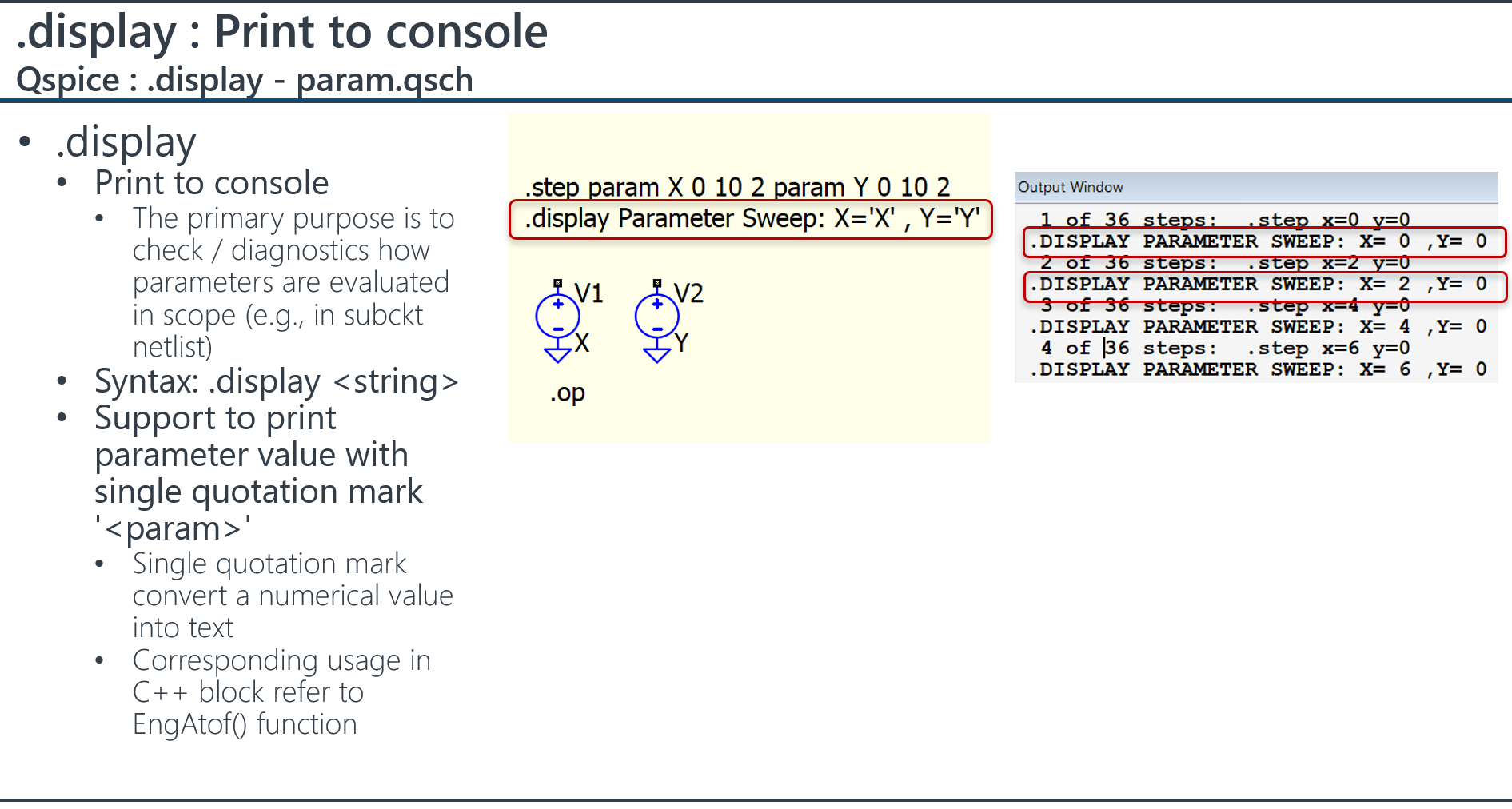
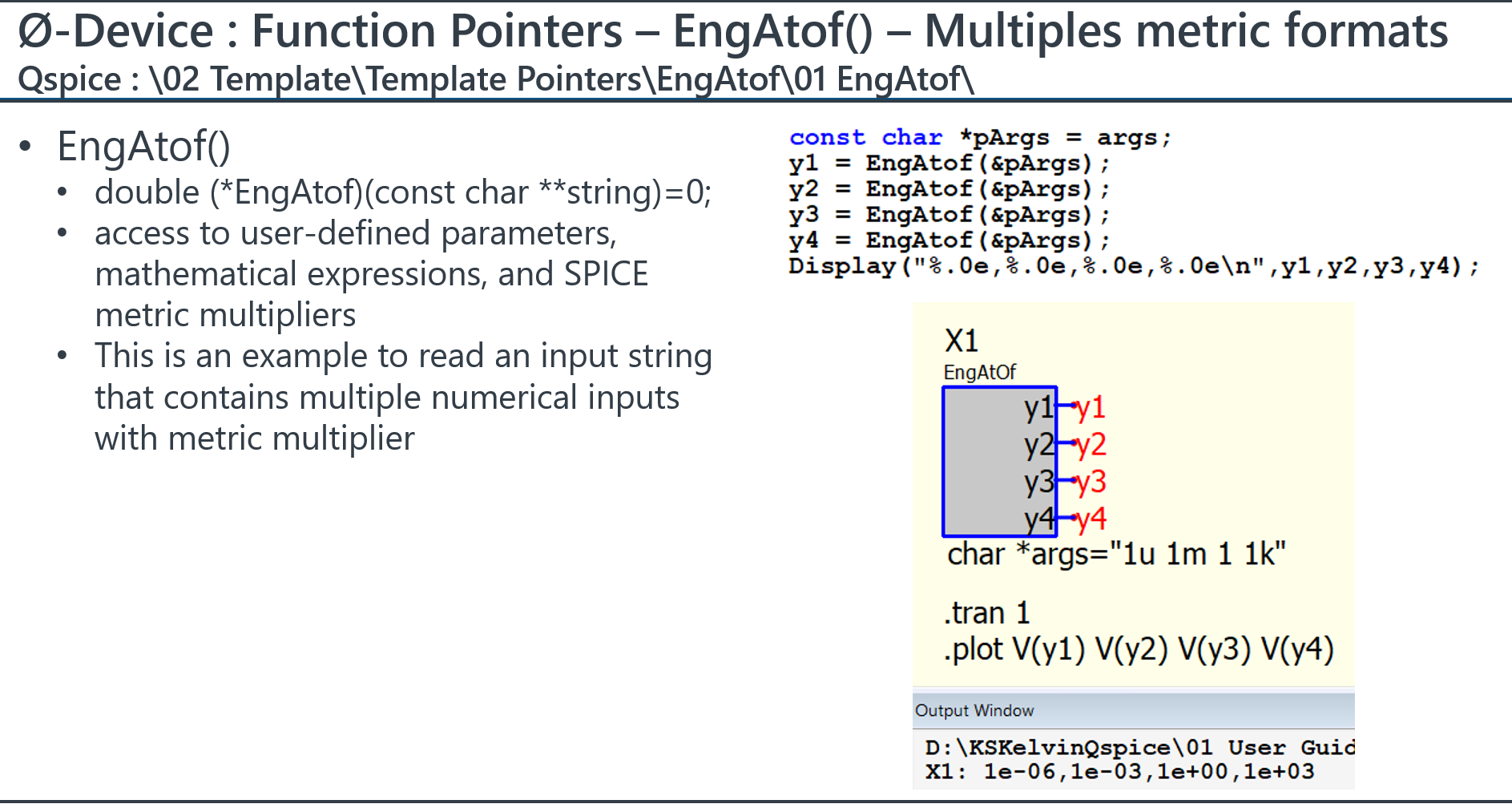
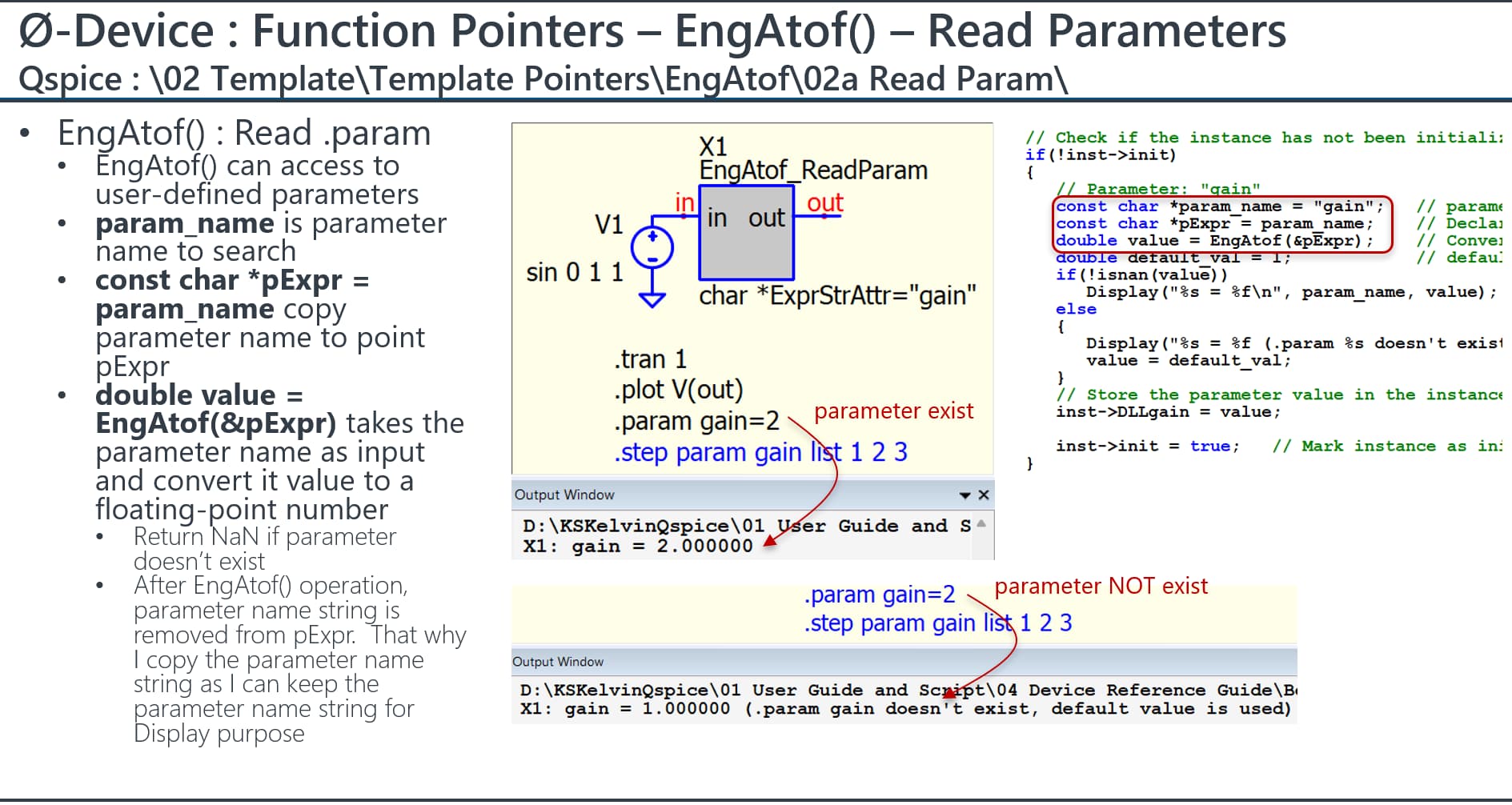
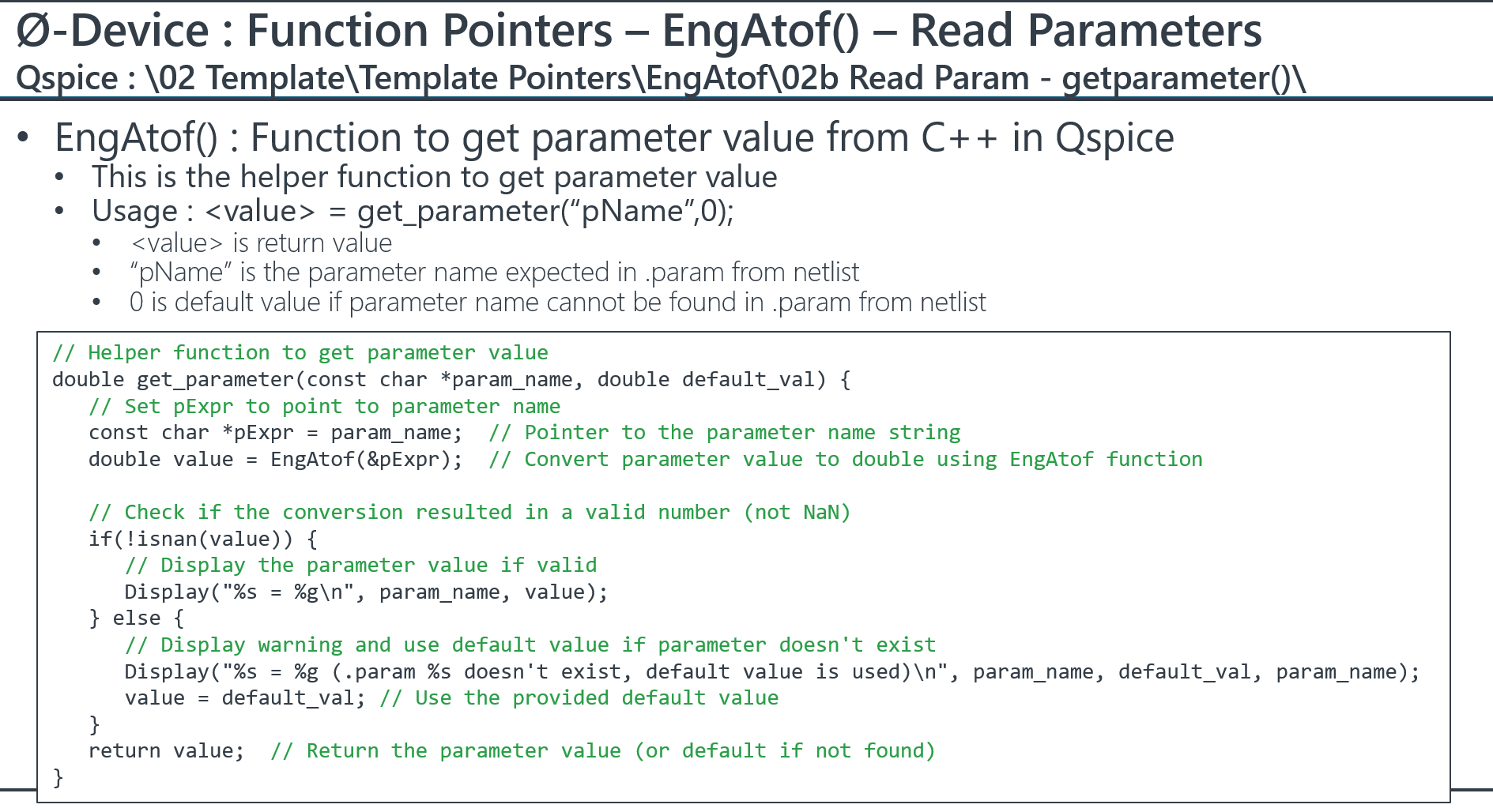
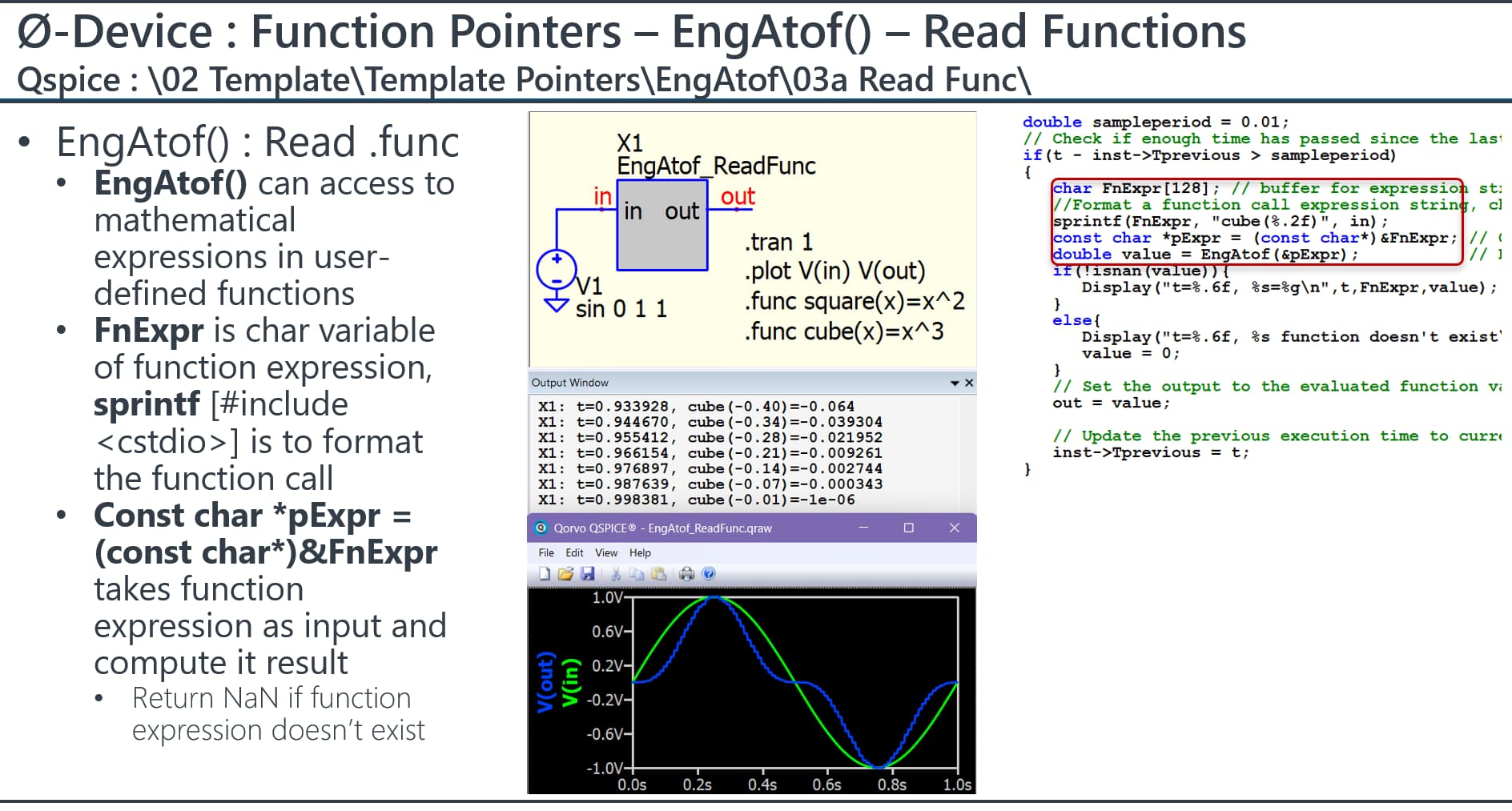
Well…This is first time I know that param can input as a string from instance parameter of Ø-Device. I just check my notes and in related to this is .display and EndAtof()
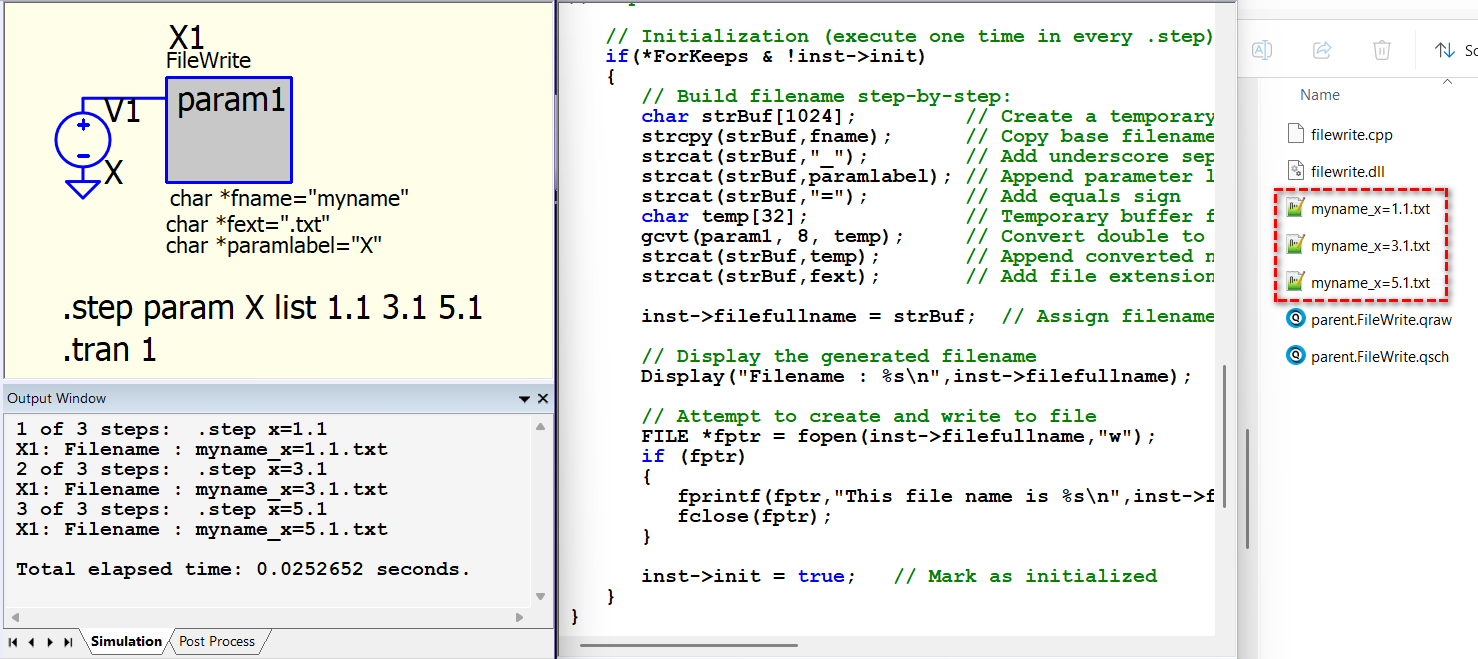
About .display

About EndAtof() in Ø-Device


2 Likes