How do I make an already created schematic symbol larger? In the screenshot,
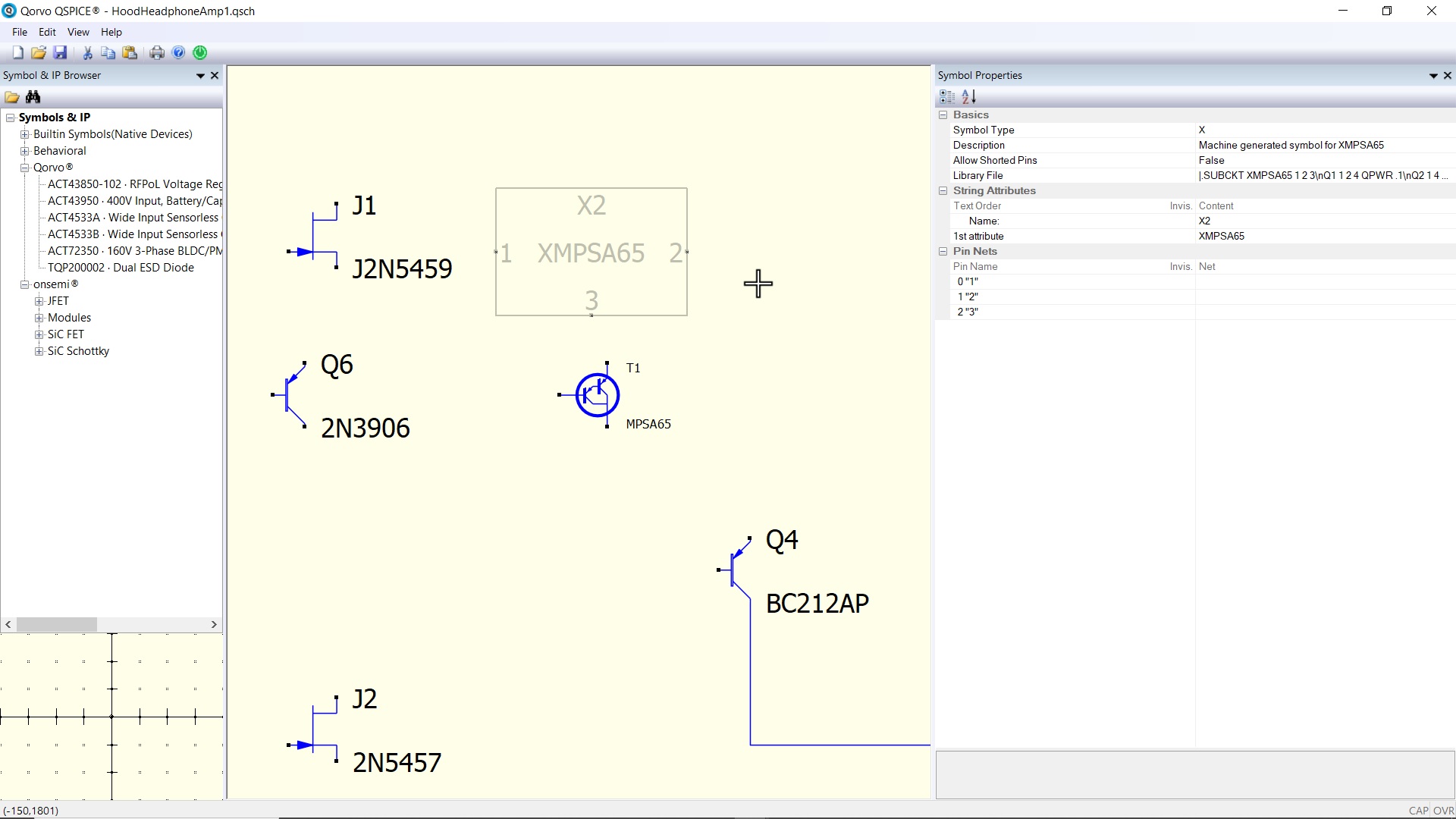
T1 (the darlington transistor) is smaller than the symbols nearby. I just want to scale T1 so that it matches the size of the other transistors. How can I do this?
How do I make an already created schematic symbol larger? In the screenshot,
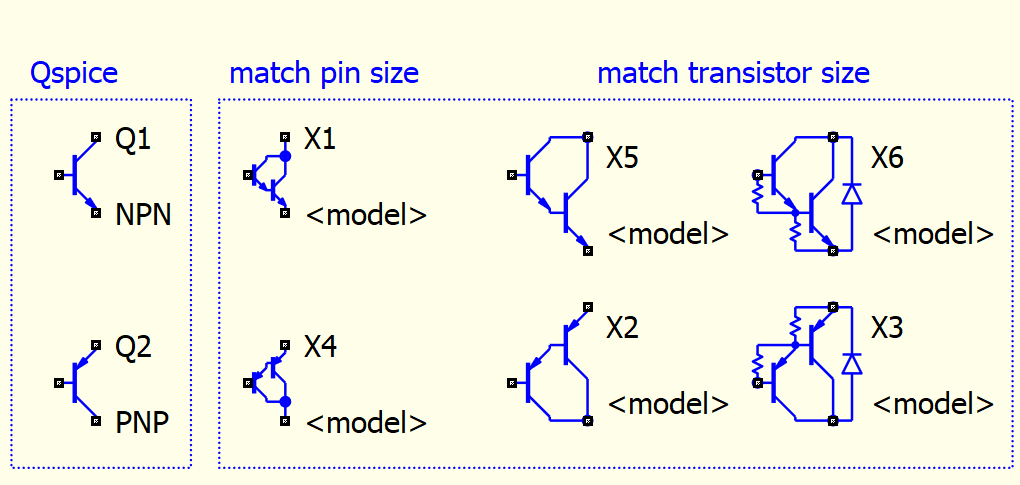
You have to create a new symbol for it. I have subcircuit symbols for Darlington NPN and PNP transistors based on Qspice’s native NPN PNP scale, where the subcircuit pins are in the sequence of C B E.
https://github.com/KSKelvin-Github/Qspice/tree/main/Symbols-KSKelvin
Thanks. I’ve downloaded the X2 symbol. I have a deleted the symbol and subcircuits for the 2 Darlington transistors that I want to use. I have a spice model for a BC516 and MPSA65 which are both PNP Darlington transistors. Can I just drag and drop the spice models onto the schematic? As the symbols are auto generated is there a way to choose which symbol is associated with the spice model? Also, when are subcircuits used with symbols? Thanks.
PS I can post the spice models if it helps?
please post the spice model, i can show how to get use of the model with custom symbol.
Here they are
For the MPSA65
.SUBCKT MPSA65 1 2 3
Q1 1 2 4 QPWR .1
Q2 1 4 3 QPWR
.MODEL QPWR PNP nk=0.85 IS=1.44P NF=1 BF=280 VAF=80 IKF=0.96 ISE=14P NE=2 BR=4
For a BC516
*** From file BC516.lib
********** Power Discrete Darlington Electrical Circuit Model **********
** Product: BC516
** Package: TO-92
**----------------------------------------------------------------------
| Base
| | Emitter
| | |
.SUBCKT BC516 1 2 3
Q1 1 2 4 Q1model
Q2 1 4 3 Q2model 3.128
D1 1 3 Dmodel
.MODEL Dmodel D
Thanks.
Beware that pasting a netlist or its format into the forum may mess it up.
Qspice Forum - New User to Basic User (File Upload) - QSPICE - Qorvo Tech Forum
This GIF image demonstrates the procedure to take advantage of auto-generation symbols with pre-built subcircuit symbols. Just make sure the pre-built symbol pin order matches the .subckt pin order. If they do not match, the symbol (.qsym) needs to have its pin order reworked before being dragged into the schematic. The “subckt symbol (third-party model)” directory in my Github symbols library is specifically built to ease the process of obtaining device symbols after the auto-generated symbol is created by Qspice.
MPSA65-HFE.qsch (18.4 KB)
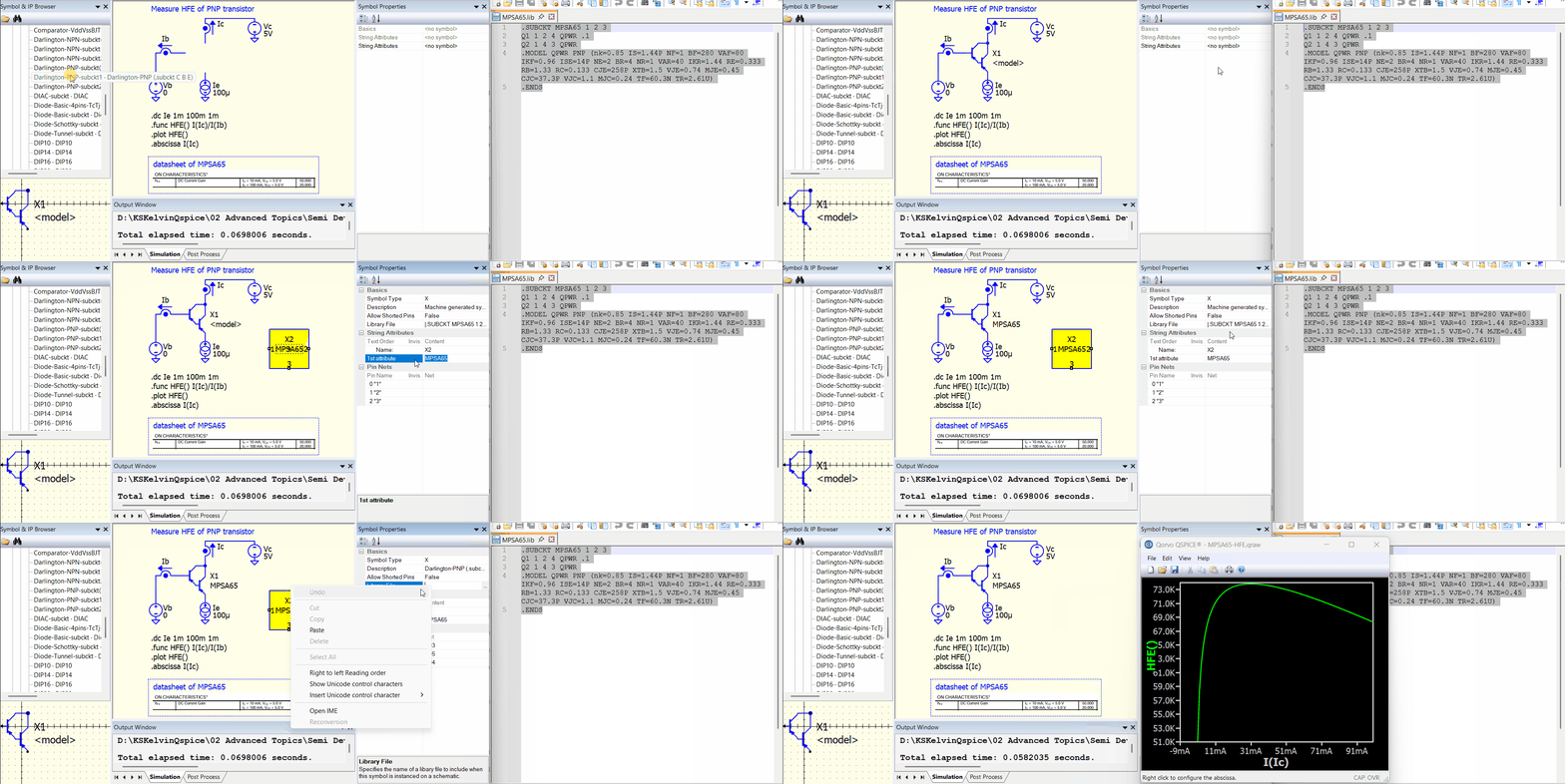
By the way, I have just updated my library for PNP and NPN Darlington transistor symbols, with slightly larger arrows and the collector defaulting to the top for both PNP and NPN transistors.