I’ve installed the latest version of QSpice. It works. However, it works different in a certain aspect of the sim tool. This behavior in the previous build worked to my advantage.
I’m looking to reload an older build to determine if my mind is playing tricks.
Mike recently made a change to timestep calculating that has significantly impacted my very complex and all digital sim time. It appears with the latest build (Nov 25, 2025) the timesteps are smaller. I predict this will increase my sim time for very complex sim models.
I set the maximum timestep to 1s default. Mike uses a progressively increasing timestep if no components need a shorter timestep (i.e. defining a smaller timestep using MaxTimeStep or Trunc functions).
To give you an example of one of my digital sims: A very complex sim with 1,000,000 iterations took over 8 days to complete on a fast PC. With a max timestep of 1s, it allowed the ‘dead’ time between digital switching events to allow the timestep to progress toward 1s allowing for the sim to complete faster.
From my current experiments, QSpice is still implementing a progressive timestep lengthening however at a much slower rate. This will increase my sim times.
Going back to an earlier build should allow me to achieve some efficiency of sim time.
Based on your description, it sounds like you set a .tran with Tstop > 1000s, and you set .option maxstep=1, and you use the DLL to control the timestep using MaxExtStepSize() and Trunc(). And as a result, you are determining your own timestep scheme?
Yes. I use MaxExtTimeStep(). However, the Nov 26 build of QSpice64.exe limits the max timestep to 2.25ms. With long state transition delays near 1s, I get about 400 more sim calculation points than I need. This causes longer sims and more qraw points to be stored.
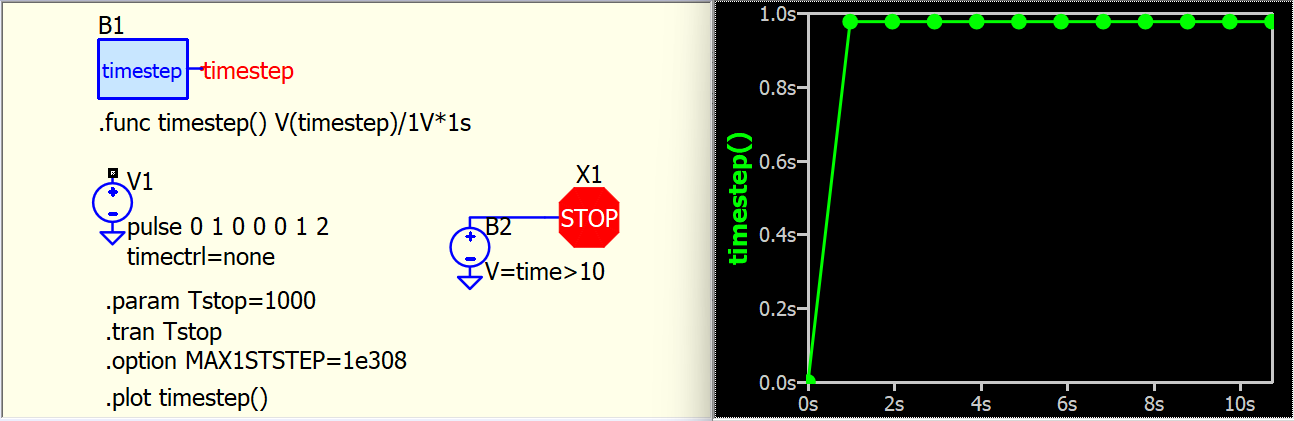
Why do you conclude that the timestep is limited to 2.25ms? For instance, I can provide an extreme example by setting the maxstep to approximately 1s for a 10s simulation.
Timestep is a complicated topic; maxstep can be influenced by .option or devices. I have a study note here for reference. If there are no timestep modifications in .option or devices, maxstep is automatically set to about Tstop/1000. I have not noticed any significant changes in timestep behavior in the recent Qspice update. That’s why I am curious about what you observed in your simulations between Qspice versions.
“maxstep is automatically set to about `Tstop/1000” is what I observed in the latest QSPice64.exe build.
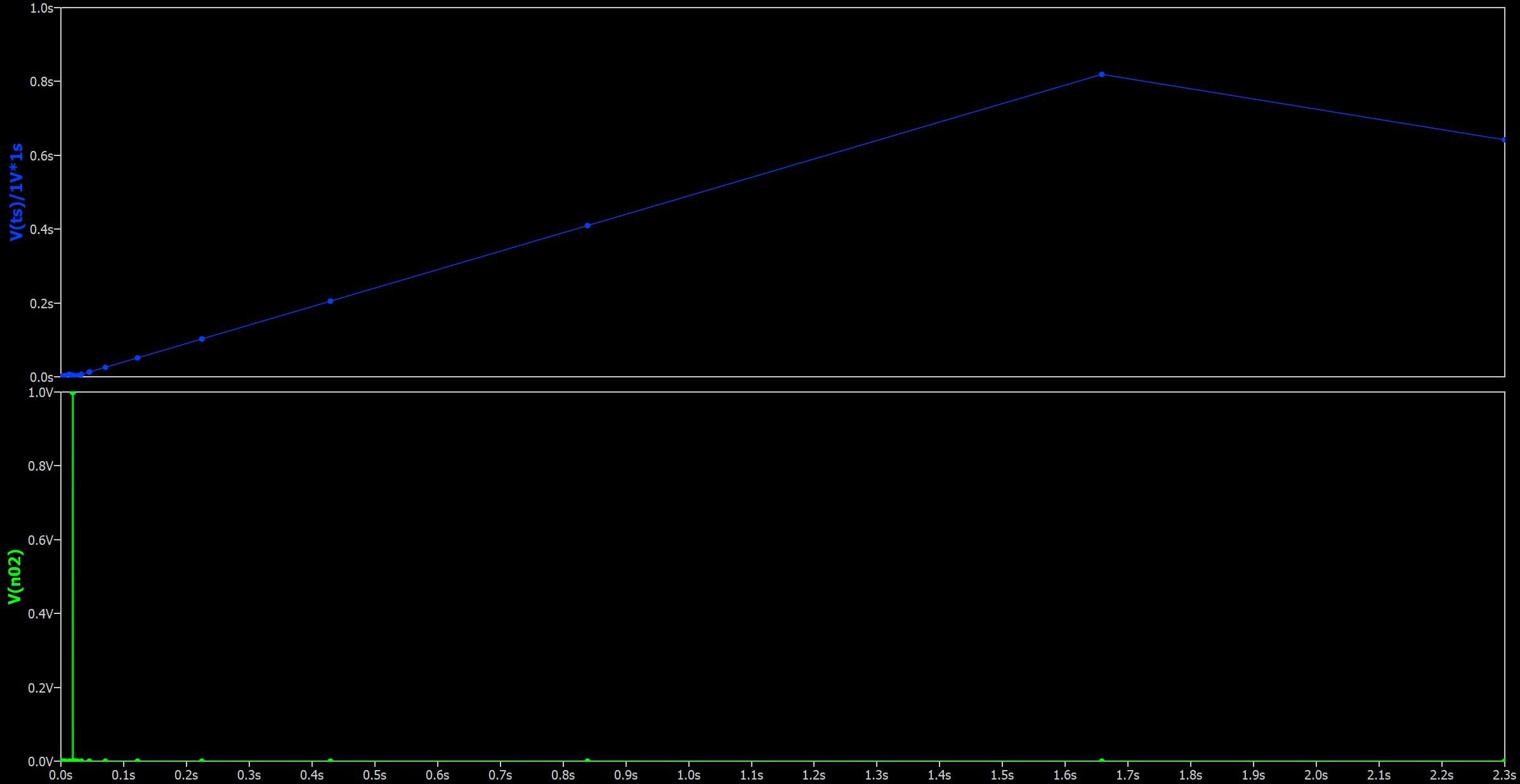
However, if I go to an earlier build (let’s say Nov 11, 2025), I can set a maxstep to 1s and have a TSTOP of 2.3s and I get my 1s maxstep if no events are happening for at least 1.4s.
Oh, thanks for your schematic. I didn’t know that maxstep in .tran could extend beyond maxstep > Tstop/1000. It is uncommon to have a source without timestep control, except for PWL or DC sources, and this may be the reason why I never notice this.
I suppose this behavior was changed by 11/25/2025 Preposterous minimum timestep size stipulations are now trapped.
Do you think the workaround of having a much longer Tstop with an AbortSim() [i.e., STOP symbol] can assist in your simulation work in the latest version of Qspice?
" I didn’t know that maxstep in .tran could extend beyond maxstep > Tstop/1000"
In builds prior to Nov 25: Apparently so.
In Nov 25+ builds, Mike now traps it and ‘ignores’(?) it.
“Do you think the workaround of having a much longer Tstop with an AbortSim() [i.e., STOP symbol] can assist in your simulation work in the latest version of Qspice?”
Yes it does.
BTW: Great work on the tutorial.
There was a statement you made in it you might want to consider updating. It was in the section describing the MaxExtStepSize() function.
"The return value of the MaxExtStepSize() will determine the maxstep value.
More accurately from my observations is that ALL components recommend a maxstep value at the end of each timestep before going on to the next timestep. QSpice then finds the minimum timestep to execute next. And as of build Nov 25 2025, The global maxstep cannot be exceeded even if a component requests a larger value.