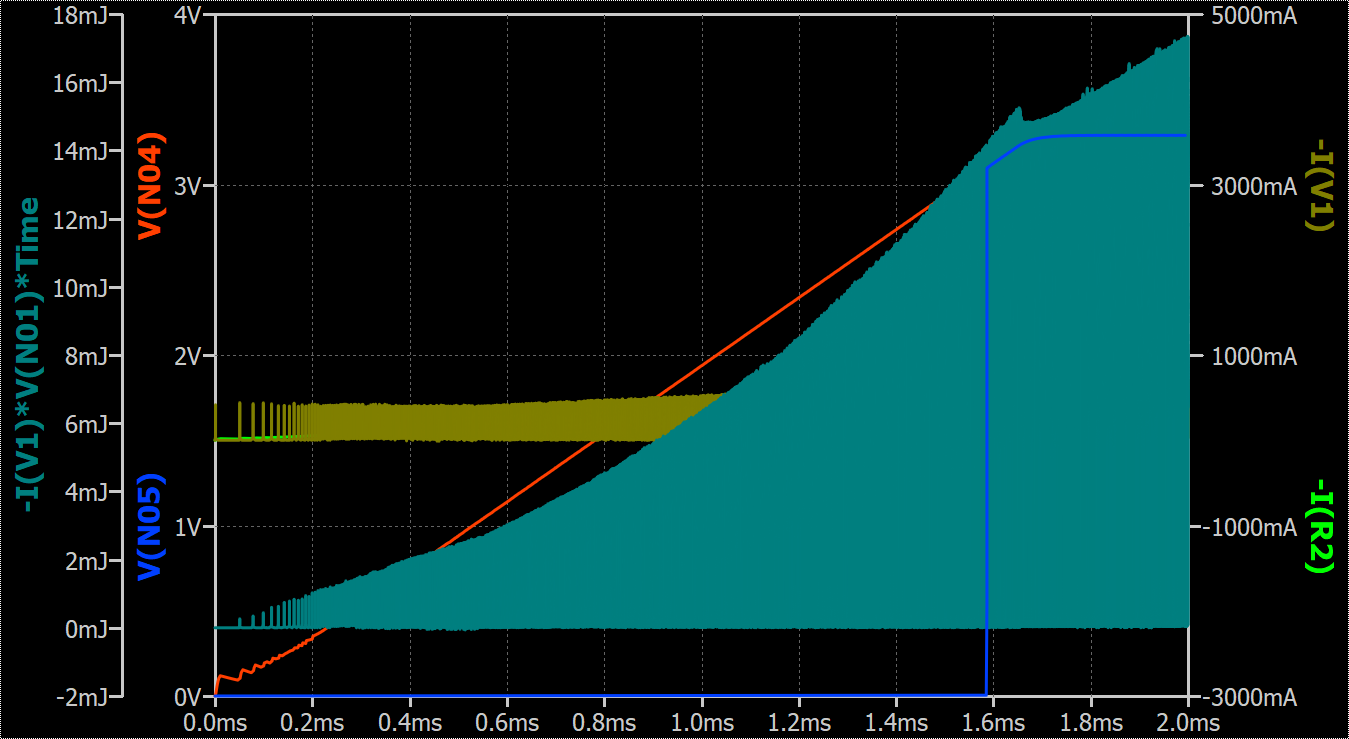
Hey there, from time to time I want to change how individual functions are layered on top each other in the waveform viewer. Take the image below for example. I can’t really see what happens with the red, green, or beige function since teal covers everything. It’d be nice if I could somehow tell the function to move to the background, so the others are rendered above it. Another nicety would be to temporarily hide a function (stuff it, so to say). I know I can delete and just re-add it later, but that’s inconvenient. Especially if you plot larger expressions.
Is there a feature to do that?