I’m running a co-simulation in QSPICE with a C++ code block connected to my circuit, but the simulation is extremely slow. The simulated time advances only a few microseconds per second of real time.
I’m not sure whether this is caused by the complexity of my circuit or by an issue with my C++ code. Could someone help me identify the cause? LLC.qsch (61.9 KB) llcpwm.cpp (16.0 KB)
Fatal error: Timestep too small (1.8105e-15) at t = 0.014483 — what typically causes this?
Questions:
What are the most common root causes of timestep collapse in QSPICE — ideal switch loops, floating nodes, missing DC paths, overly stiff nonlinear devices, or DLL-generated signals?
Is there a way to get more diagnostics, i.e. which node/device is forcing the timestep down, rather than just the final error message?
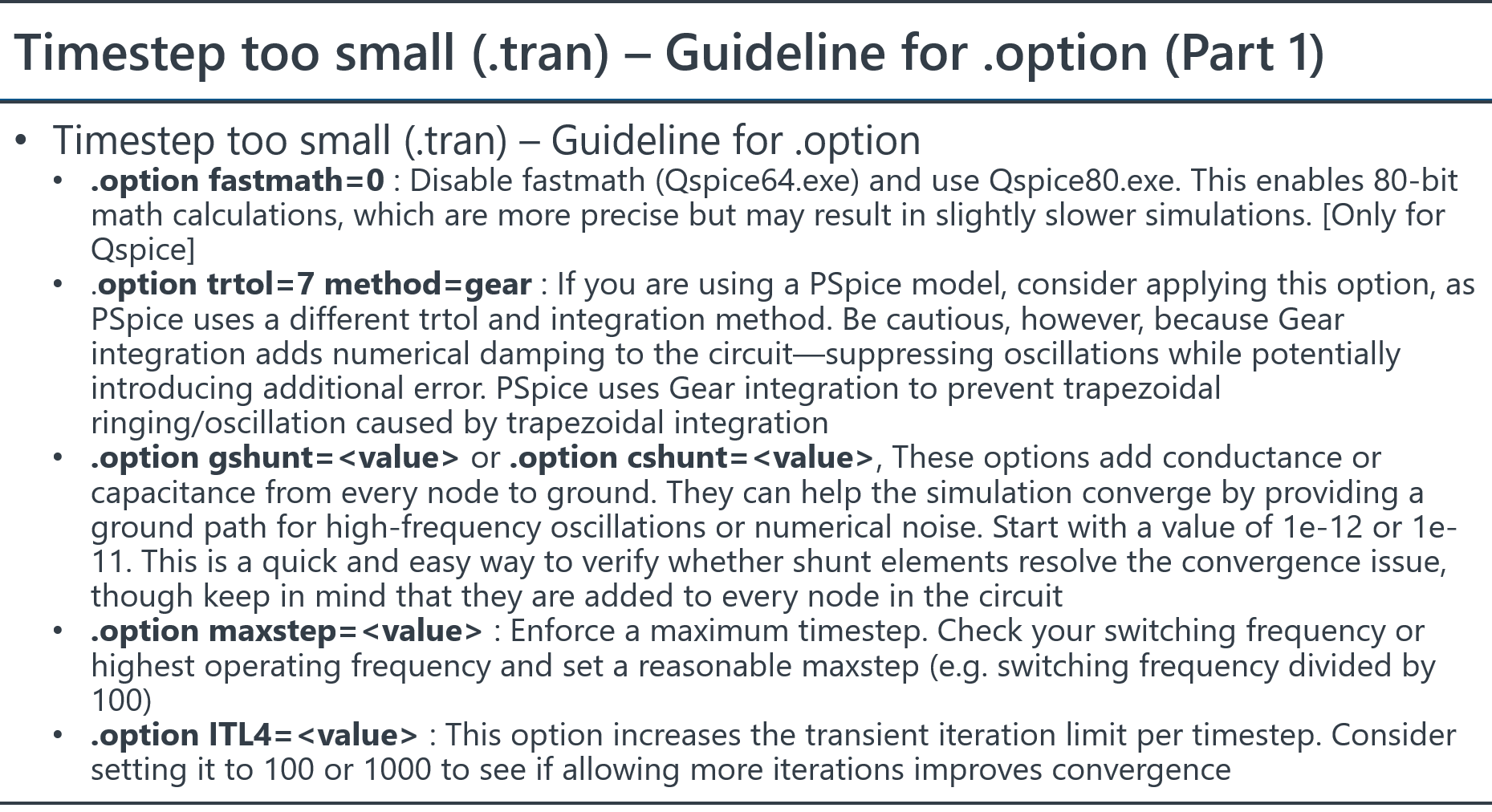
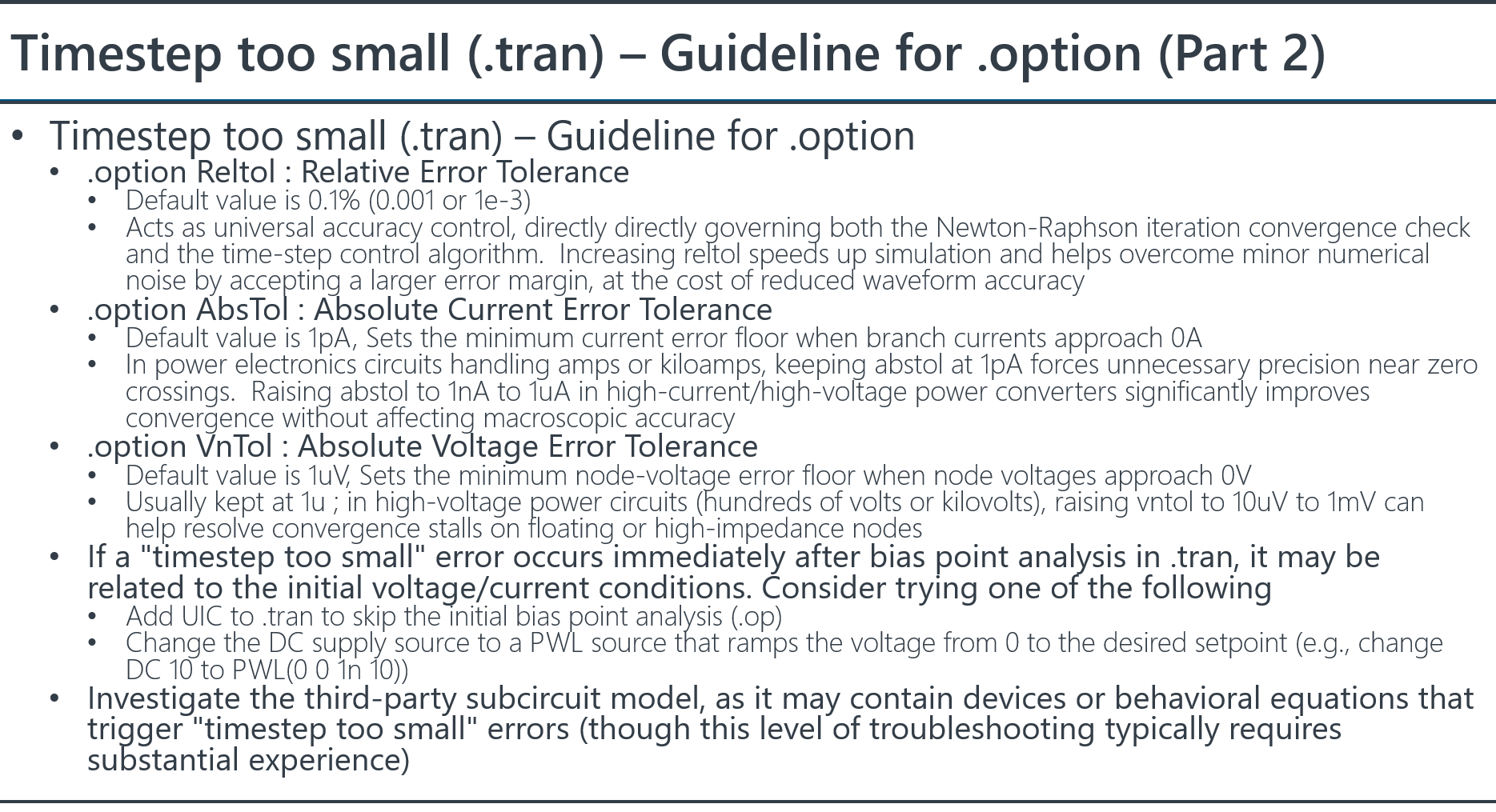
Are there recommended .options settings (reltol, abstol, gmin, trtol, maxstep, integration method) to try, and how do I tell whether I’m fixing the actual problem versus just masking it?
I can share the schematic / netlist if that helps. Thanks!
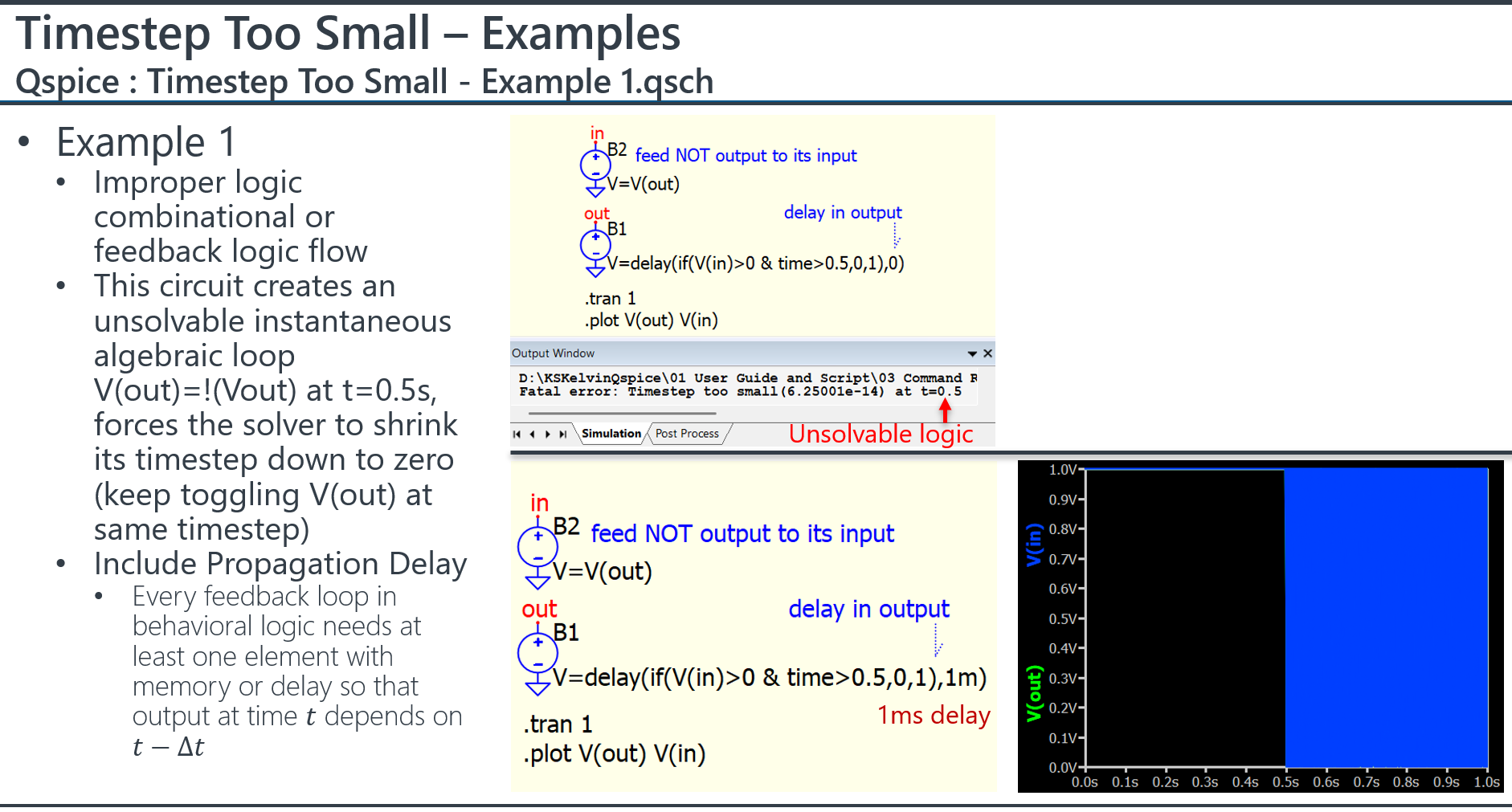
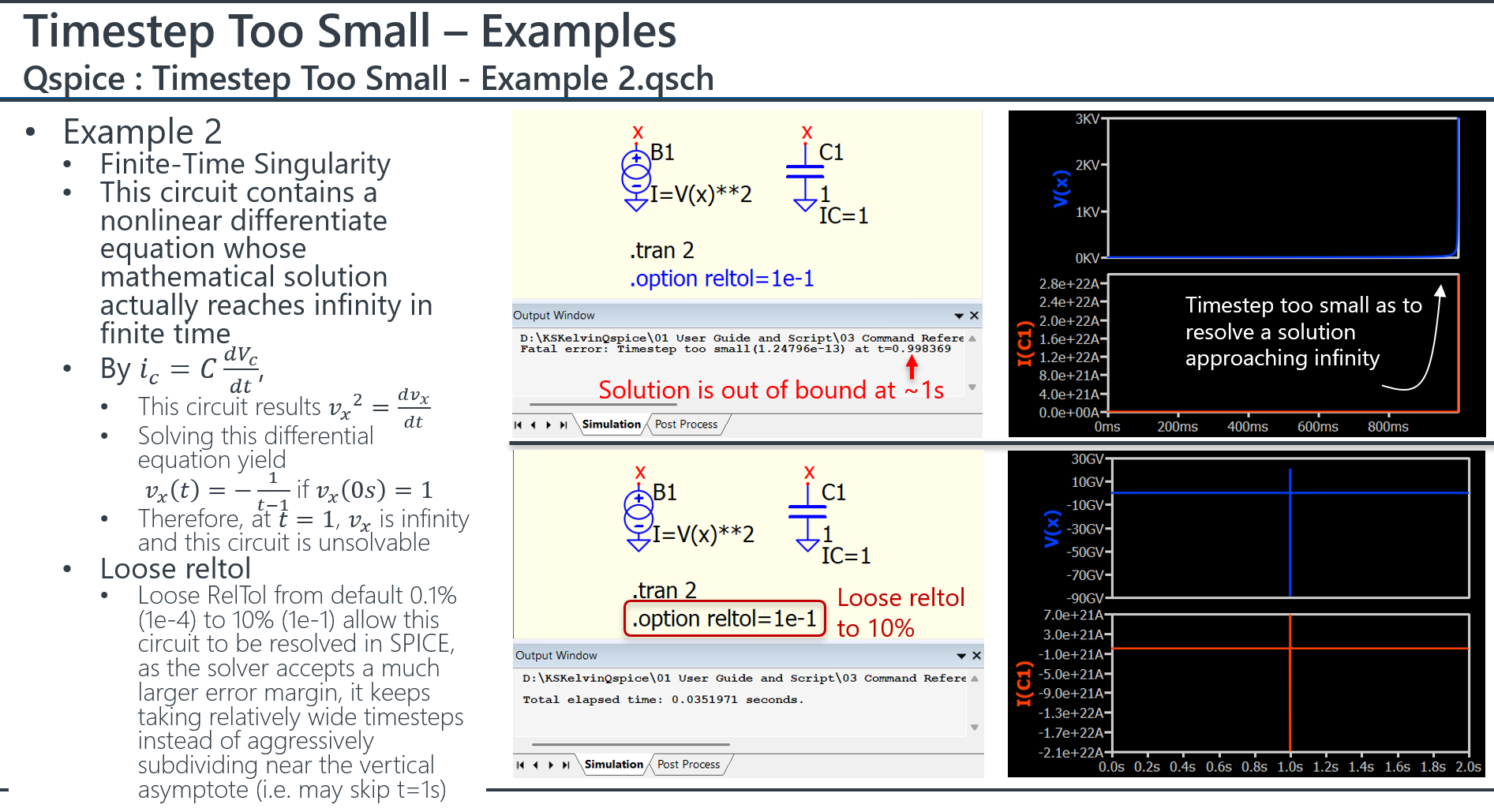
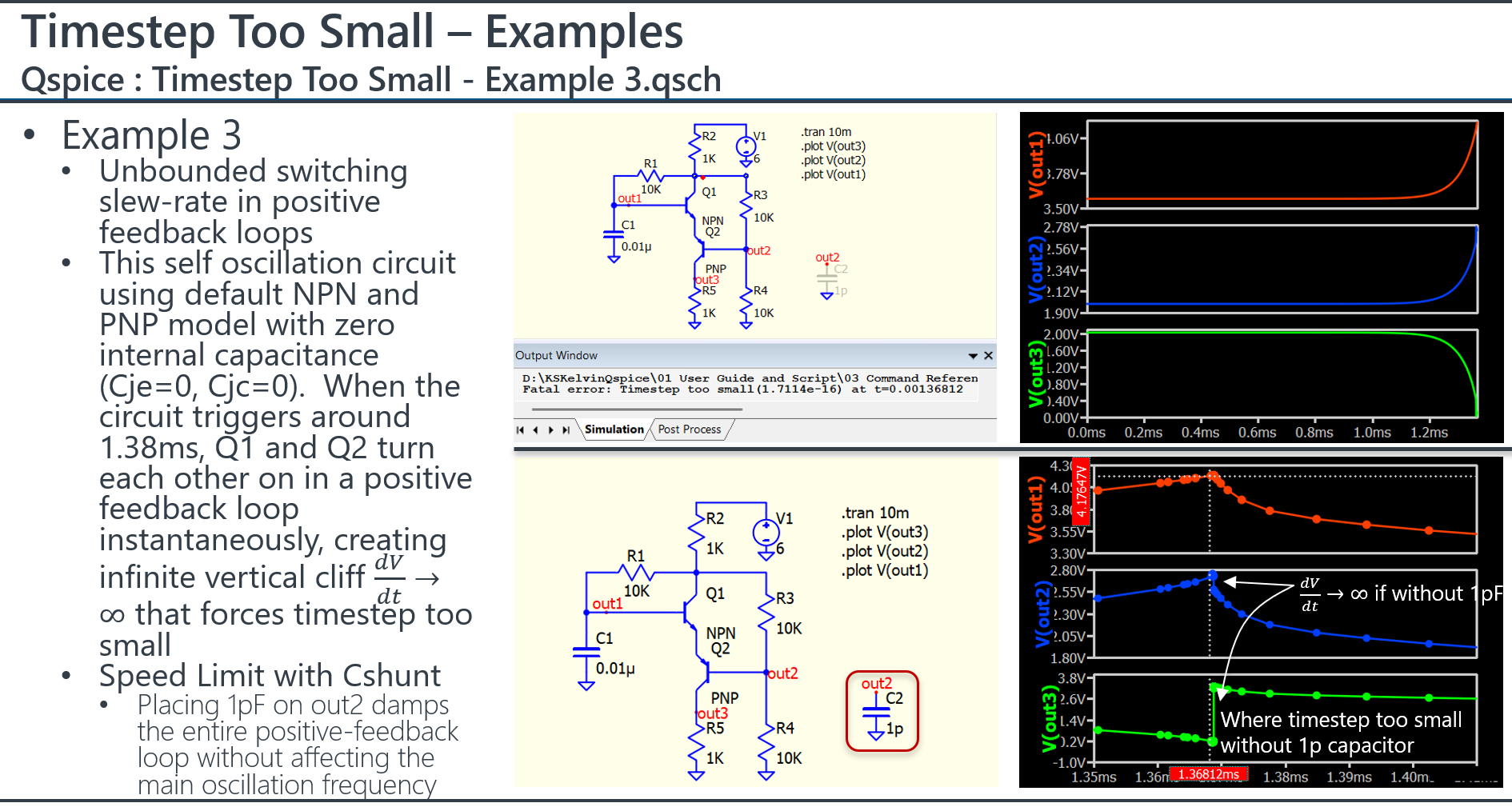
This is possibly one of the most mysterious topics in simulation, as it can come from a huge number of possibilities and every situation relies on a different solution. Here are 3 examples that can introduce a timestep too small error. One important thing is that if a simulation returns “timestep too small,” it is generally a circuit problem instead of a simulator issue, with very few exceptions. But in reality, everyone tends to think it is a simulator issue instead of their circuit setup.
QSPICE currently does not seem to report the node or current having a hard time converging (except there is option I don’t know). “Timestep too small” has the same meaning as a result that cannot converge.
I highly recommend that someone discuss this with Mike to see if such an option can be provided (i.e. timestep too small with hints which node/branch is giving us trouble), as he did in LTspice. I have raised so many requests already, so it would be nice if someone could focus on this one if it is really important to them.
Just a hint: with AI, it is possible to upload your schematic, waveform screen capture, netlist, etc., and ask AI to provide suggestions on why “timestep too small” occurs. I have had multiple cases resolved by Gemini. Possibly, this is also the reason why forums are getting less and less attention, as AI is doing a much better job in electronics today. I just experienced an OTA A-device to QSPICE conversion that I could not resolve for over a year, but with the help of Gemini, I finally got it solved.
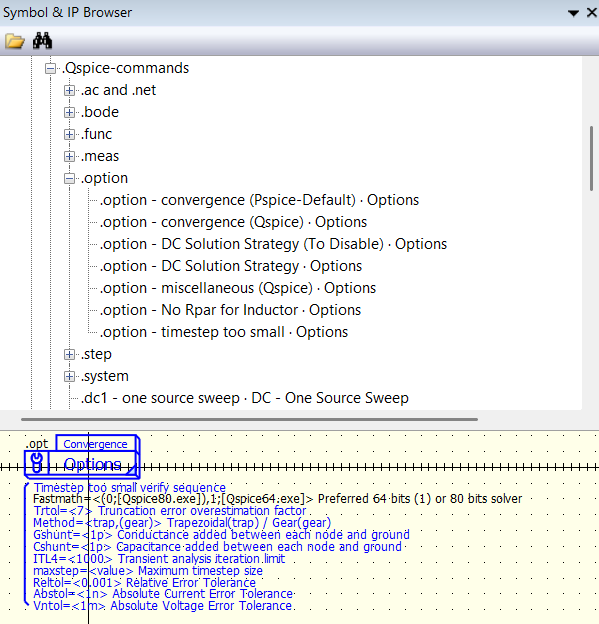
I created a symbol that can quickly enable or disable different option, for anyone who cannot remember so many options. .option - timestep too small.qsym
Unfortunately, Claude cannot be used in Hong Kong and I never get chance to experience how powerful it is. Not sure if it use my Github material to train itself in regard of Qspice.
Probably. It definitely seems to have been trained on QSpice specifically. One Claude limitation: It cannot run Windows programs directly (it can run Linux stuff in its own machine) unless you allow it to run stuff directly on your machine (which I have not allowed). Maybe I’ll set up a VM and try it once I find time…
It is quite impressive how AI has developed. I against using AI six months ago to assist with simulation, as the answers were still misleading; however, it is definitely not the same based on my recent experience. Quite scary.
I asked Gemini for Qspice reference, and return our repo as top refenece.