DWM3001CDK Iphone 16 Demo Not Working

Hello,

I am working with the DWM3001CDK and DW3_QM33_SDK_1.1.1.

As a sanity check, I first verified that the boards and basic UWB path are working. I flashed two DWM3001CDK boards with:

SDK/Binaries/DWM3001CDK/DWM3001CDK-UCI-FreeRTOS.hex

Using Qorvo UWB Explorer, both boards were detected and I was able to run the ranging demo and see live distance between the two boards.

The issue I am having is with the iPhone Nearby Interaction demo.

For the iPhone demo, I flashed one DWM3001CDK with:

SDK/Binaries/DWM3001CDK/DWM3001CDK-QANI-FreeRTOS.hex

I used JFlashLite with:

Device: NRF52833_xxAA
Interface: SWD
Speed: 4000 kHz

After programming, my understanding is that the DWM3001CDK only needs power and does not need to remain connected to a host computer. I powered the board (trying with each USB) and tried to discover it using the Qorvo Nearby Interaction app. When I plug into a computer, I get a solid red light on J9, and a flashing red + green light on J20. When I plug into a wall wort, I get a flashing red light on both J9 and J20… Either way, same result… can’t see on iphone using Qorvo Nearby app.

I tested with two phones:

iPhone 16 Pro Max, iOS 26.4.2
iPhone 16

In both cases, I was not able to clearly discover the DWM3001CDK accessory. I saw a Bluetooth device named CAM_D890, but I do not believe that is the DWM3001CDK because it remains visible even when the DWM3001CDK is unplugged and completely unpowered.

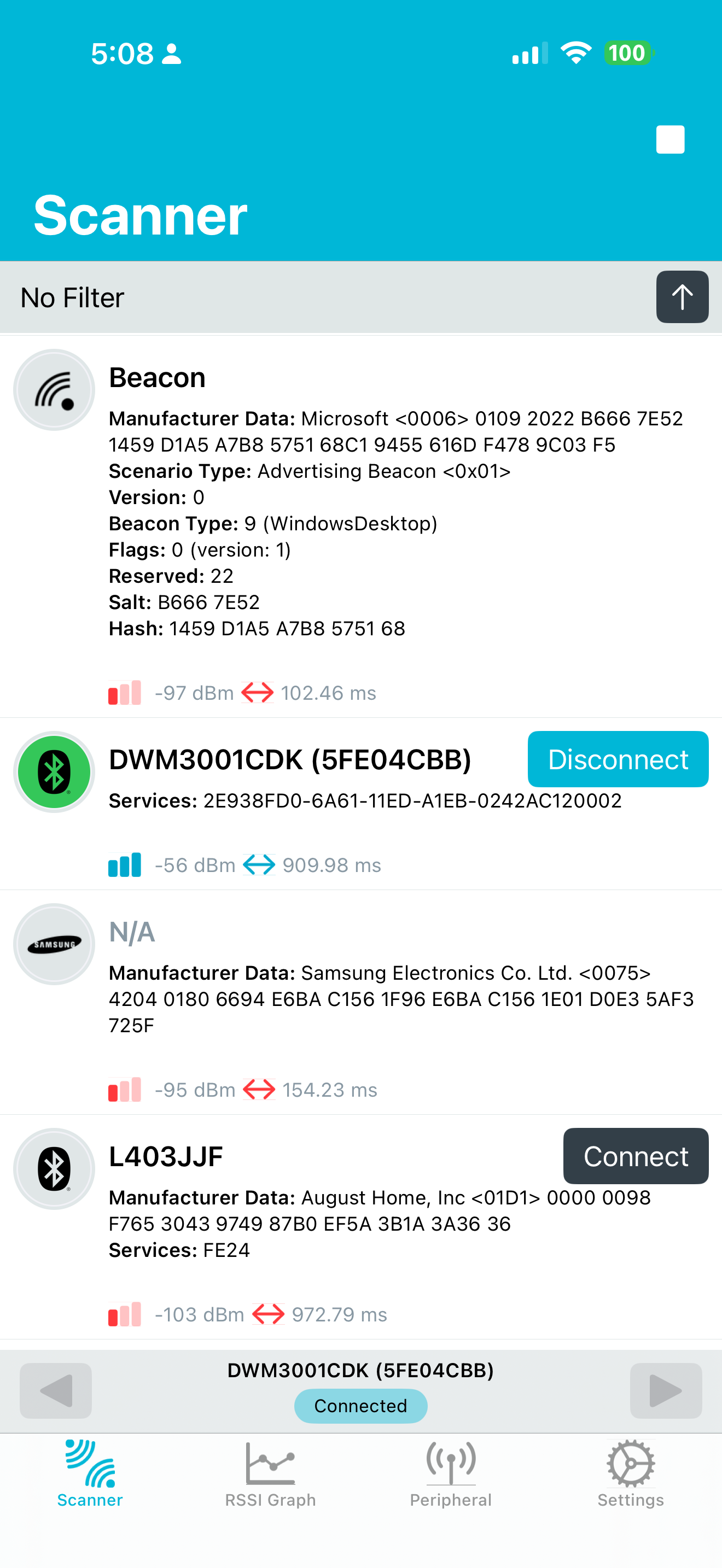
I also checked using nRF Connect on the iPhone. With the DWM3001CDK unplugged, CAM_D890 still appears. When I plug the DWM3001CDK back in, I do not see a new obvious BLE advertiser appear.

So it looks like I am stuck at the BLE accessory discovery phase for the QANI / iPhone demo.

Can you please confirm:

  1. Is DWM3001CDK-QANI-FreeRTOS.hex the correct image for the DWM3001CDK + Qorvo Nearby Interaction iPhone app demo?

  2. After programming the QANI firmware, should the DWM3001CDK only need power, or does it need to remain connected to a host computer?

  3. What BLE name or advertised service should I expect to see from the DWM3001CDK when the QANI firmware is running?

  4. Is this demo expected to work with iPhone 16 / iPhone 16 Pro Max, or should I test with an older U1 based iPhone?

What am I doing wrong?

Thanks for any guidance.
That should be the correct firmware. Once flashed you only need power at the J2 connector

There is no usb device added to the system

I see the red light flashing and a cdk device in nrfconnect

In the demo app
You won’t get any direction on iPhone 14-17, only distance

If you use an iPhone 11-13 you will also get direction

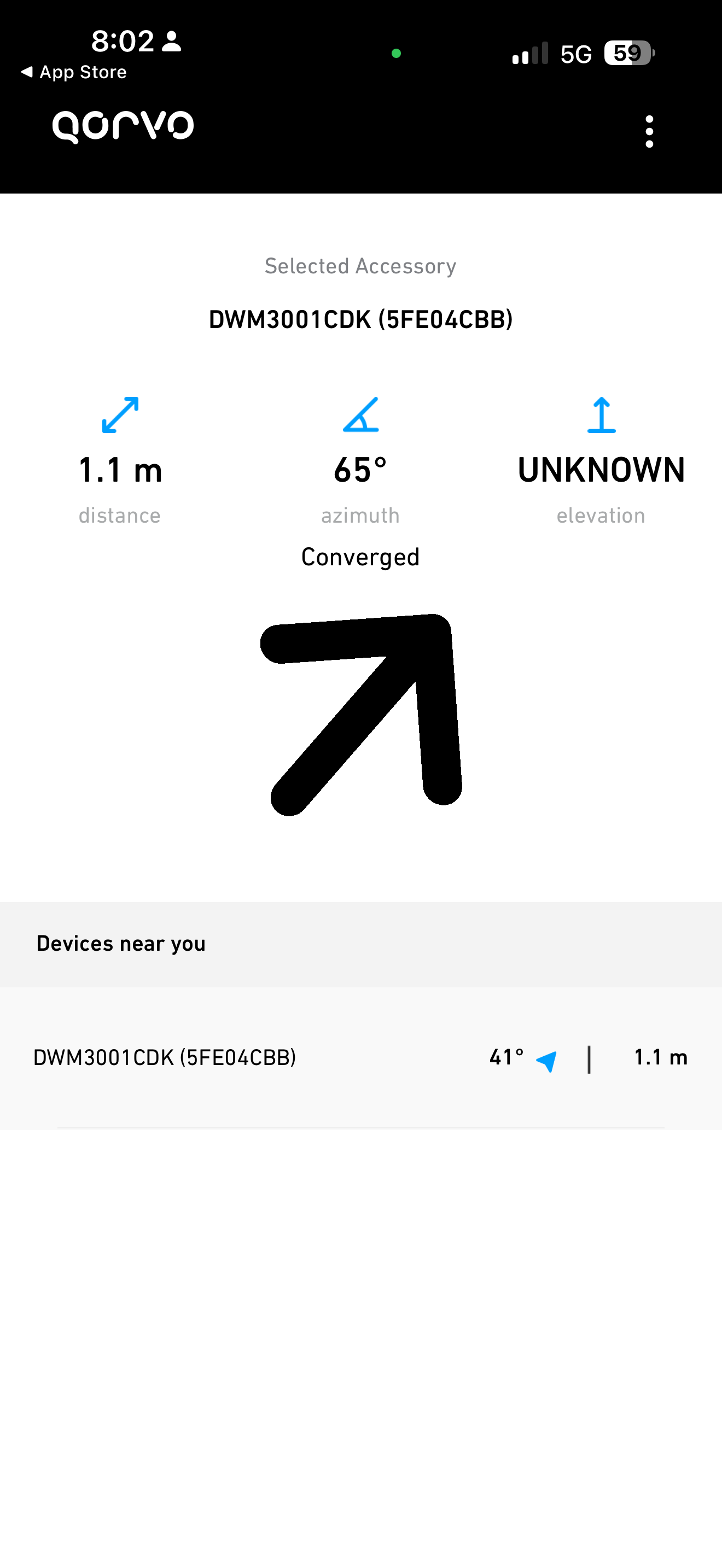
Thank you rexxdad for providing this screen capture of what I should see.
I get nothing in BT nrfconnect… :thinking:
Can you confirm hook power into USB J20 and you see a quick flashing red light? (Not J2 that you mentioned, which I think is a jumper).
I will repeat the entire procedure on the second board I have and see what happens.

The USB port closest to the antenna.

Yes, the board powers up and goes thru a flashing light sequence of different colors to settle on red flashing quickly.

I’ll pile into this thread since I’m just a single step beyond OP.

I’ve gotten to this point in the demo process (flashed, plugged into J20, getting flashing red light) and see the board in the Qorvo NI iOS app. I’m able to “connect” to it, but after connecting all I see is 0 for distance and it won’t change no matter how far away the device is moved. Everything works perfectly fine on PC with two boards connected. The boards’ distance from one another displayed accurately and updates in real time. Any idea why I’m not seeing any distance data on the iPhone? Working with an iPhone 17 Pro.

Hm. I just loaded the Qorvo app from the AppStore on my iPhone 17 pro

The cdk had the binary from the QANI sdk, from a couple years ago.

App worked fine and with distance and direction..,!!

I flashed the QANI binary from the DW3_1.1,1 sdk
And it works too

Older firmware

Sdk 1.1.1 firmware

1 Like

This demo app getting direction made me go work on our app. Which now works too.

Convergence is a little more complicated (from a user instruction perspective). but ranging with direction works. I have a repeat ranging problem to the same device but will solve it shortly. (Solved, if you don’t cleanup after ranging end, oops!)

@embeddedidiot The SDK provided binary DWM3001CDK-QANI-FreeRTOS.hex never worked for me.
I ended up compiling on my own, then it worked with mixed results from a iphone app experience.
I added simple board LED indicators:

  • Green LED for BLE phone connection
  • Blue LED for active UWB/ranging
    I also fixed standalone power-up behavior so the board now boots correctly from USB power without needing to stay connected to the computer.

I used two iphones, a 16 and an iphone 16 pro max.
In about 6 tries, is was never able to get the iphone 16 to show direction using the Qorvo app, though this phone supports UWB. For the iphone 16 pro max, I was able to show direction, with mixed results. Sometimes it would, sometimes not, and sometimes it was a delayed start of showing direction (but distance was there).

What I was not impressed by was the “working distance” of about 10 meters outdoor line-of-sight. Setup was the DWM3001CDK plugged into the wall outlet with the antenna facing up (and nothing touching it). Once in awhile I could get it to about 15 meters but it was spotty, like if I slowly spun around it would lose connection.

I am expecting much farther distance of ~60m with outdoor, line-of-sight. Keep in mind, I need the device to pass regulatory / FCC, so I can’t pump up the TX power.

@rexxdad What kind of outdoor line-of-sight should I expect? How am I going to get to a farther distance in practical applications?

Our solution is indoors, under 40 Ft so I have not tested outdoors at all

How did you flash?
I use JFlashlite, usb to J9 for flashing

The cdk is 52833, picking the wrong device will mess things up

There is no USB support in QANI, so all it will do is power, when connected to J20

The doc for the Qorvo app on AppStore says scan for Qorvo UWB devices(approved development kits), not apple u1/2 devices. And the images all show qorvo devices

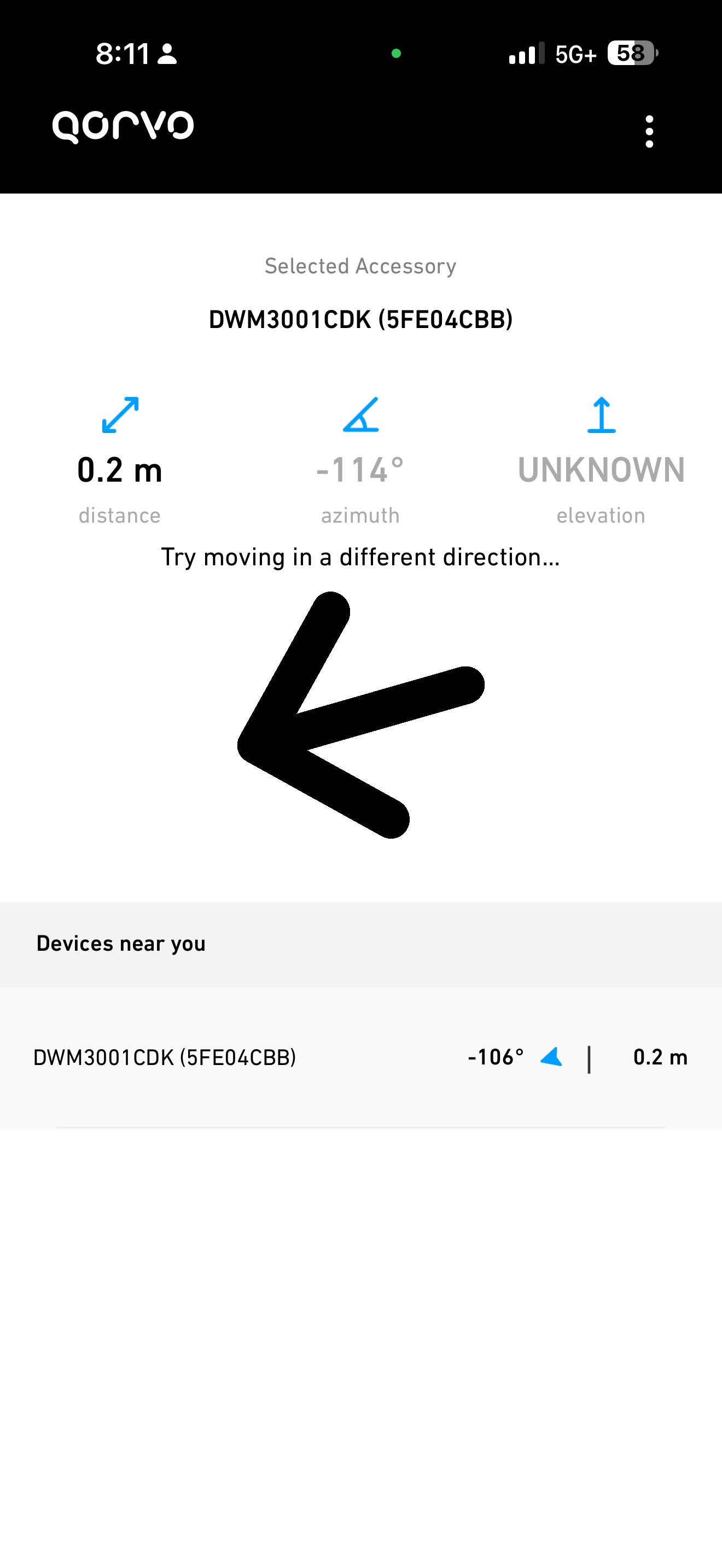
For the delayed ranging start, the camera convergence requires some pretty huge device movements sometimes. Nearly a meter left and right and up and down.

This will be a problem for some of my users, as they can do ranging on iPhone 11-13 with the phone in their shirt pocket, no hands required.

One other thing, make sure the non-component side of the cdk board is facing the phone. The antenna is not omnidirectional.

Also the antenna should be down if the user is below the board, and up is the user is above the board. Ours are mounted high on the wall, antenna down

@rexxdad Okay, I have more results.
I tested now tested with BOTH the DWM3001CDK and QM33120WDK1 dev board for Apple NI demo, and the short answer is, the results are disappointingly the same in terms of distance.

  • When testing with the device near the wall outside, I got the best results. Both distance and direction worked consistently up to 14m.
  • When testing in free space outside (moved to the middle of the street, no wall), Both distance and direction worked up to only 10m reliably.

In both setups, the device was static and I only moved the iPhones.

Testing was done with an iPhone 16 pro max. In addition, this time I tested with two different iPhones (same model) iPhone 16. The first iPhone 16, I could only get distance, no direction trying multiple times. However, on the second iPhone 16 I could get both distance and direction. But finally, I figured out (as you mentioned), to get direction on the first iPhone 16… I had to wave it around in the air about in a 2 foot diameter circle, then it started working with the missing direction.
For reference
10 meters is 32 feet, 10.9 yards
14 meters is 46 feet, 15.3 yards

Are you saying that iPhone 11-13 give instantaneous direction even today?
Also, for later iPhones (like 15+), apple added the “camera”, which makes convergence take longer? I don’t understand… it actually doesn’t even use the camera.

Do you have an evidence of these results, or similar as I can’t find it on Apple site. I need to provide definitive proof from another source of what we can expect and not-expect :wink:

In my use case, I am most concerned about achieving greater distance, not close up 10cm etc.

in R1 of Apple Nearby, the iPhone (11-13) has 2 antennas, and can calculate the distance angle directly. the maximum viewing angle is approx 60 degrees. 1/3 of 1/2 of circle.

in R2+, iPhone 14 up, apple decided that 60 degrees wasn’t enough and added the requirement to use a Camera assisted Augmented Reality session (AR) to get wider angle of detection. (up to 180 degrees)

in the app code handling the ranging session the setup must

  func setupAccessory(_ configData: Data, name: String, deviceID: Int) {
        //infoLabelUpdate(with: "Received configuration data from '\(name)'. Running session.")
        let accessory = Accessory(name: name,deviceID: deviceID);
        accessory.niSession.delegate = self;
        accessories.append(accessory);
        logger.info("in setup accessory")
    
        do {
            accessory.configuration = try NINearbyAccessoryConfiguration(data: configData)

            logger.info("dump of capabilities direction = \(NISession.deviceCapabilities.supportsDirectionMeasurement)");
            if(!(NISession.deviceCapabilities.supportsDirectionMeasurement)){
                logger.info("device does not support direction measurement");
                if(NISession.deviceCapabilities.supportsCameraAssistance){  // iPhone 11-13 is not set  our app works here
                    logger.info("device DOES support camera assistance")
                    accessory.configuration?.isCameraAssistanceEnabled = true  // required for iPhone 14 up, or only get distance.. just fixed our bug when set to true
                } else {
                    logger.info("device DOES NOT support camera assistance")
                }
            } else {
                 logger.info("device DOES support direction measurement");
            }
        }

once you say true, THEN the ARSession uses the camera for additional positioning info, which may require phone to be moved to get sync)
then this function is called to advise on convergence

public func session(_ session: NISession, didUpdateAlgorithmConvergence convergence: NIAlgorithmConvergence, for object: NINearbyObject?) {
        print("Convergence Status:\(convergence.status)")
        //TODO: To Refactor delete to only know converged or not
        guard let accessory = object else { return}
        
        let deviceID = deviceIDFromSession(session)
        //print(NISession.deviceCapabilities)
            
        if let updatedDevice = dataChannel.getDeviceFromUniqueID(deviceID) {
        
            switch convergence.status {
                case .converged:
                    print("Horizontal Angle: \(String(describing: accessory.horizontalAngle))")
                    print("verticalDirectionEstimate: \(accessory.verticalDirectionEstimate)")
                    //infoLabelUpdate(with: "Converged")
                    updatedDevice.isConverged = true // from here you can get angles reported too
                    break;
                case .notConverged([NIAlgorithmConvergenceStatus.Reason.insufficientLighting]):
                    print("not converged: More light required")
                    updatedDevice.isConverged = false
                    let parms = ["name": accessoryMap[accessory.discoveryToken] ?? "Unknown",
                             "type": "PositionStatus",
                             "message":" Insufficient Lighting"

if you cover the camera with your hand, you should see a report needing additonal lighting

I can’t help with distance.. we don’t need much over 10 meters normally

from the apple dev docs

Increase line of sight with Camera Assistance

In iOS 16, (sept 22, iPhone 14) , Camera Assistance (isCameraAssistanceEnabled) increases the device’s line of sight to a larger area that surrounds the device. This provides a nearby object’s distance and direction in a wider range of environmental conditions, in addition to the object’s horizontalAngle and verticalDirectionEstimate.

==============
Camera Assistance provides a direction outside of the narrow line of sight ===>only after first encountering the peer device once within the narrow line of sight. <==== (convergence, moving the phone around)

To use Camera Assistance in an interaction session, ensure the device supports the feature first by checking the value of supportsCameraAssistance.

it does NOT mention, if you DON’T set cameraAssistance to true, then you ONLY get distance.
which killed our app functionality.

Thank you @rexxdad this is so useful.
I also found this from Apple that indicates the iPhone models that support UWB and countries.

cool, great info. we knew about iPhone 11 up, u1/u2 is new info
we are still only in the US, but other countries are of interest

the two board firmware should use the CLI or UCI firmware, usb cords, and the python scripts.

the Apple stuff uses the QANI firmware which doesn’t provide any USB function..

with the latest iPhones (14+) you need to get the center of the back of the phone pointing towards the CDK board, back of the board (no components) facing the phone.