I’m using build Feb 17 2026 and Windows11
I’ve created a subcircuit symbol with pins. I can edit the pin name just fine.
But in Symbol properties, I cannot toggle the “Invisible” checkmark on or off.
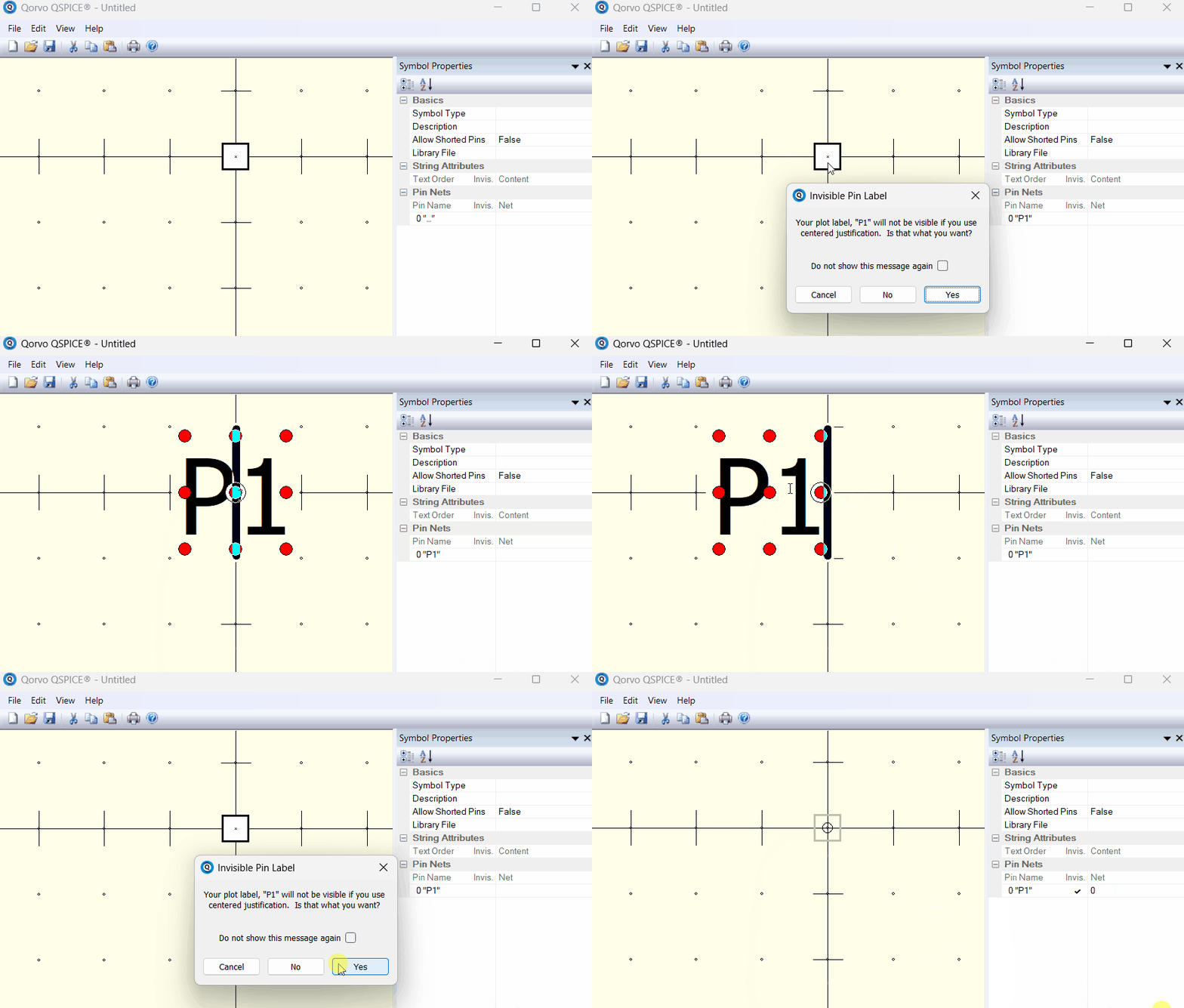
I’ve also tried to click on the red dots while editing the pin name. Clicking the outer red dots changes the justification, but don’t affect the visibility. The center dot is not selected and double clicking it doesn’t do anything other than changing the justification to the center and bringing up a “Invisible Pin Label” warning dialog.
And right clicking the pin only brings up a basic editing menu with no visibility selection.
No idea what pin visibility means in symbol properties.
- You can use center justification for the pin label to set it invisible
- Assign a net name to a pin can force this pin invisible. However, you have to ensure that this pin can indeed be connected to that pin net, e.g. 0 = GND in this example
1 Like
Thanks for getting back to me.
What I meant was that the pin name’s text was invisible and could not be made visible. I successfully entered the pin name, but when I hit return, the text became invisible. Clicking on one of the outer red dots just changed the justification, but not the visibility.
Also the pin name was a valid port name on the symbol’s schematic.
Anyway, I decided to delete all the pins entirely and re-entered the all the pin name’s text. Once I did that, everything worked as expected. The text could be justified and toggled on and off without any problem.
So, my guess is that I got the symbol editor into some kind of funny mode. Any I haven’t had any problems since.
Thanks again,
Bob Kitchin