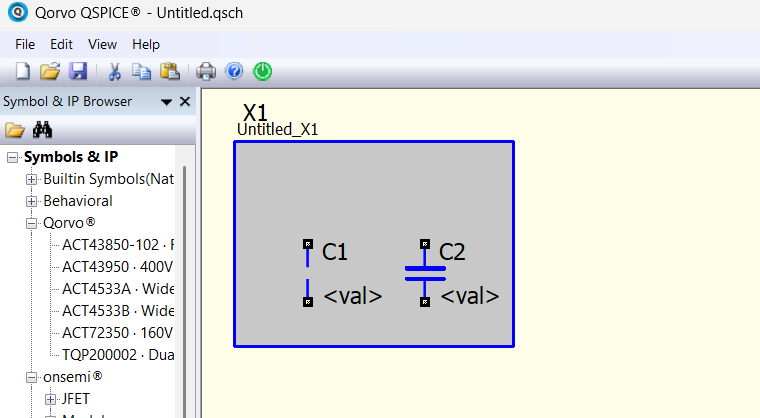
From main schematic, (Right Click) (Enter Schematic), Sub Circuit, Greyed Sub Circuit definition area (Grey covering), causes capacitors to hide. Capacitors will appear on (Left Click) for a short time. Work around is move grey box away to see complete circuit with capacitors and restore grey before (Save).
(Help About) QSPICE Build Mar 1 2026
A bug is reported through email (Qspice > Help > About Qspice).
In this example, C1 is placed before and C2 is placed after a hierarchical block is drawn.
In Qspice, some shapes can cover others, but some may not, and for the same shape, the top can cover the bottom. What you see is more commonly found when creating a custom symbol, but that’s another story.
However, what is the purpose of having a device on top of a hierarchical block? Both of them are circuit devices (hierarchical block is actually a subcircuit, and its circuit contains in a child schematic), and in general, just like you would not put an op-amp symbol on top of a capacitor. But why a hierarchical block on top of it?