Is there a way to force the plot to always show a 0V line on the grid?
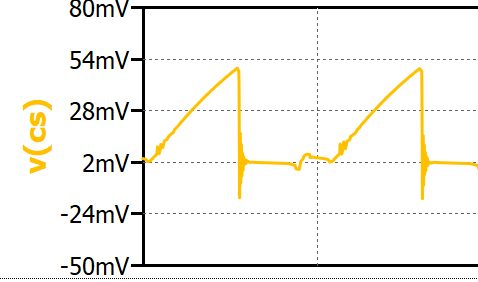
I’ve defined axis setup manually and select proper tick marks. In this case:
top=80m
bottom=-50m
tick=10m
or zoom in a bit.
top=75m
bottom=-25m
tick=25m or 5m, but not 10m
but either way it would be up to you to pick a sensible tick value to yield a 0 crossing…
1 Like
@jay314159265 ,
If you’re just looking for a 0V reference line to be printed on the plot, you can add V(GND) to the .plot directive.
Len
1 Like
Right-click the axis (in your case, possibly something like this) and change the tick (top is not essential). Any value where bottom + (tick * n) = 0 will give you a 0V grid line. [n is integer, just don’t be too large as there is maximum tick resolution].
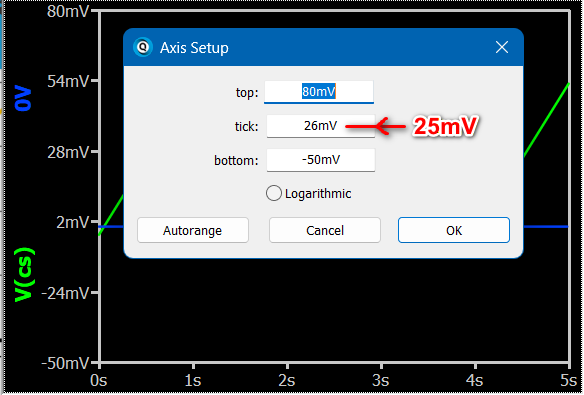
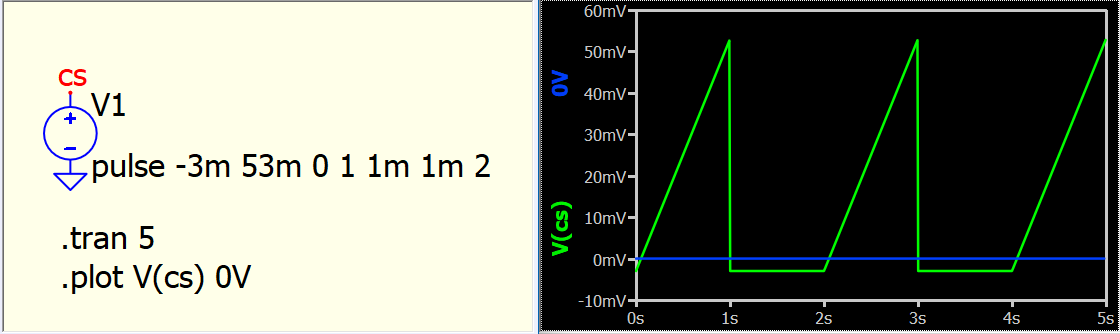
@lpoma for reference line, can directly add a number with unit.
2 Likes
If I put top=3V, bottom=-0.5V, tick=0.5V Qspice converts tick to 0.7V …  I don’t know why Qspice has to so stubborn, or maybe its me.
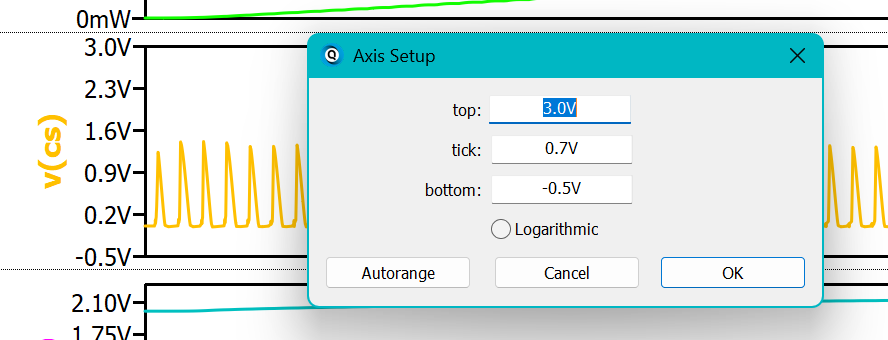
i guess you have multiple plot and with more limit of how many tick can display in one plot
It’s just Qspice being stubborn. in the last case it took 3- (-5) = 3.5 It says ok lets give that 6 tics so 3.5 / 5 = 0.7 Ok that is fine its just a scaling issue based on how many plots are shown so you get 6 ticks. But then you look at the plot directly under it and it has 7 tics so its not the scaling that is forcing the 6 tics on the first plot, it’s just qspice messing with me.
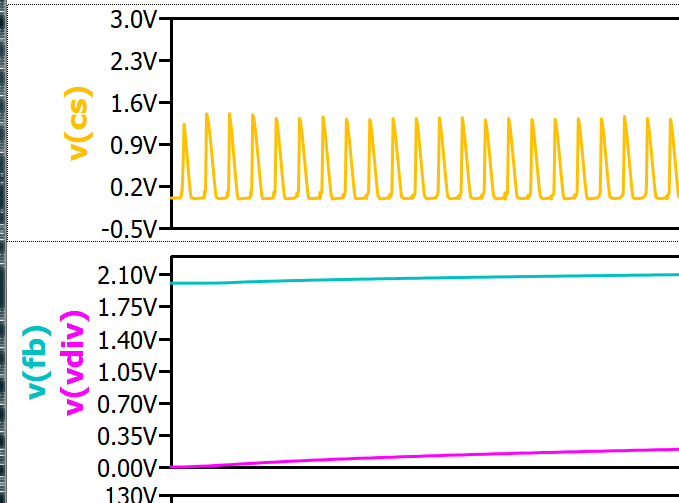
If you have auto-scaling that looks weird, consider submitting it to Mike for review—that’s what I did before. Auto-scaling has been improved, but it’s still not perfect. However, as I can live with it most of the time, I’m OK so far. But if something is too frustrating, submitting a report might help. Although this forum is hosted by Qorvo, the Qspice channel is community-supported only. Any requests or bug reports need to be submitted via email.
Sometimes, I verify and email a bug report to Mike if a newcomer submits a case. But for features or improvements, it is better if the requester submits them directly.
1 Like
@lpoma for reference line, can directly add a number with unit.
Even better.
1 Like