Well, you should start with the Overview and Basic_User PDF documents in the …/QMdbSim2_Project folder to get a handle on the system requirements. The latter PDF walks you through initial setup requirements using the contents of the Basic_Demo folder.
The basic demo contains only the minimum required files. That is, it is self-contained and includes all needed pre-compiled DLL and Java files. Successfully running the demo will ensure that your system is set up and configured correctly.
Once that’s done, you can copy the corresponding PIC16F819 files into the demo folder. (Don’t overwrite your manually configured QMdbCfg.ini file.) That should be all that’s required to run that device demo.
To your questions:
The Basic_Demo folder demonstrates the minimum required files and the PDF describes which ones are intended for user modification.
The device sources (for .hex/.elf) are in the MPLabX_Sources folder (or similar) for each device. The PIC16F819.elf is included – I did not distribute the *.hex as it is redundant.
I used MPLabX v6.30. That version must be installed whether or not you use it to compile. It contains the Microchip software simulator that the QSpice ultimately calls.
Yes, you can ignore all of the corresponding files missing from the Basic_Demo for a minimum setup.
Hopefully the above will get you started. Please let me know how it goes.
To be clear, the Basic_Demo uses pre-compiled DLL and Java code. Frankly, I don’t like trusting other folk’s binaries so source code for everything is included in the QMdbSim2 and QSymGen3 projects. The QMdbSim2_Dev_Developer PDF covers creating and compiling device DLLs. The QMdbSim2_API_Developer PDF covers the Java interface to the Microchip software simulator.
But compiling everything would be too much to ask of someone who merely wants to drop a micro-controller symbol onto a schematic and write some device code… so I distribute binaries.
This looks like a really useful improvement over the original QMdbSim project. The faster simulations and editable configuration are especially nice, and the ability to generate new device files without manually editing the symbol, schematic, or DLL should make it much easier to extend.
I’ll definitely keep an eye on this project as more microcontrollers are added.
I’d be interested in any demo’s for the PIC16F1827 or PIC16F1847 as well. Also, a demo for the ATMEGA328P as used in the standard Arduino UNO and NANO. I’ve got to learn to crawl before I can walk. Thanks.
I added the PIC16F1827 & PIC16F1847 devices today (on the dev branch). That’s in addition to the PIC16F819 that you previously requested. The ball is in your court.
As for the ATmega328P, I added that device earlier. However,I don’t plan to provide a “demo as used in the standard Arduino UNO and NANO.”
This project uses the official Microchip software simulator as the back-end so, no, TI products aren’t supported. If TI has a software simulator, please point me to it. In theory, I could plug any simulator back-end into the QSpice front-end.
Thanks for the device files for the dsPIC33FJ128MC802 chip as I asked about, I have seen it. Sorry for being late in working on it , its because I was occupied with other things. But in these recent days I have worked on this chip and I will surely continue to work on the dsPIC33FJ128MC802 this week.
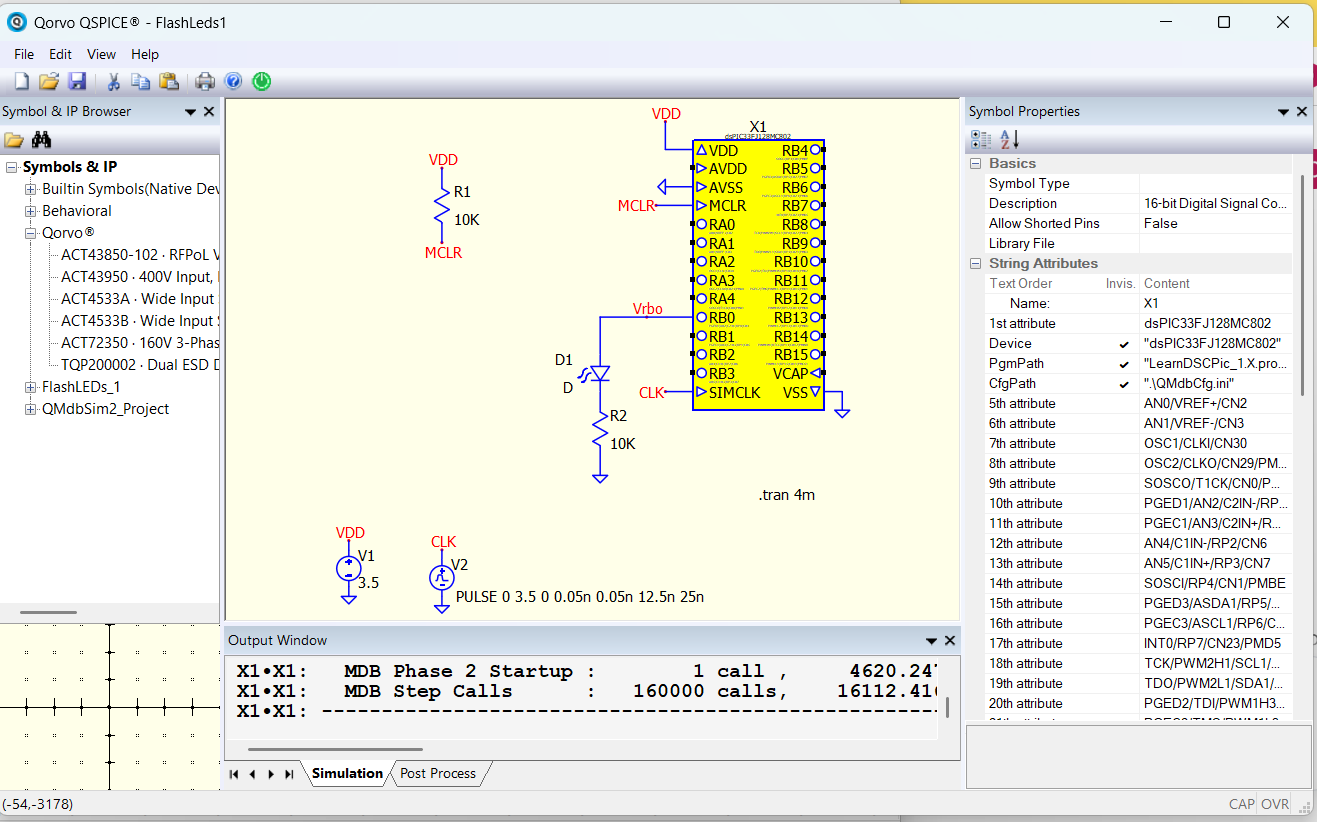
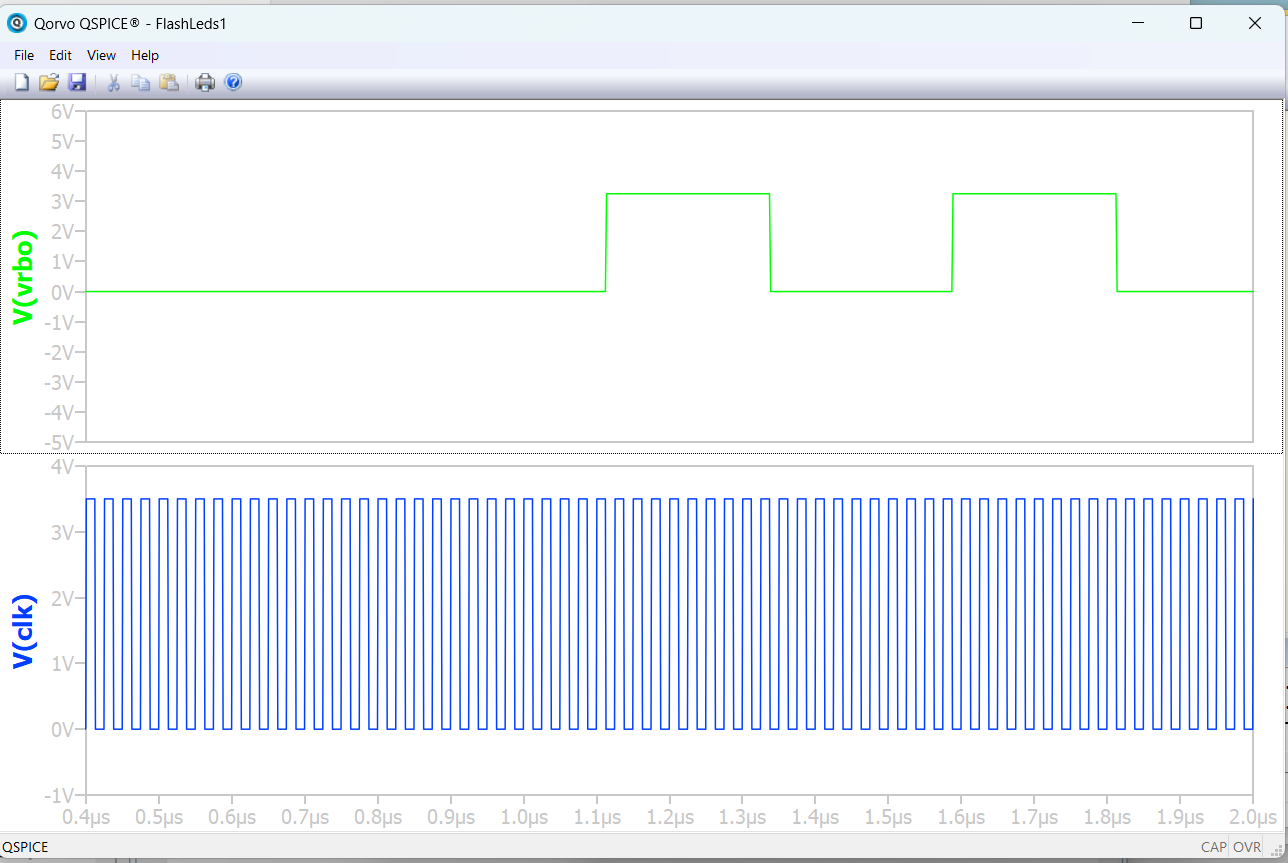
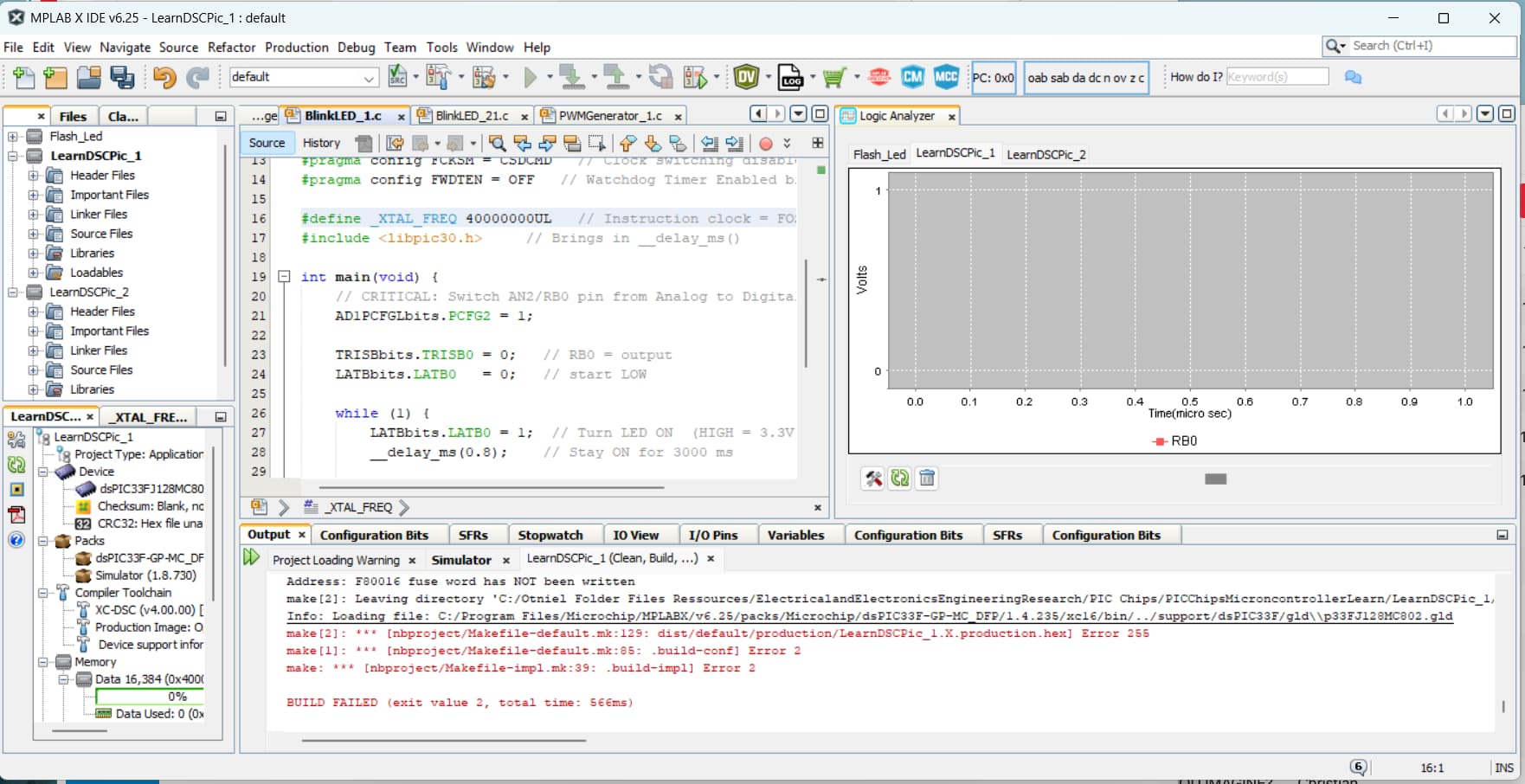
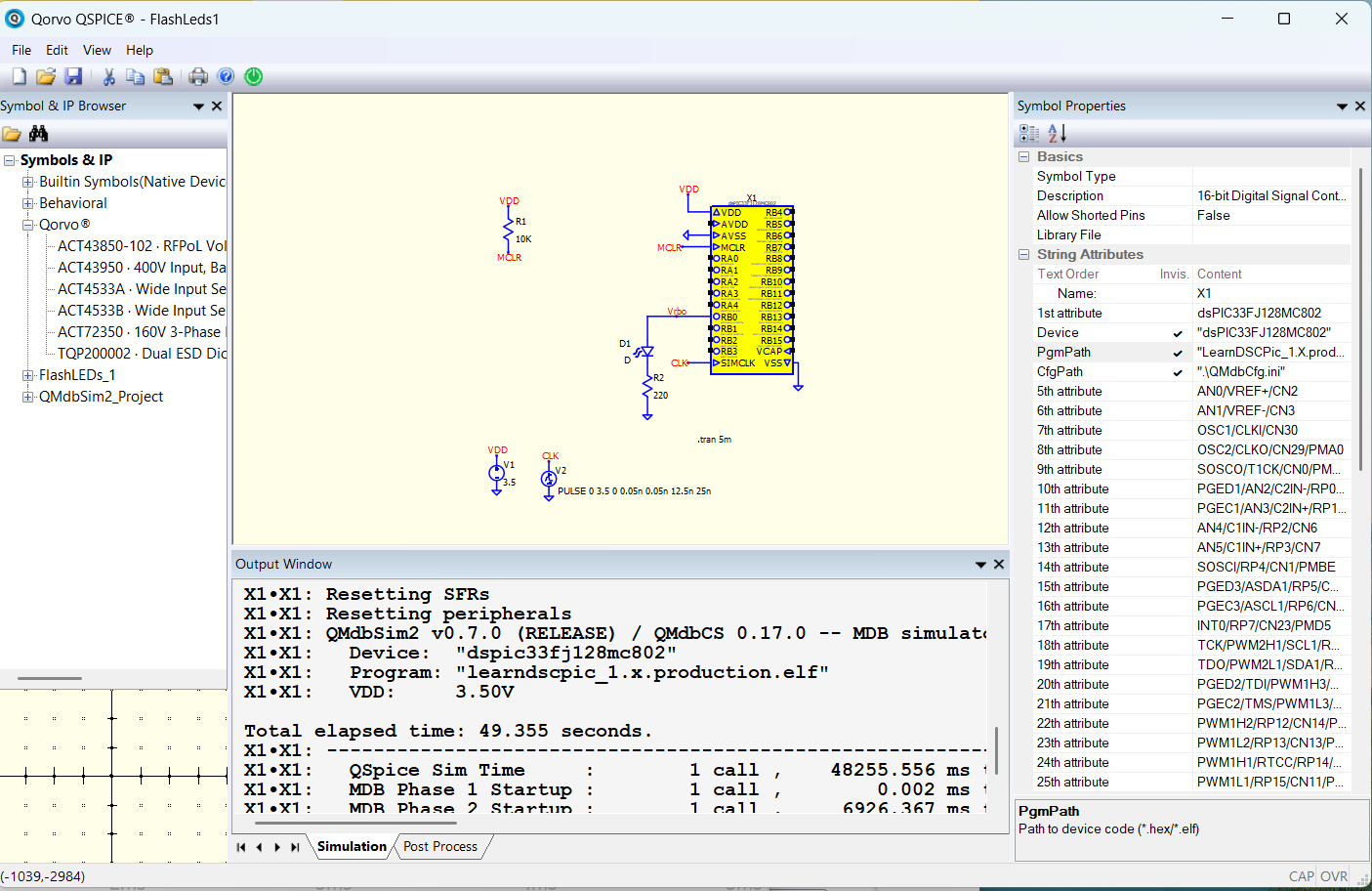
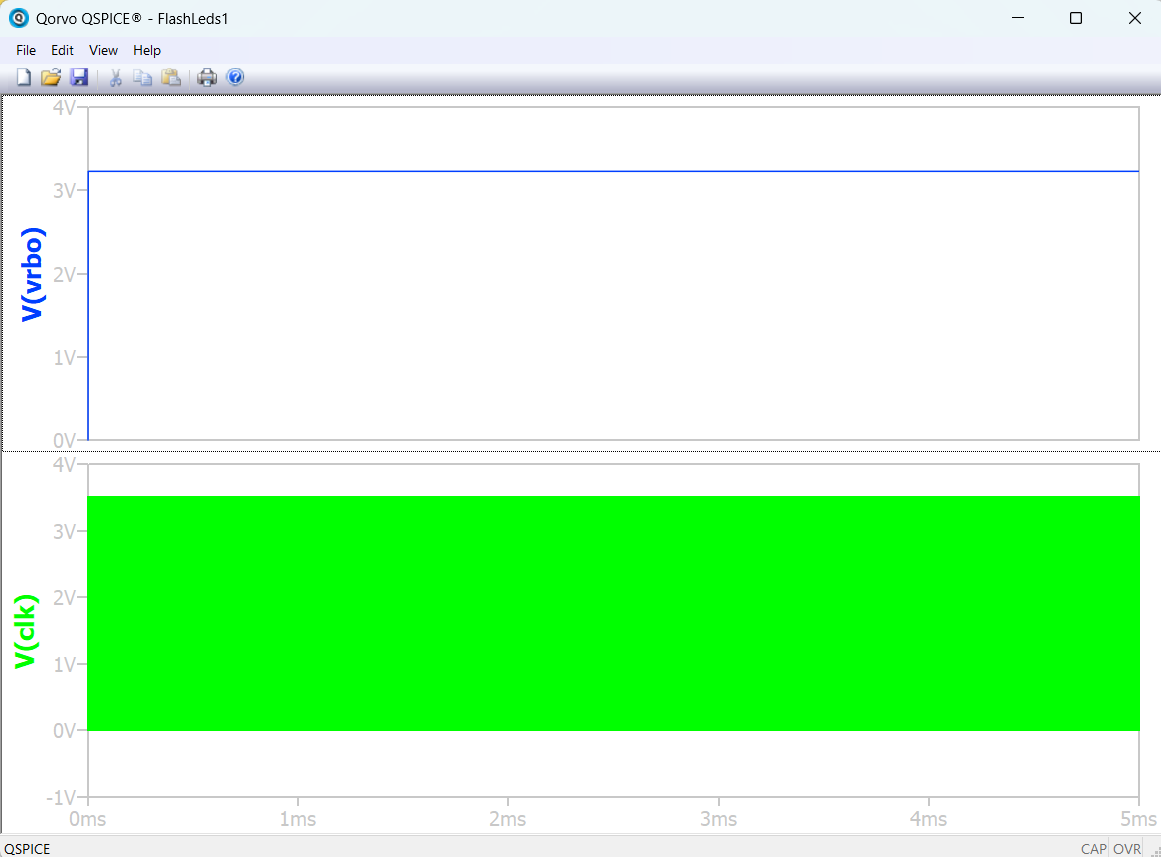
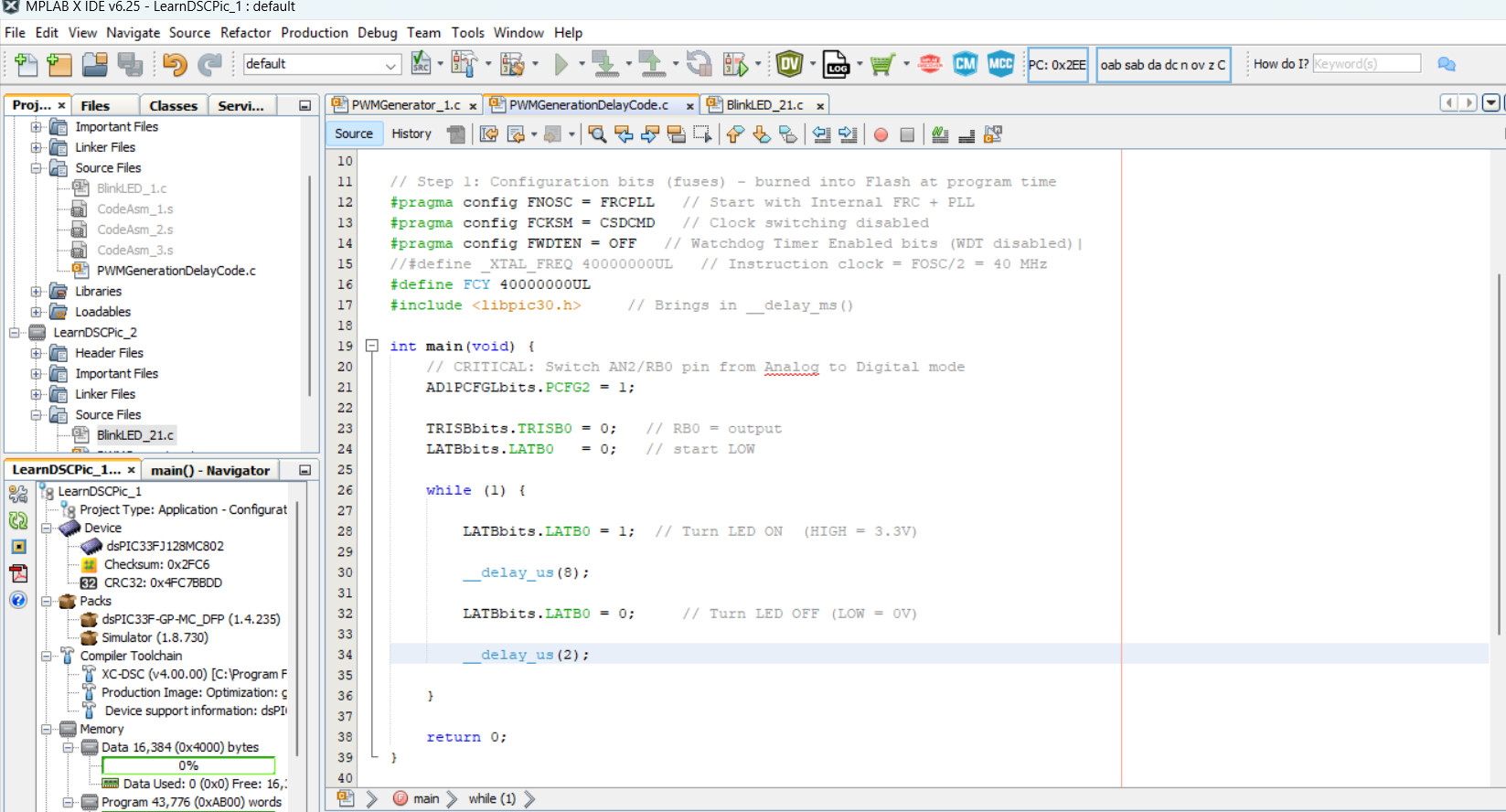
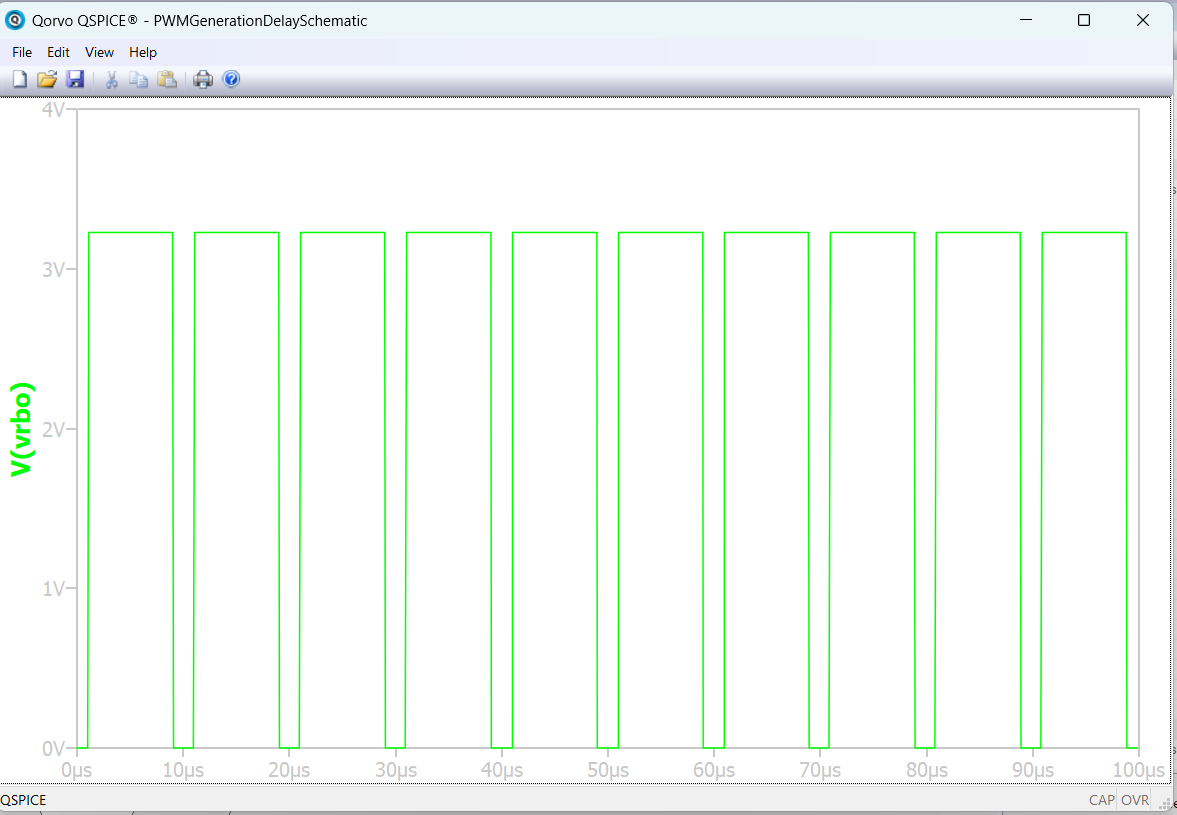
So I have finally recently worked on a circuit based on the dsPIC33FJ128MC802 chip. I have simulated a simple circuit based on a code I compiled from MPLAB X ide. I have encountered some problems and issues on the simulation of this circuit whose purpose is just simply to blink an LED, I have started with that to learn and bit by bit I will be moving on to complex ones. Infact the circuit simulates well but the result of the Vrbo PWM does the follow the expected period as shown in the images
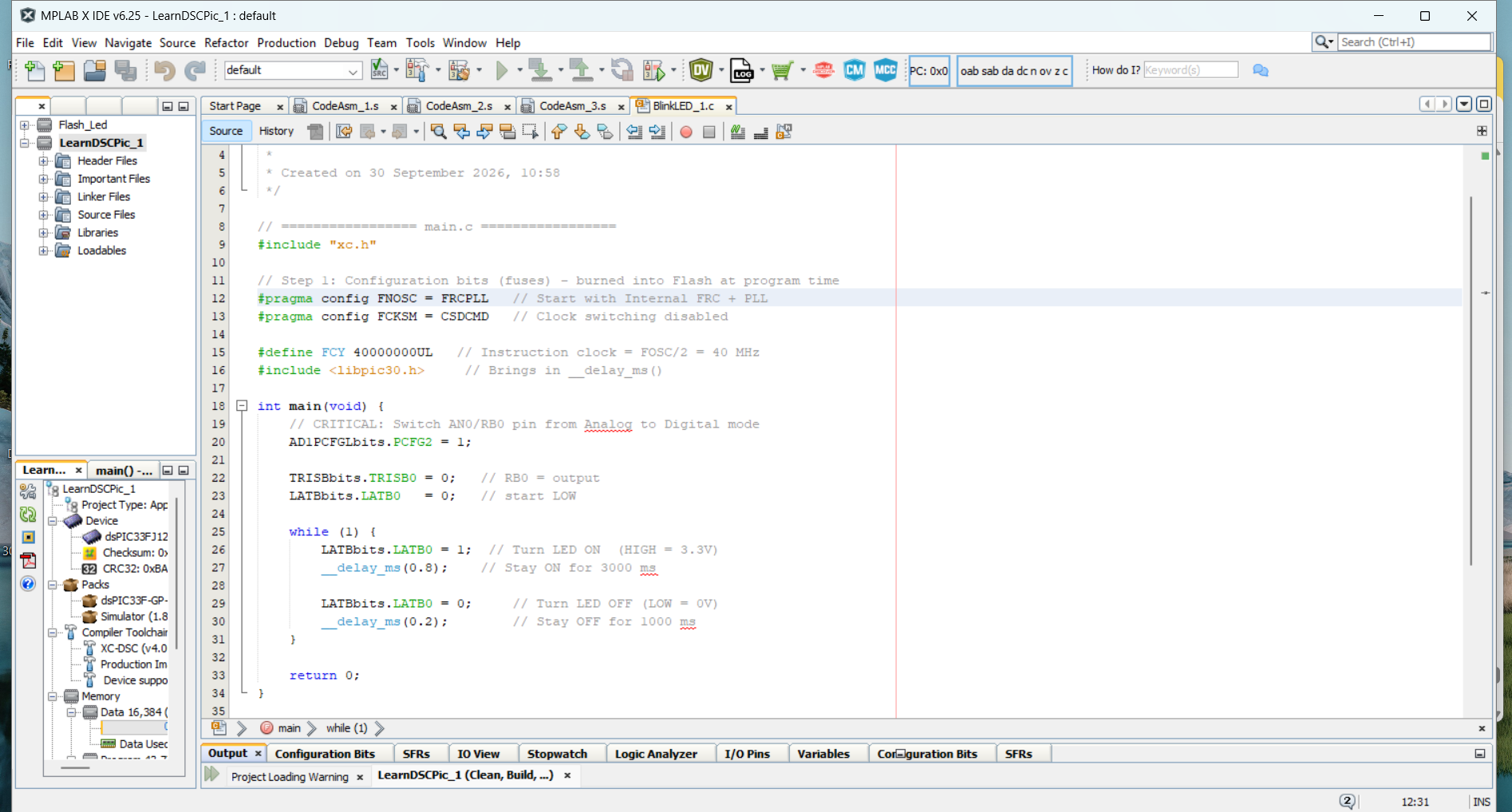
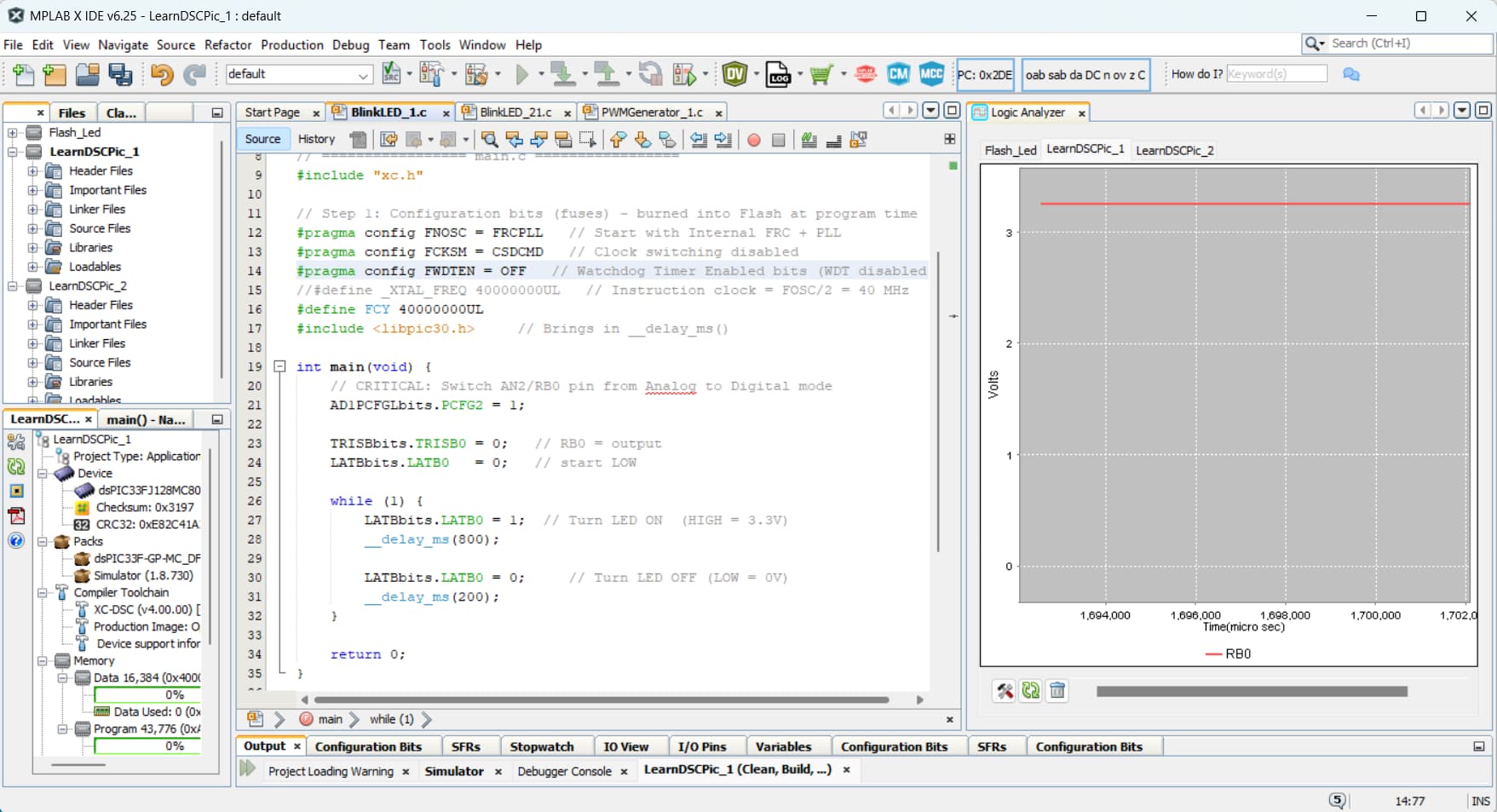
The code is programmed so that the RB0 pin outputs a high for 0.8ms and a low for 0.2ms hence period T = 1ms, hence f = 1KHz. But surprisingly when simulating in Qspice the Vrbo period shown in the image is approximately about 1.5us which is far different from the expected 1ms. And also by looking at the image showing the qspice Vrbo curve the Ton = Tlow time as if duty cycle D = 0.5 meanwhile the expected D = 0.8.
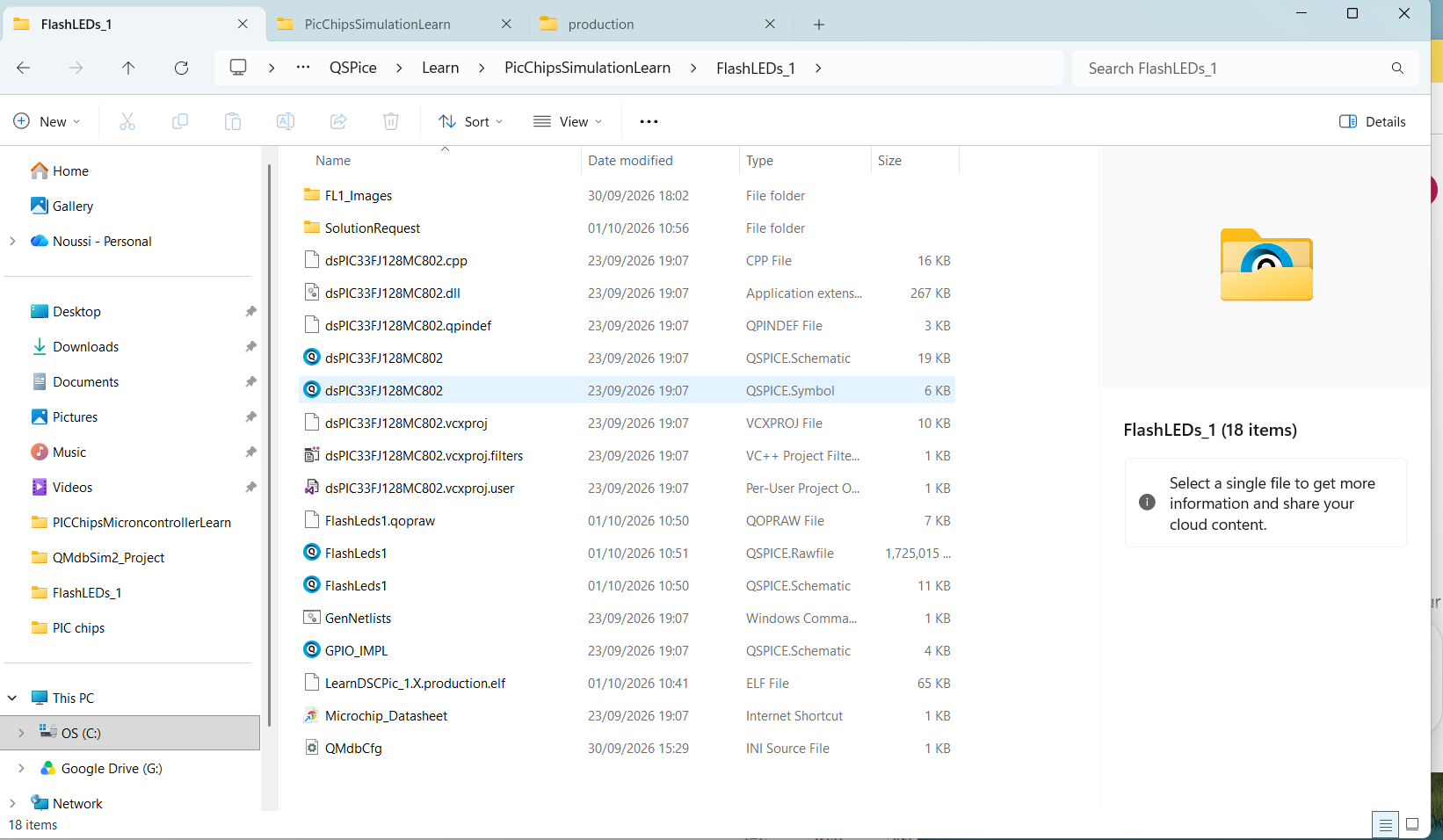
I have uploaded the images of the Qspice circuit and curve, the Mplab code and the folder view of the qspice work. I have uploaded the schematic also. Please , It will be great for me to get the troubleshooting steps and the result soon.
Well, the code looks generally correct to me although I have no experience with this particular device. I’d first suspect that the __delay_ms() call isn’t generating the delay that you expect.
__delay_ms() may not allow non-integral values. I think there is a __delay_us().
__delay_xx() requires that you manually define “#define _XTAL_FREQ xxx”. See MC doc.
I’d start with those. Let me know if that solves it.
Great Thanks sir for the suggestion but when I tried this sugestion of the #define _XTAL_FREQ as you see below in the image it gives an error. Or thats not the correct way to implement that?
I’ve also learnt that there are also overhead cycles of the CPU that gives wrong results when trying to implement high frequency PWM with “delays” cpu method, that one should use PWM engine for high frequency. Can the PWM modules be simulated with this framework?
To be clear, the QMdbSim2 code appears to be working. The challenge is understanding how to make your MPLabX project configuration match the QSpice-side simulation clock timing so that you see reasonable timing results.
As for PWM support, search the MPLabX installation files for the Microchip simulator features supported for the specific device as described in my documentation. PWM may or may not be supported for a particular device. But none of that will fix the problem until you fix the clock discrepancies.
Maybe post schematic(s) and MPLabX projects with code/configuration(s) for me to work with?
Okay thanks sir
The clock cycle that I implememted is of period 25ns with Ton = 12.5ns which follows the Fcy= Fosc/2 = 40MHz maximum instruction cycle that can be implemented on the dsPIC33FJ128MC802. The images below shows the 40000000 in mplab x and the T = 25ns in the Qspice schematic. Is that the correct way to fix the clock for the Simclk pin?
The problem it shows in mplab is stored in the text file below: FlashLEDs_Problem1s.txt (2.6 KB)
Please sir help me fix the problem described in the file.
@N.O.Prince Hmm. Do you think that maybe the code is working as written? The device program says delay 800ms + delay 200ms. The schematic says run for 5ms.
Change the __delay_ms(800) and __delay_ms(200) to __delay_us(8) and __delay_us(2) and the .tran to 100u. I think that you’ll see what you’re looking for. You can then check the waveforms to determine that the schematic CLK and delays match up correctly.